Excel中怎么插入杂志的3D模型

 时间:2024-10-12 21:14:45

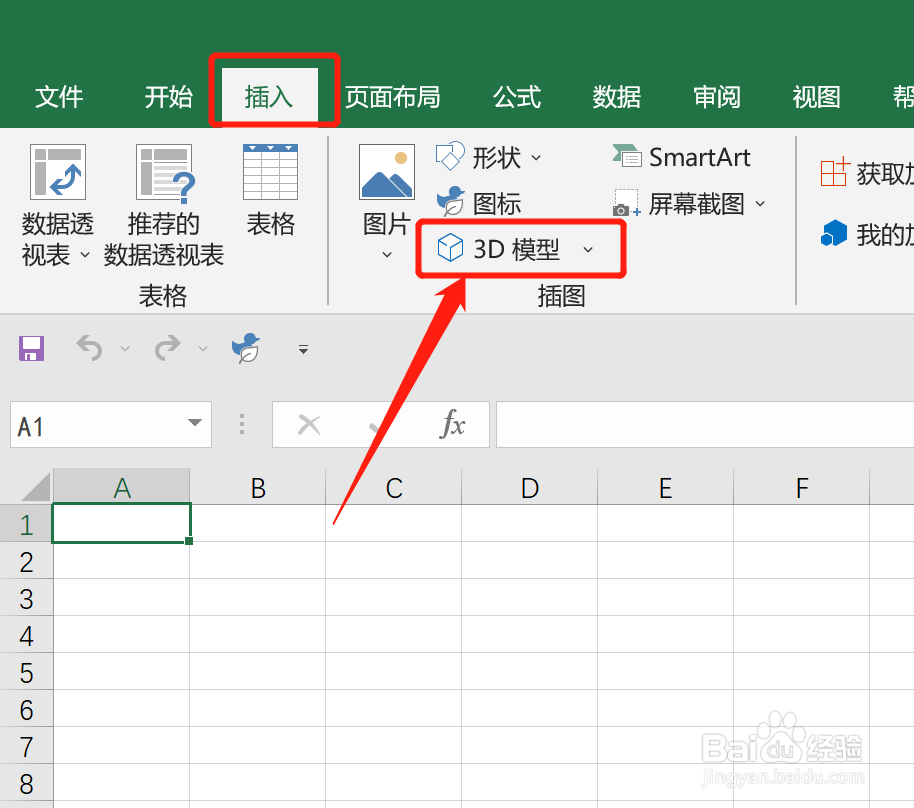
1、打开Excel文档,点击【插入】,选择【3D模型】

Excel中怎么插入杂志的3D模型

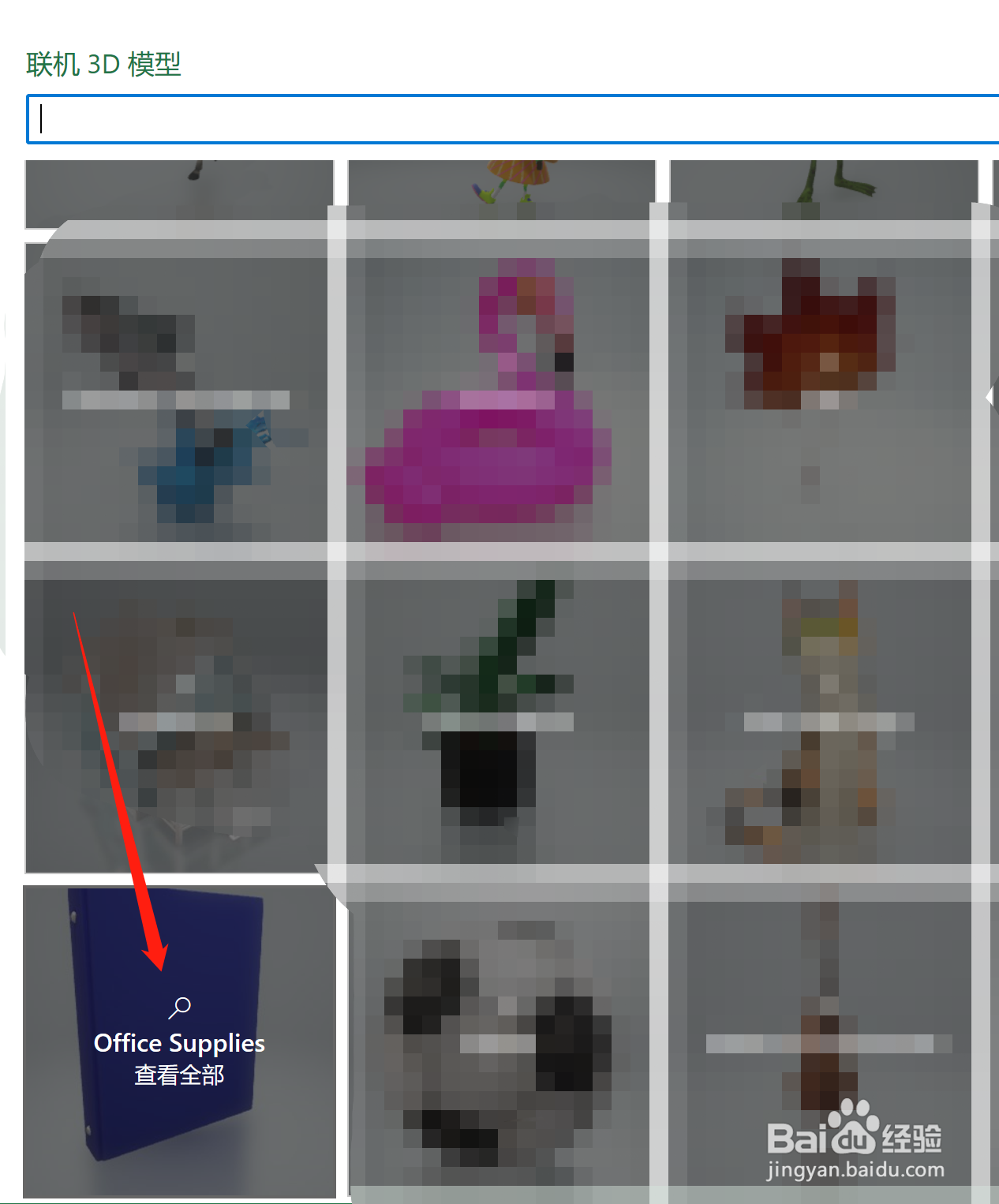
2、在【联机3D模型】中,找到【Office Supplies】,点击进入

Excel中怎么插入杂志的3D模型

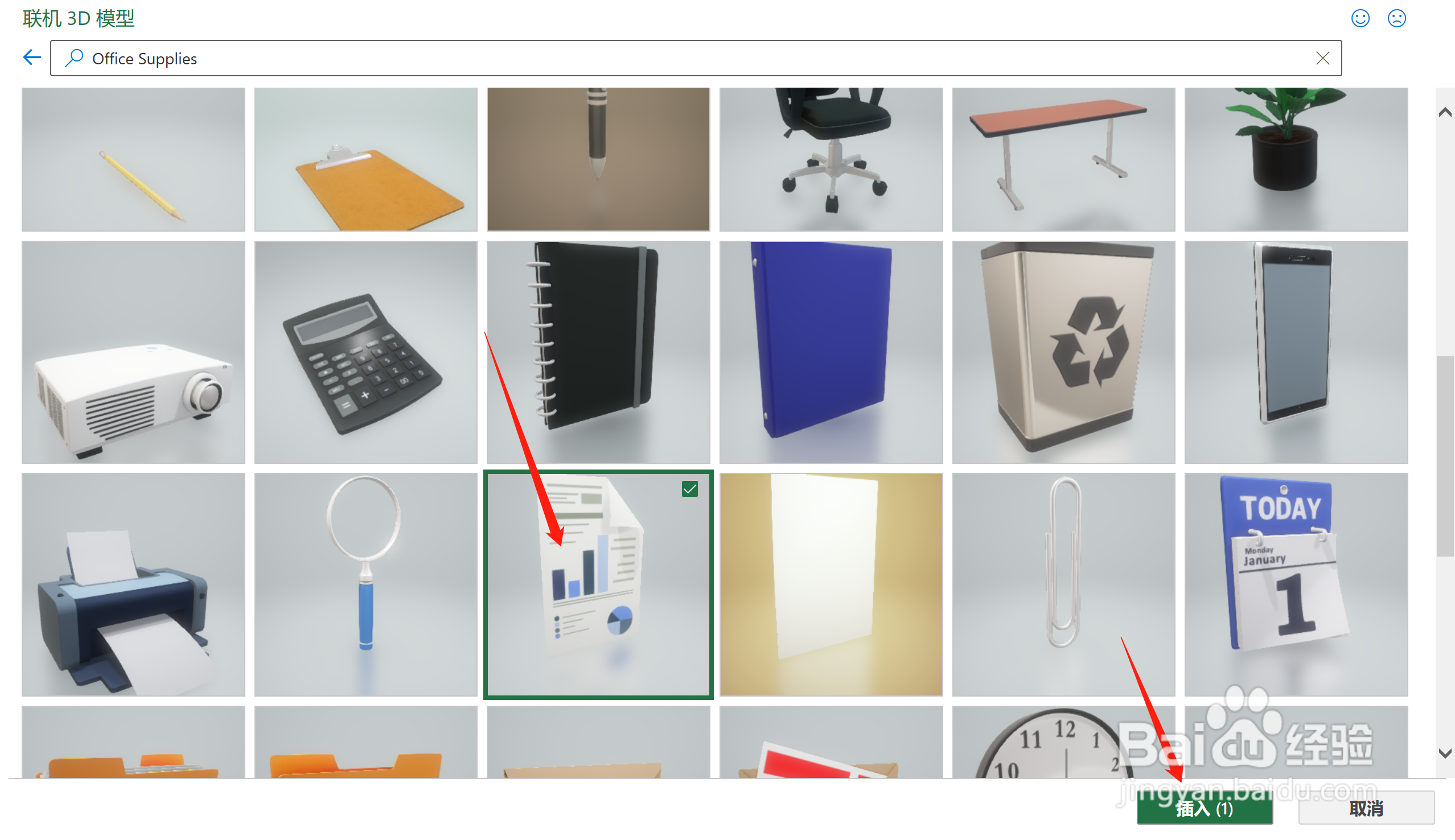
3、找到【杂志】,点击【插入】

Excel中怎么插入杂志的3D模型

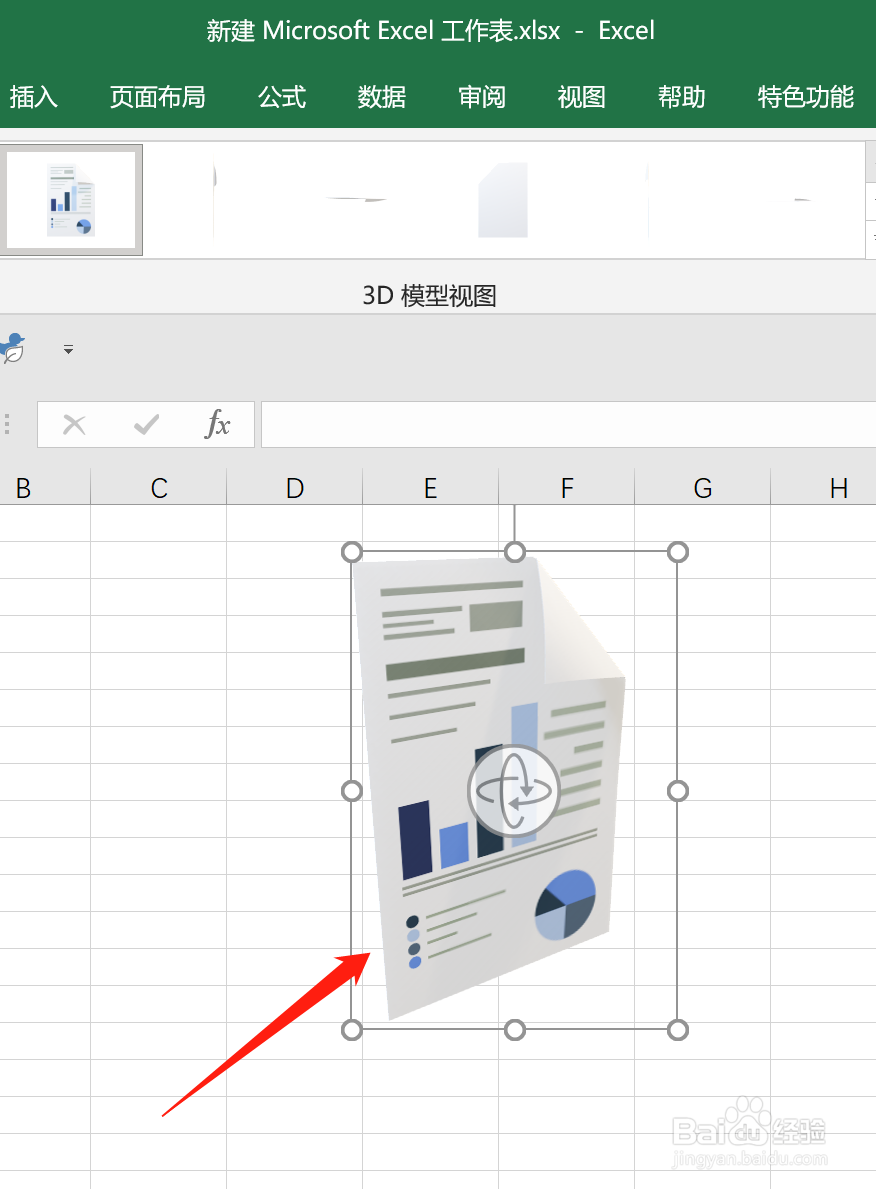
4、即可在Excel页面插入【杂志的3D模型】

Excel中怎么插入杂志的3D模型
  • Excel中怎么插入救生衣3D模型
  • Excel中怎么插入奖杯3D模型
  • Excel中怎么插入笔记本3D模型
  • Excel中怎么插入文件夹的3D模型
  • Excel中怎么插入护照3D模型
  • 热门搜索
    我的世界打火石怎么做 自考本科怎么报名 螭吻怎么读 我的世界梯子怎么做 甲状腺结节是怎么引起 荷兰猪怎么分公母 怎么都快乐教案 右胸痛是怎么回事 孜怎么读 诉状怎么写