PSPad editor怎么设置插入模式光标为半区块

 时间:2026-02-12 07:25:25

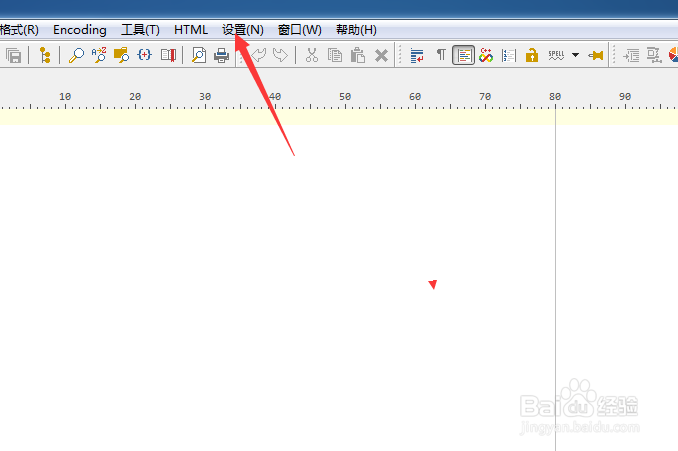
1、点击菜单中的设置菜单

PSPad editor怎么设置插入模式光标为半区块

2、弹出了下拉菜单选中为首选项

PSPad editor怎么设置插入模式光标为半区块

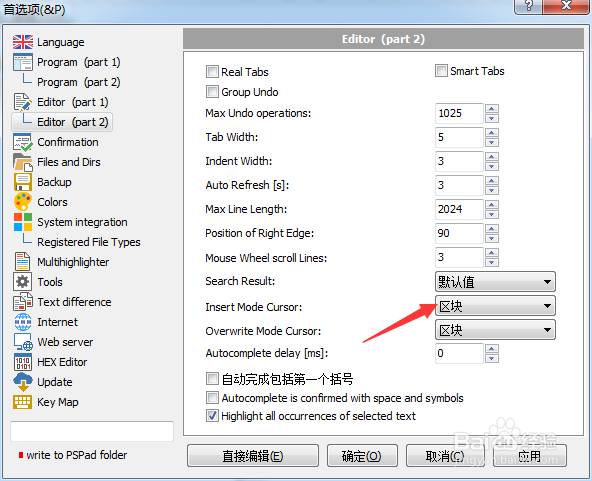
3、点击editor选项

PSPad editor怎么设置插入模式光标为半区块

4、点击insert mode cursor选项

PSPad editor怎么设置插入模式光标为半区块

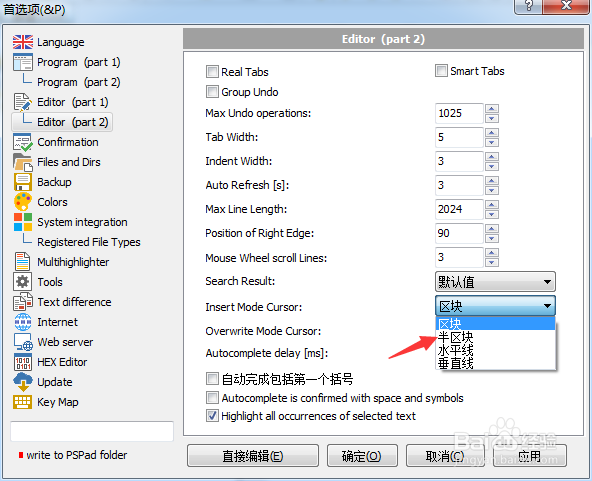
5、弹出了下拉菜单

PSPad editor怎么设置插入模式光标为半区块

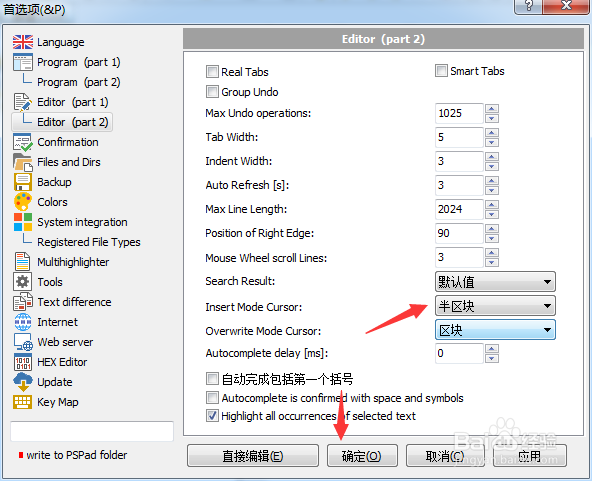
6、选择为半区块之后,点击确定

PSPad editor怎么设置插入模式光标为半区块

  • PSPad editor怎么菜单图标集为valka
  • PSPad editor怎么开启顶部面板
  • PSPad editor怎么工具栏图标集为pspad
  • PSPad editor怎么工具栏图标集为silk
  • PSPad editor怎么设置最大撤销操作数
  • 热门搜索
    挂钩疼怎么办 丰胸的方法 生蚝怎么做好吃 怎么用扑克牌变魔术 长安奔奔怎么样 包子怎么做才松软好吃 瘦大腿的最快方法 魔芋豆腐怎么做好吃 带字图片大全 画画大全简单漂亮