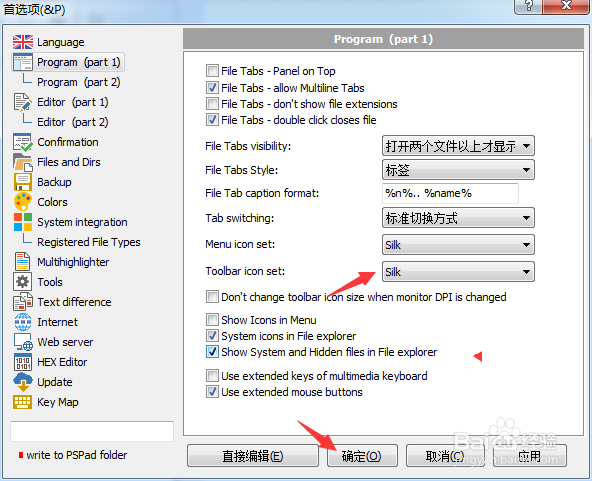
PSPad editor怎么工具栏图标集为silk

 时间:2024-10-30 23:28:16

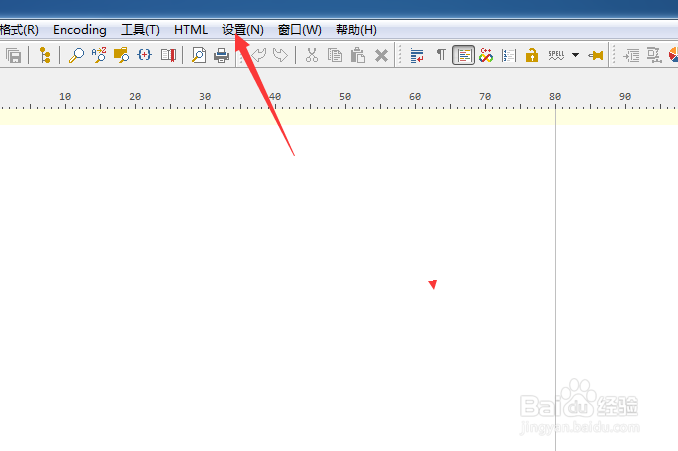
1、点击PSPad editor菜单中设置菜单

PSPad editor怎么工具栏图标集为silk

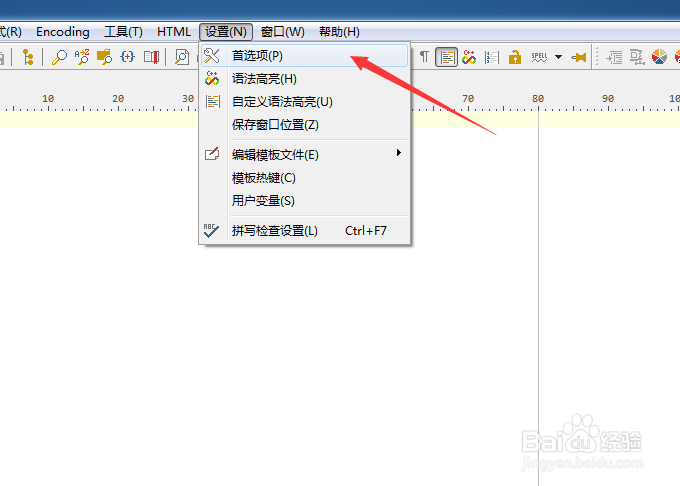
2、弹出了下拉菜单选中为首选项

PSPad editor怎么工具栏图标集为silk

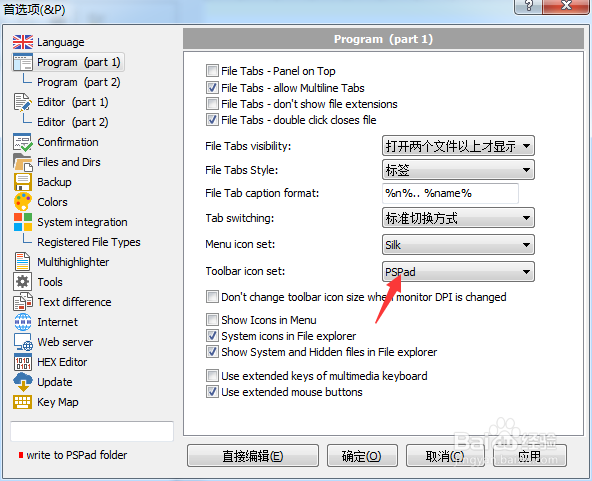
3、点击toolbar icon set选项

PSPad editor怎么工具栏图标集为silk

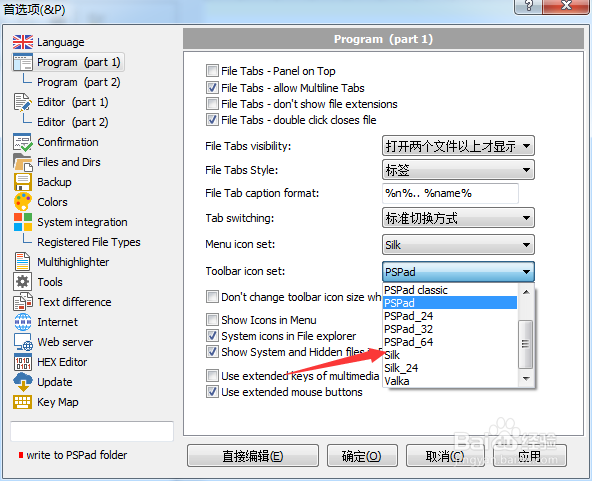
4、弹出了下拉菜单选择为silk选项

PSPad editor怎么工具栏图标集为silk

5、选择为silk选项之后,点击确定

PSPad editor怎么工具栏图标集为silk
  • PSPad editor怎么文件选项卡样式为标签
  • PSPad editor怎么关闭双击关闭文件
  • PSPad editor怎么开启oem转换
  • PSPad editor怎么关闭顶部面板
  • PSPad editor怎么关闭在文件中搜索
  • 热门搜索
    无线键盘怎么连接 阿胶糕怎么做 自然堂怎么样 成绩单家长意见怎么写 土豆怎么保存不发绿不长牙 宝宝抵抗力差怎么办 怎么消除双下巴 怎么学好物理 苹果手机怎么下载音乐 癫痫病是怎么引起的