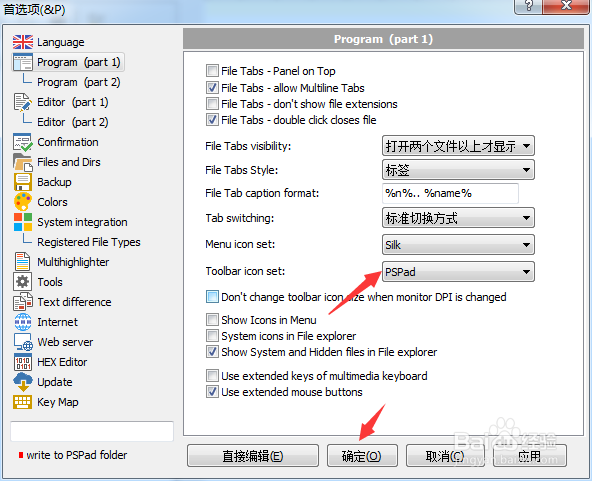
PSPad editor怎么工具栏图标集为pspad

 时间:2024-10-30 23:22:48

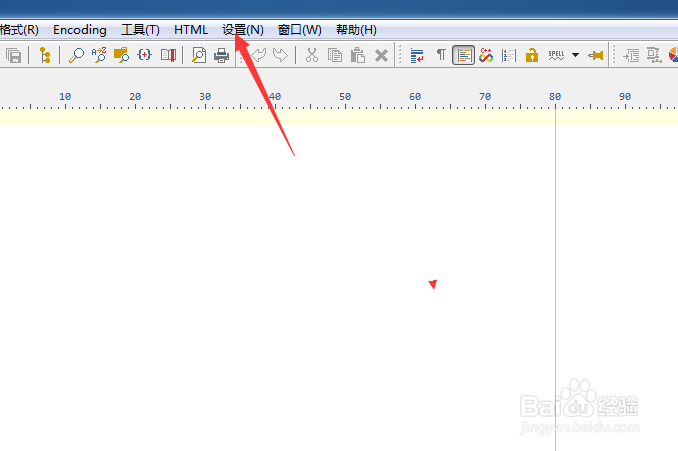
1、点击PSPad editor菜单中的设置菜单

PSPad editor怎么工具栏图标集为pspad

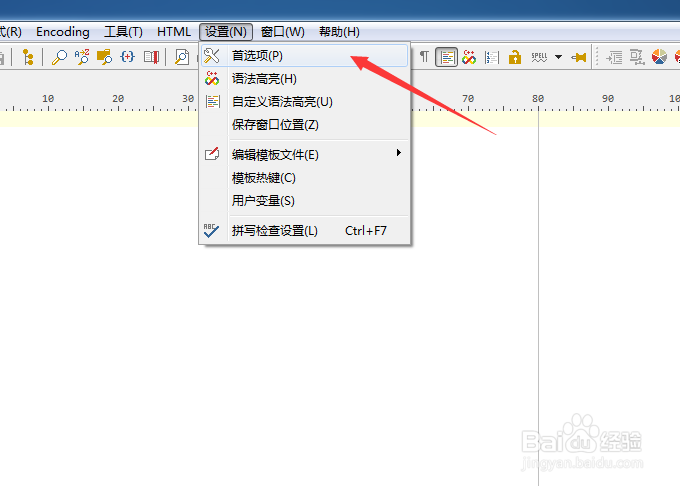
2、弹出了下拉菜单选中为首选项

PSPad editor怎么工具栏图标集为pspad

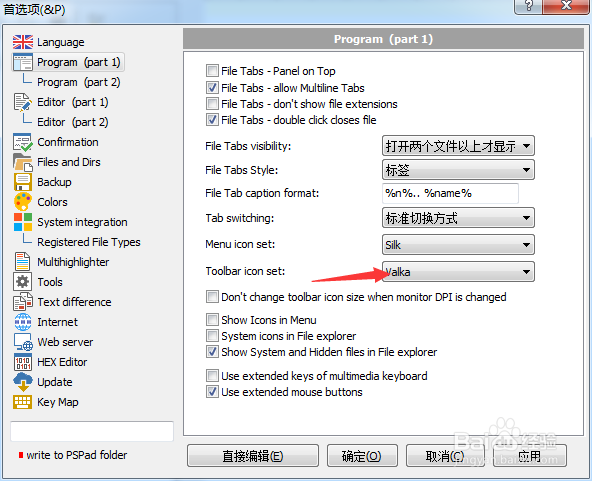
3、点击toobar icon set选项

PSPad editor怎么工具栏图标集为pspad

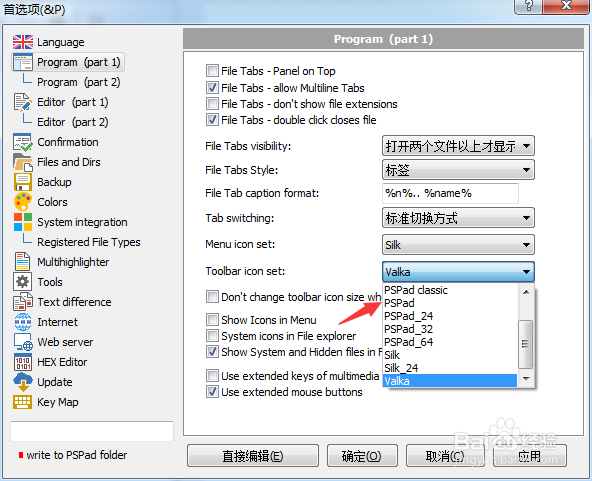
4、弹出了下拉菜单选择为pspad选项

PSPad editor怎么工具栏图标集为pspad

5、选择为pspad选项之后,点击确定

PSPad editor怎么工具栏图标集为pspad
  • PSPad editor怎么开启顶部面板
  • PSPad editor怎么工具栏图标集为silk
  • PSPad editor怎么设置Highlight url地址
  • PSPad editor怎么设置右边缘位置
  • PSPad editor怎么开启显示文件扩展名
  • 热门搜索
    肌肉怎么练 炖肉怎么做 家长会感想怎么写 吐痰带血怎么回事 闽南理工学院怎么样 眼底出血是怎么治疗 苜蓿怎么吃 德尔地板怎么样 柿子怎么催熟 ps怎么换发型