PSPad editor怎么设置覆盖模式光标为水平线

 时间:2024-10-31 04:44:32

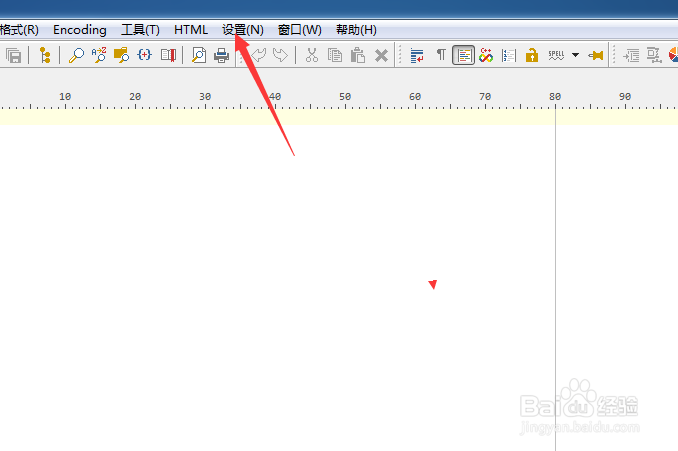
1、点击菜单中的设置菜单

PSPad editor怎么设置覆盖模式光标为水平线

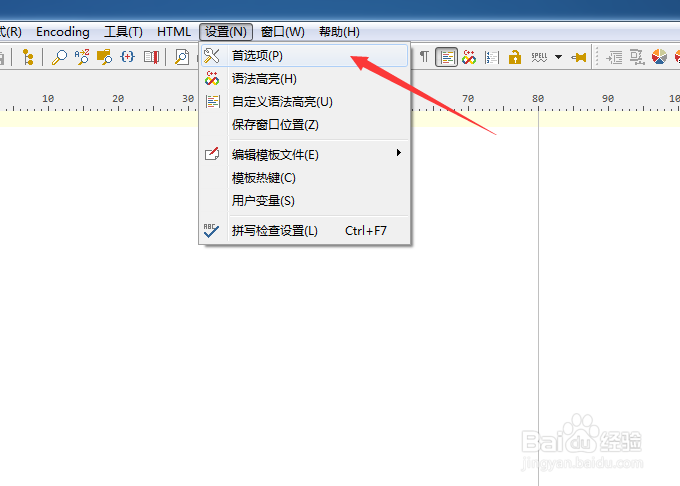
2、弹出了下拉菜单选中为首选项

PSPad editor怎么设置覆盖模式光标为水平线

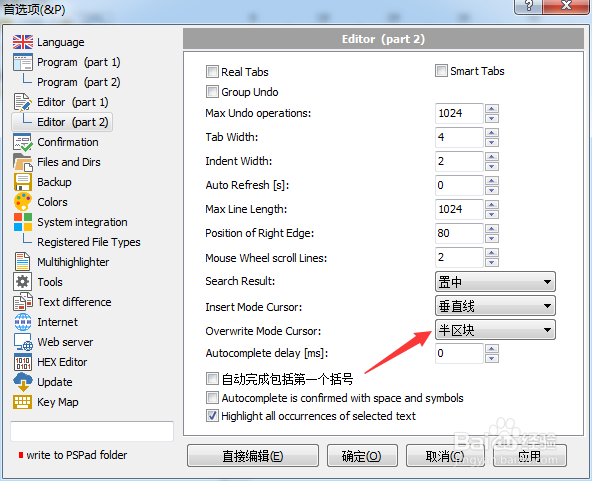
3、点击左侧中editor选项

PSPad editor怎么设置覆盖模式光标为水平线

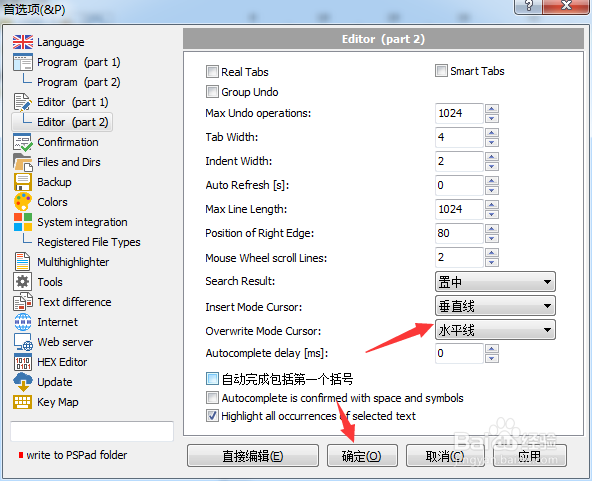
4、点击overwrite mode cursor选项

PSPad editor怎么设置覆盖模式光标为水平线

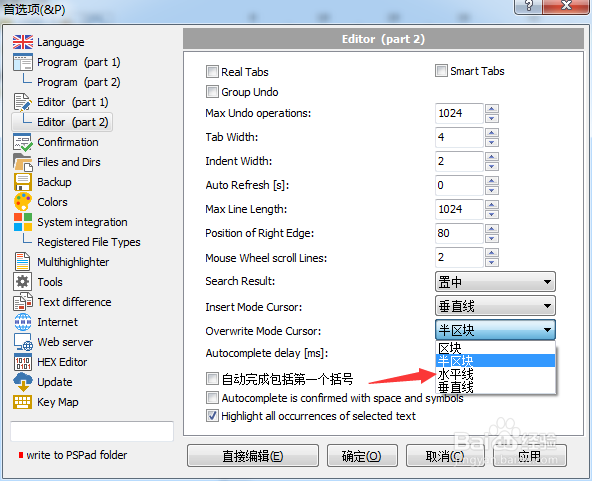
5、弹出了下拉菜单选择为水平线

PSPad editor怎么设置覆盖模式光标为水平线

6、选择为水平线之后,点击确定

PSPad editor怎么设置覆盖模式光标为水平线
  • PSPad editor怎么关闭显示启动屏幕
  • PSPad editor怎么设置标签宽度
  • PSPad editor怎么设置循环浏览书签
  • PSPad editor怎么设置插入模式光标为半区块
  • PSPad editor怎么设置最大撤销操作数
  • 热门搜索
    炒粉的做法大全 意面的做法大全 冬笋的做法大全 可乐鸡爪的做法 宫颈肥大是怎么回事 蒸排骨的做法大全 引体向上怎么练 血压偏高怎么调理 excited怎么读 猪肝的做法大全