PSPad editor怎么设置循环浏览书签

 时间:2024-10-12 17:45:25

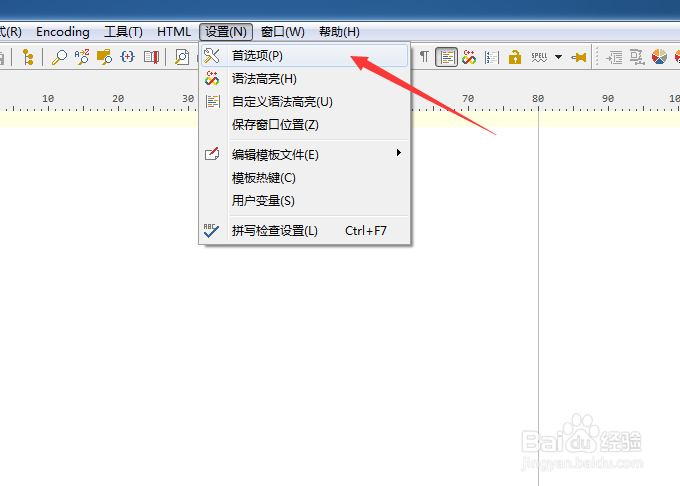
1、点击菜单中的设置菜单

PSPad editor怎么设置循环浏览书签

2、弹出了下拉菜单选中为首选项

PSPad editor怎么设置循环浏览书签

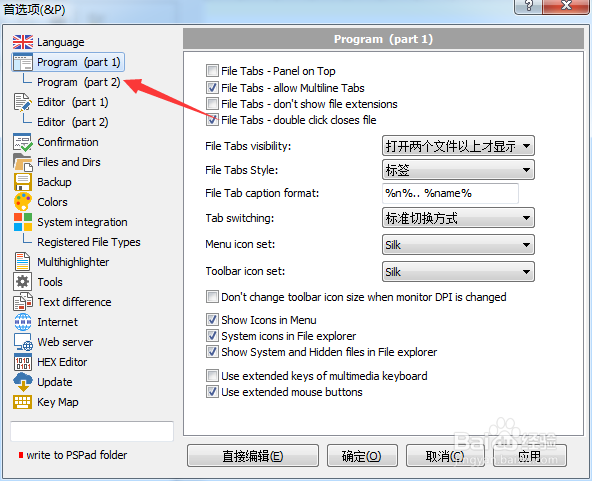
3、点击左侧中program选项

PSPad editor怎么设置循环浏览书签

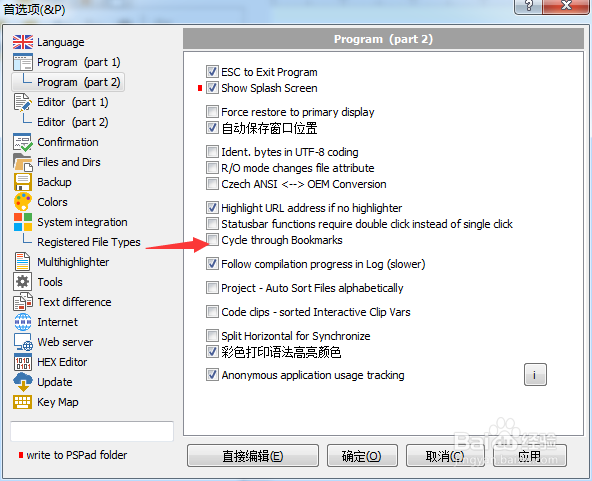
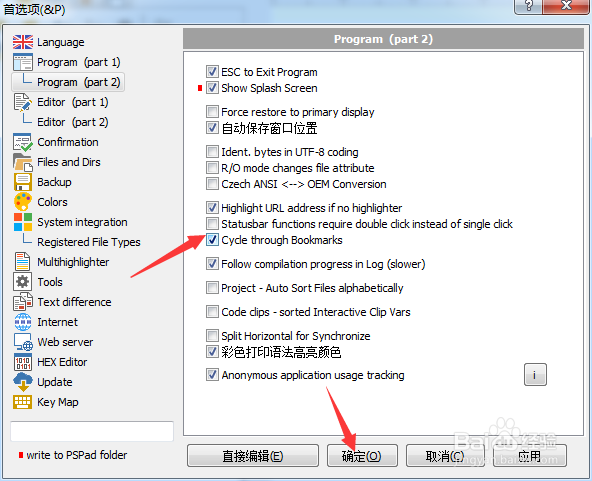
4、勾选上cycle through bookmarks选项

PSPad editor怎么设置循环浏览书签

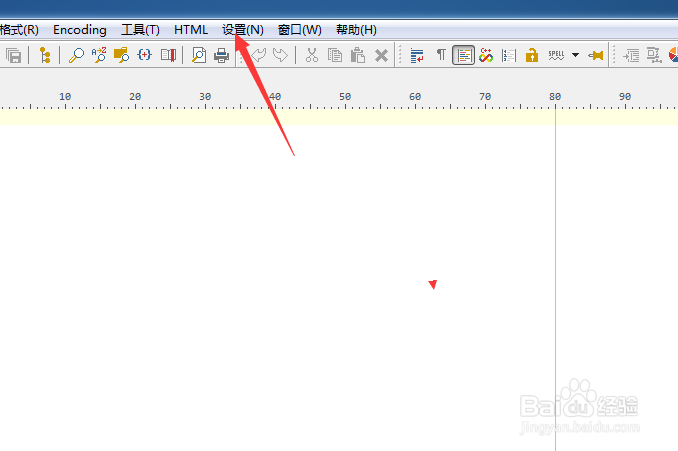
5、勾选上cycle through bookmarks选项之后,点击确定
PSPad editor怎么设置循环浏览书签
  • PSPad editor怎么设置标签宽度
  • PSPad editor怎么开启esc退出程序
  • PSPad editor怎么开启顶部面板
  • PSPad editor怎么设置右边缘位置
  • PSPad editor怎么设置搜索结果为下
  • 热门搜索
    汽车之家车型大全 系蝴蝶结方法图解 怎么解压rar文件 昆明旅游攻略景点大全 冲锋衣怎么清洗 蓝牙耳机怎么和手机连接 家常菜食谱 治疗白发最好的方法 肾错构瘤治疗方法 老碗鱼的家常做法