Snagit 2019 Editor怎么关闭显示工具栏标签

 时间:2024-10-21 08:29:13

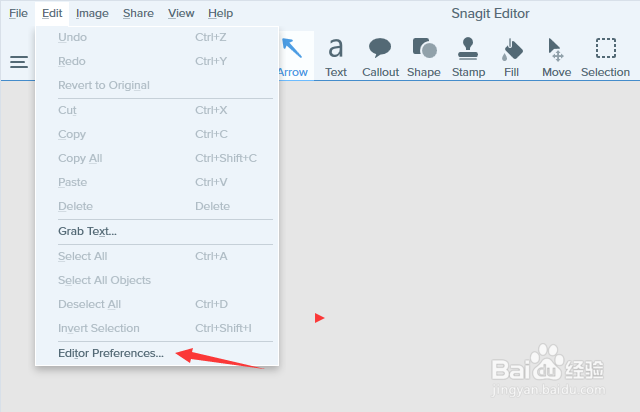
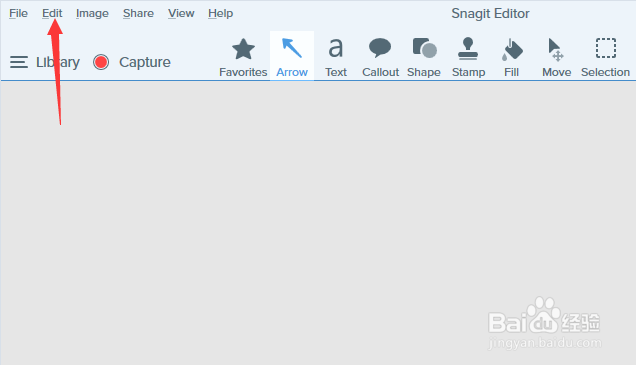
1、首先,点击菜单中的edit菜单

Snagit 2019 Editor怎么关闭显示工具栏标签

2、弹出了下拉菜单选中为edit preferences选项

Snagit 2019 Editor怎么关闭显示工具栏标签

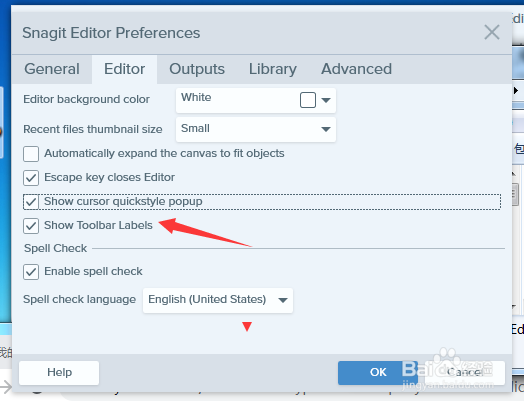
3、去掉勾选上show toolbar labels选项

Snagit 2019 Editor怎么关闭显示工具栏标签

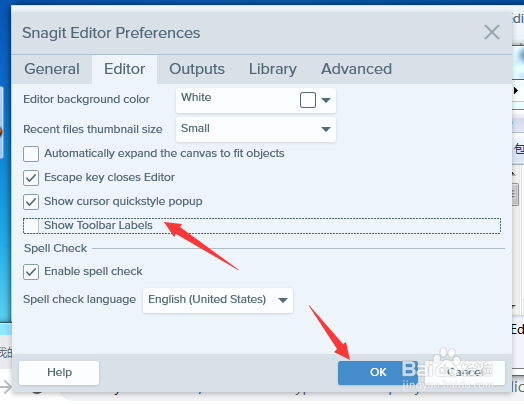
4、去掉勾选上show toolbar labels选之后,点击ok按钮

Snagit 2019 Editor怎么关闭显示工具栏标签
  • Snagit怎么设置最近的文件缩略图大小为最小
  • Snagit 2019 Editor怎么关闭让我看看登机
  • Snagit 2019怎么关闭自动展开画布以适合对象
  • Snagit 2019 Editor怎么设置仅显示帮助通知
  • Snagit 2019 Editor怎么关闭启用拼写检查
  • 热门搜索
    怎么搜索电脑里的文件 家常菜谱大全及做法 搜狗怎么打繁体字 香港天下免费资料大全 葫芦烙画图案大全 怎么编曲 魔兽世界坐骑大全 水泡型湿疹怎么治疗 求导公式大全 农业机械大全