PowerPoint 中如何插入梯形列表

 时间:2026-04-22 10:08:24

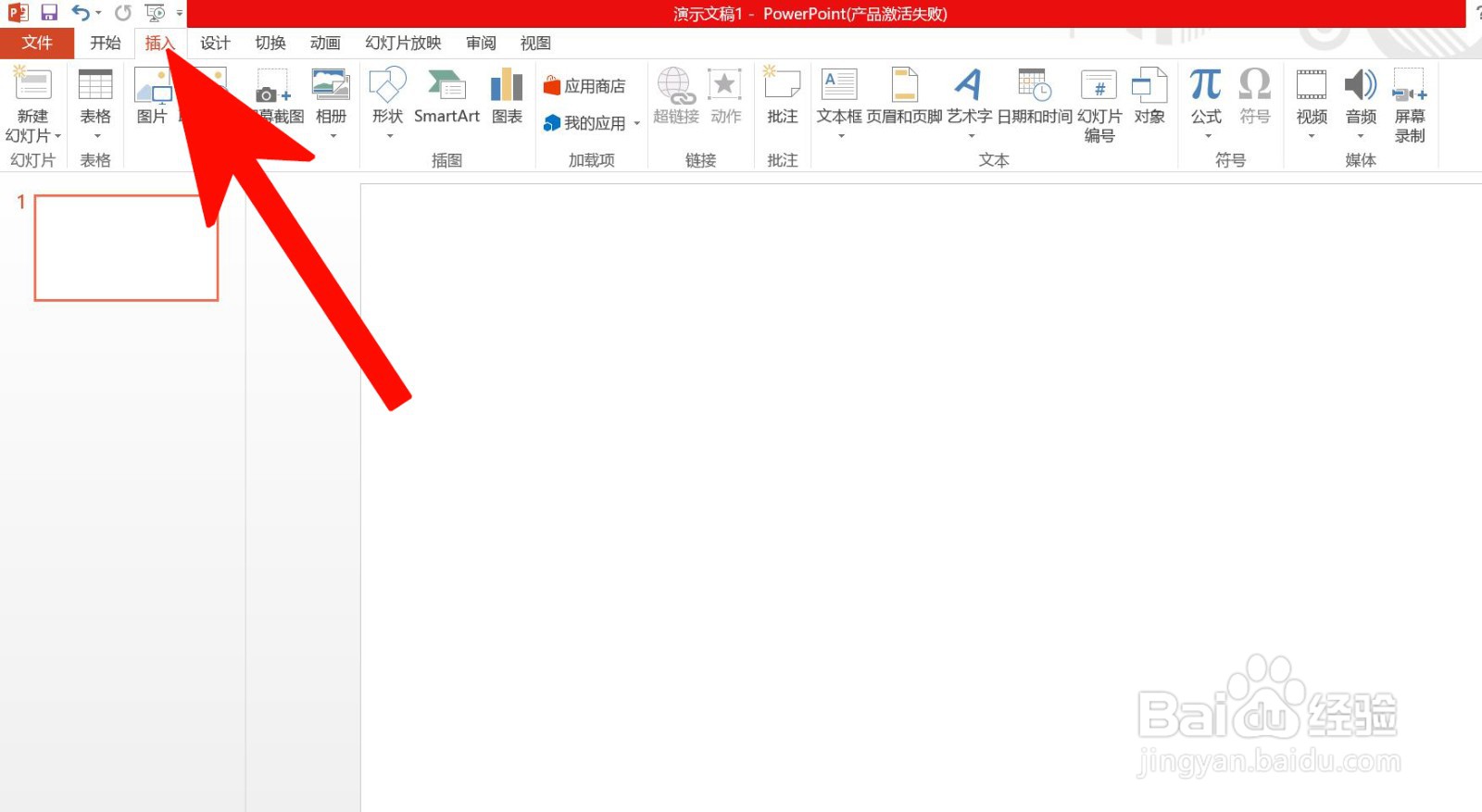
1、第一步、打开PowerPoint 软件中的插入选项。

PowerPoint 中如何插入梯形列表

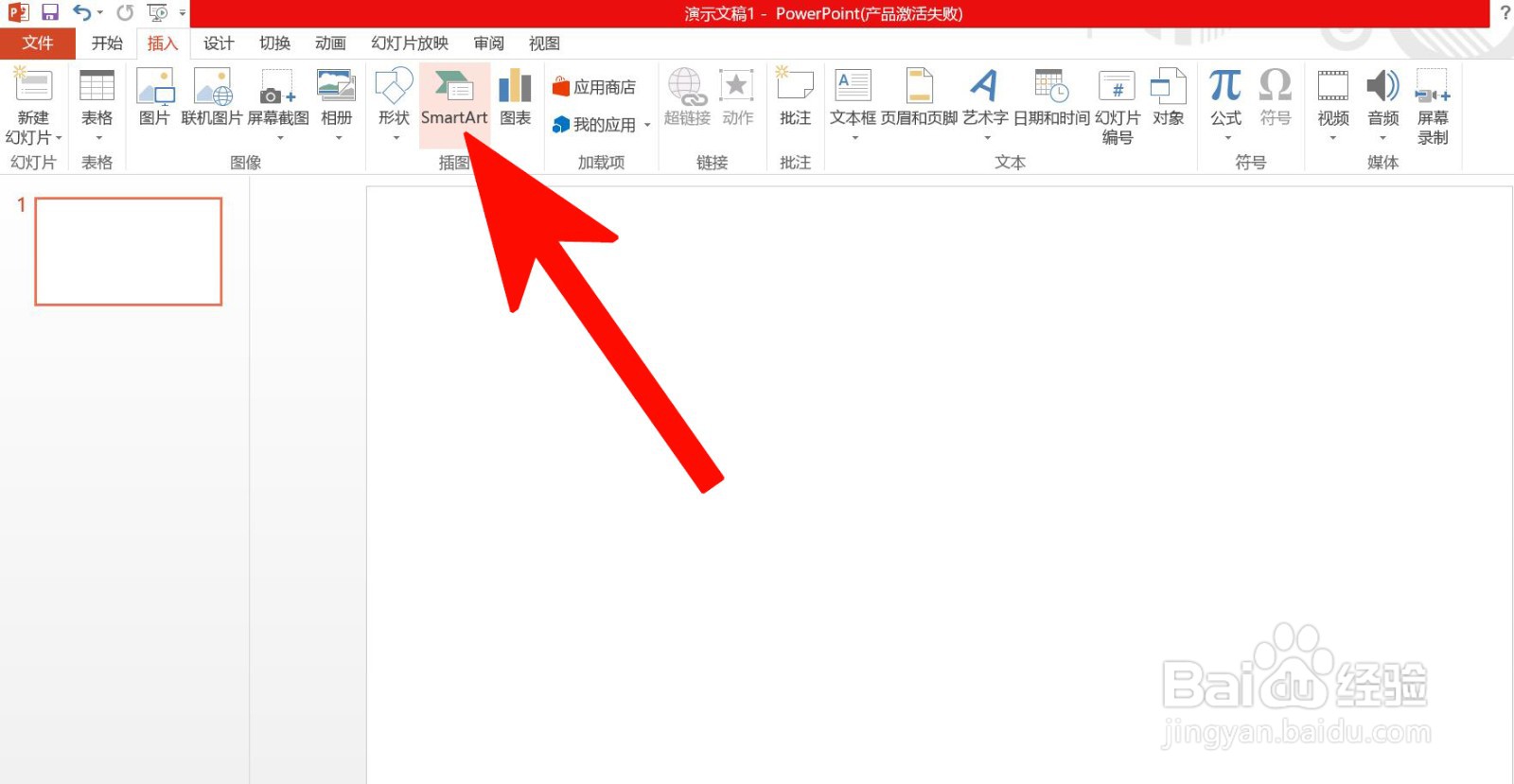
2、第二步、点击SmartArt。

PowerPoint 中如何插入梯形列表

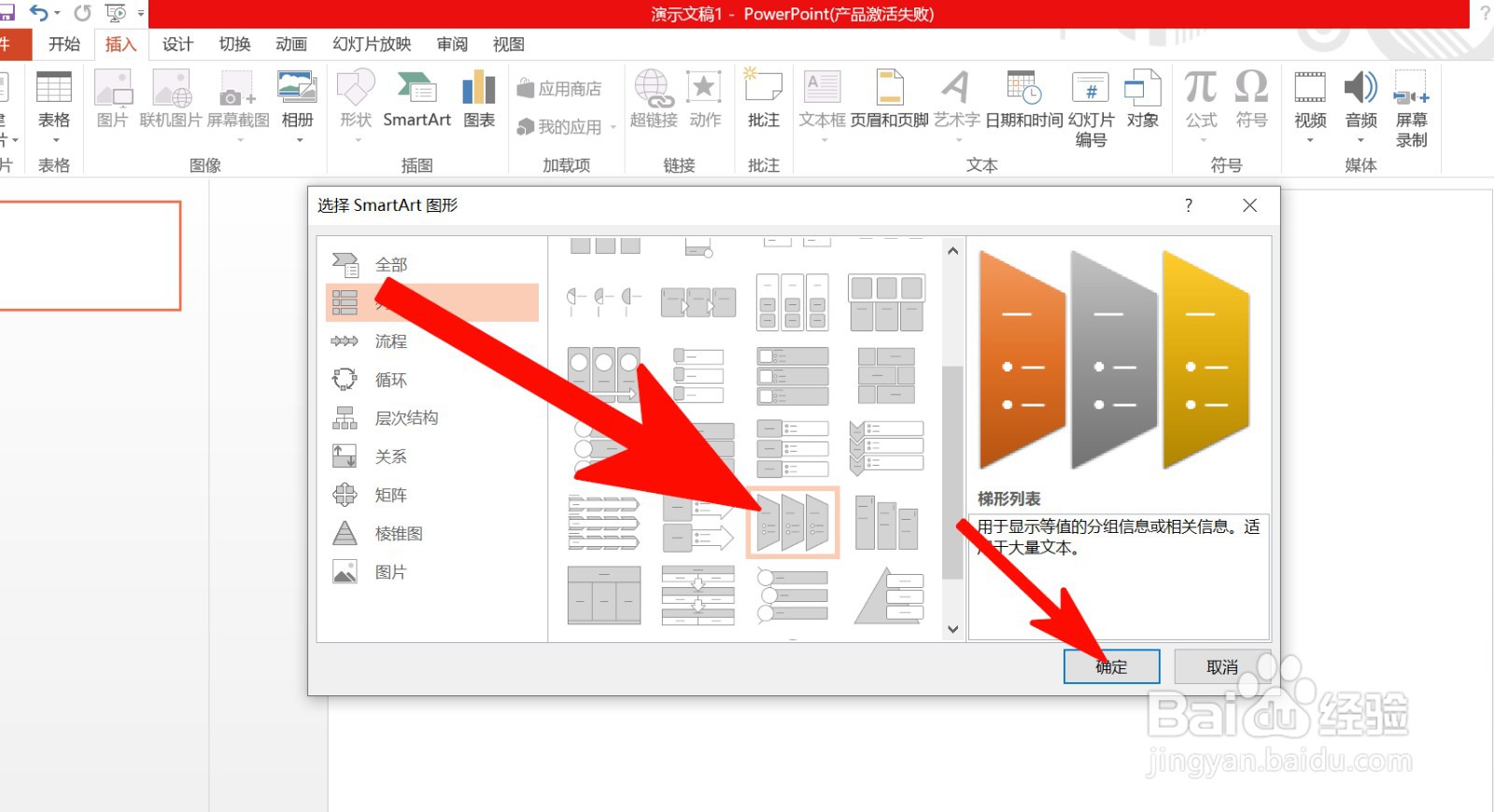
3、第三步、点击列表。

PowerPoint 中如何插入梯形列表

4、第四步、点击梯形列表,然后确定。

PowerPoint 中如何插入梯形列表

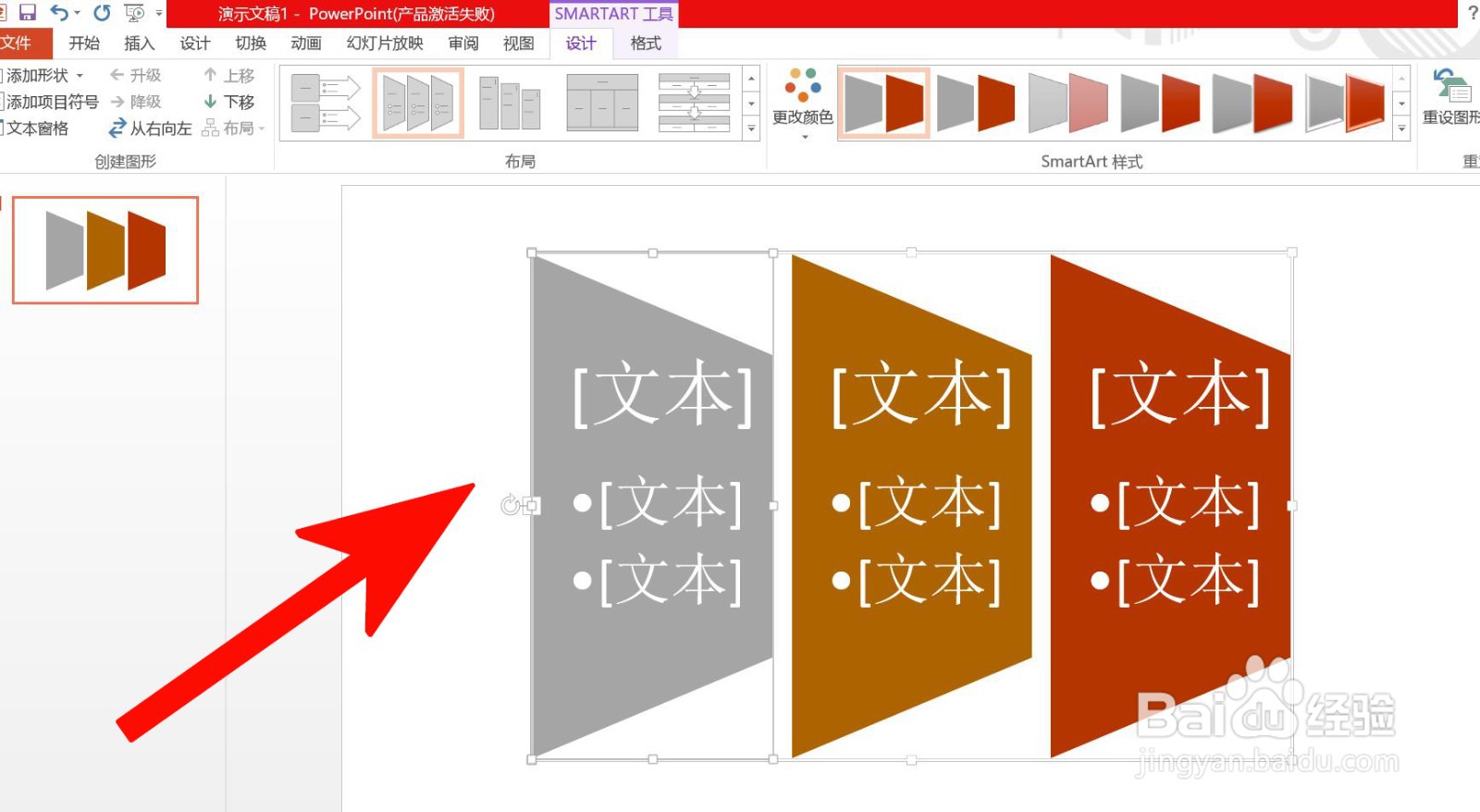
5、第五步、编辑插入后的梯形列表便可完成。

PowerPoint 中如何插入梯形列表

  • PowerPoint 中如何插入气泡图片列表
  • PowerPoint 中如何插入连续图片列表
  • PowerPoint幻灯片中如何插入列表示意图?
  • 如何在PowerPoint中制作基本列表图?
  • PowerPoint 中如何插入气泡图
  • 热门搜索
    文明手抄报图片大全 好听歌曲大全 游戏符号大全 胳膊肌肉酸痛怎么办 检讨书大全 我的世界领地指令大全 鱼的做法大全 国家英文名称大全 皮肤发黄怎么调理 种子文件怎么下载