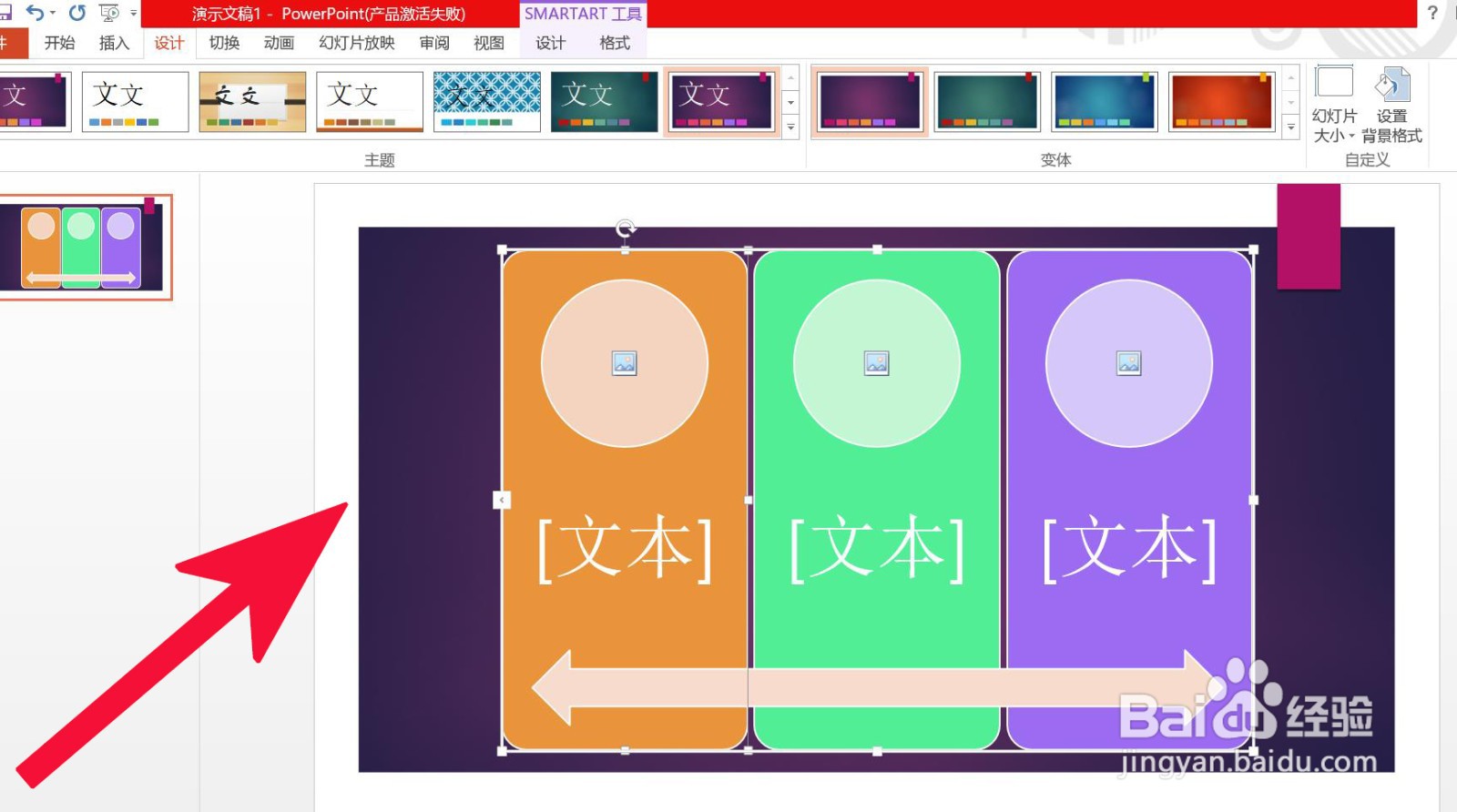
PowerPoint 中如何插入连续图片列表

 时间:2026-04-22 09:36:52

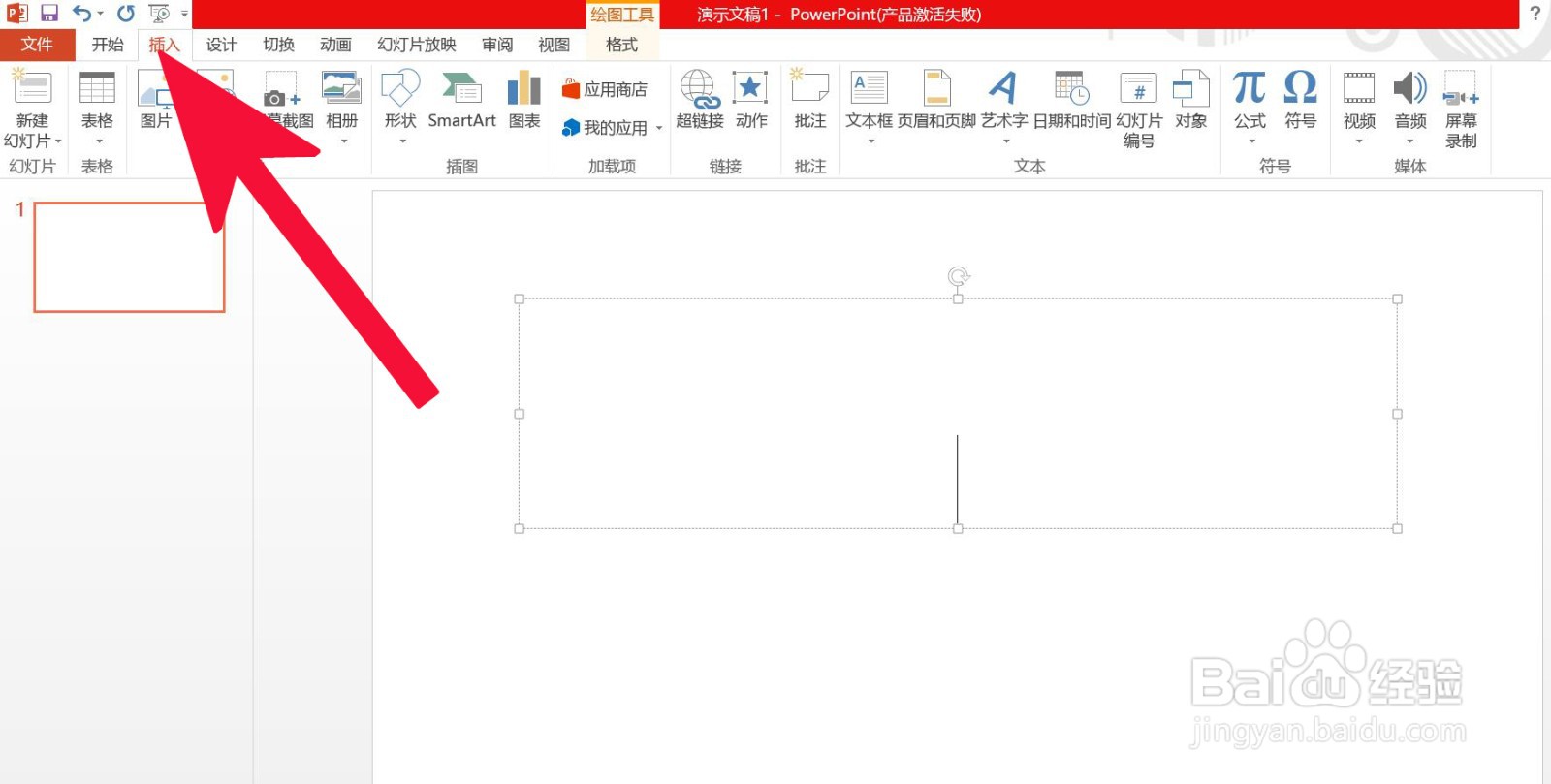
1、第一步,打开PowerPoint 文档中的插入选项。

PowerPoint 中如何插入连续图片列表

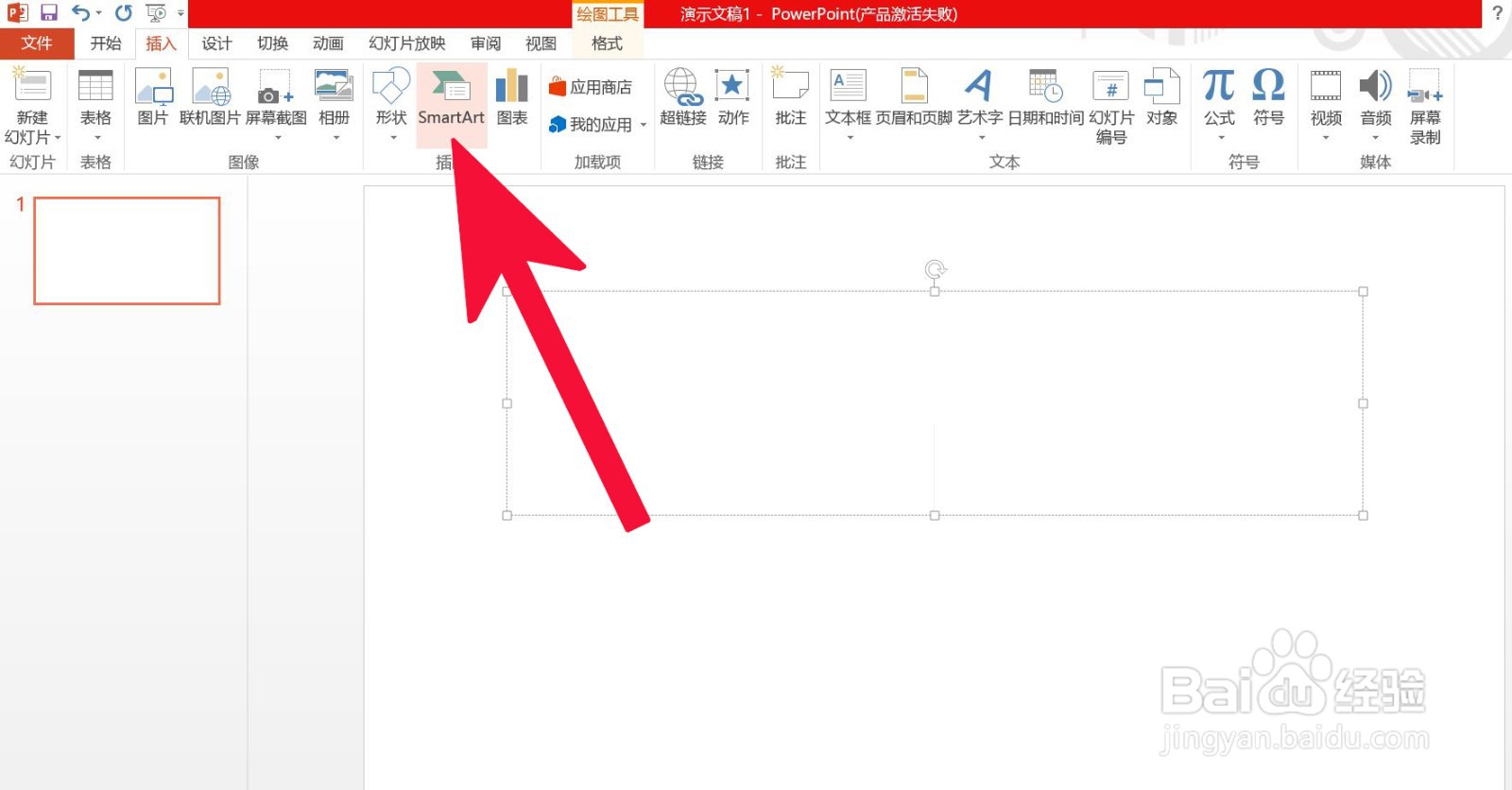
2、第二步,点击SmartArt。

PowerPoint 中如何插入连续图片列表

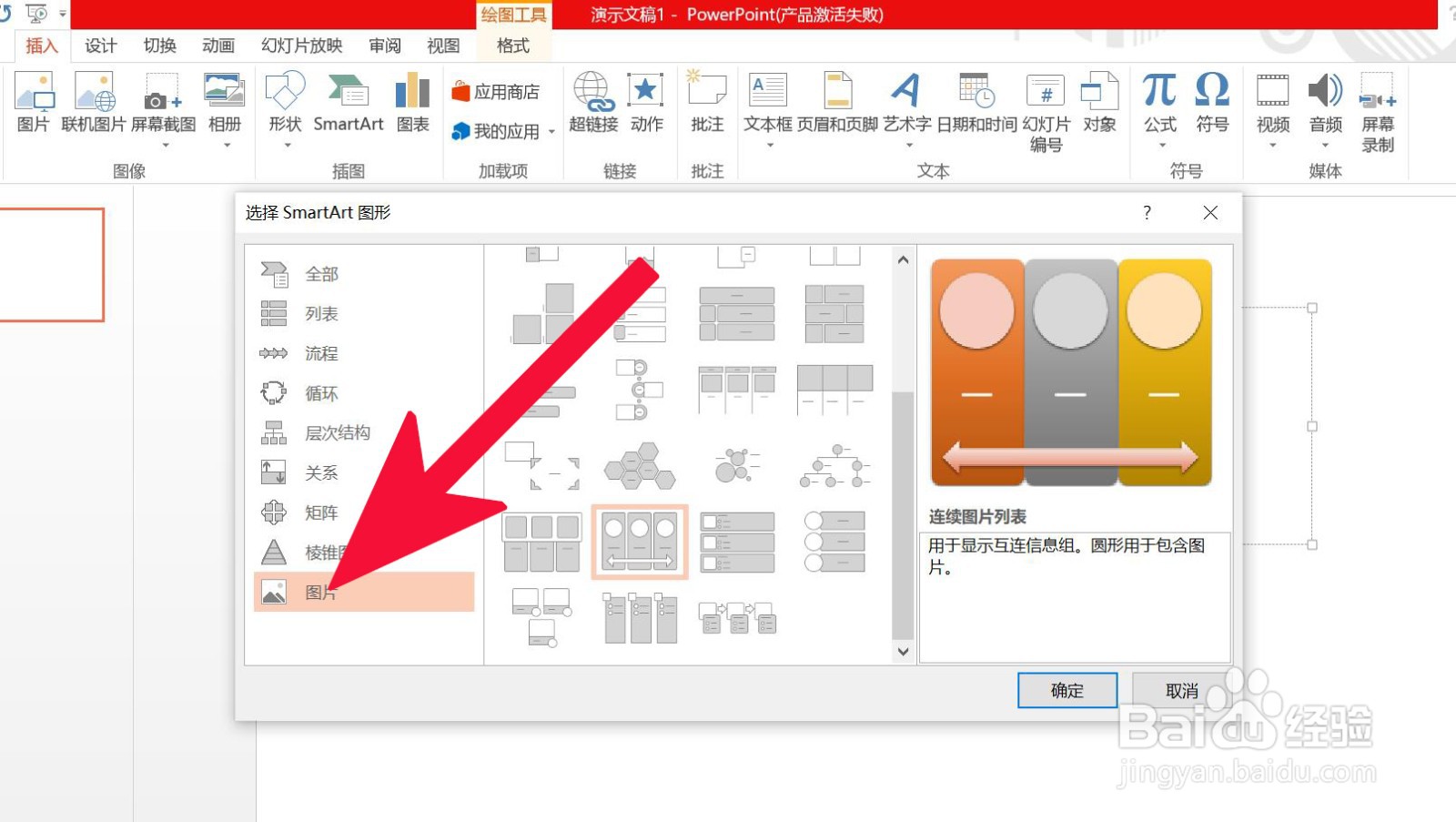
3、第三步,点击图片。

PowerPoint 中如何插入连续图片列表

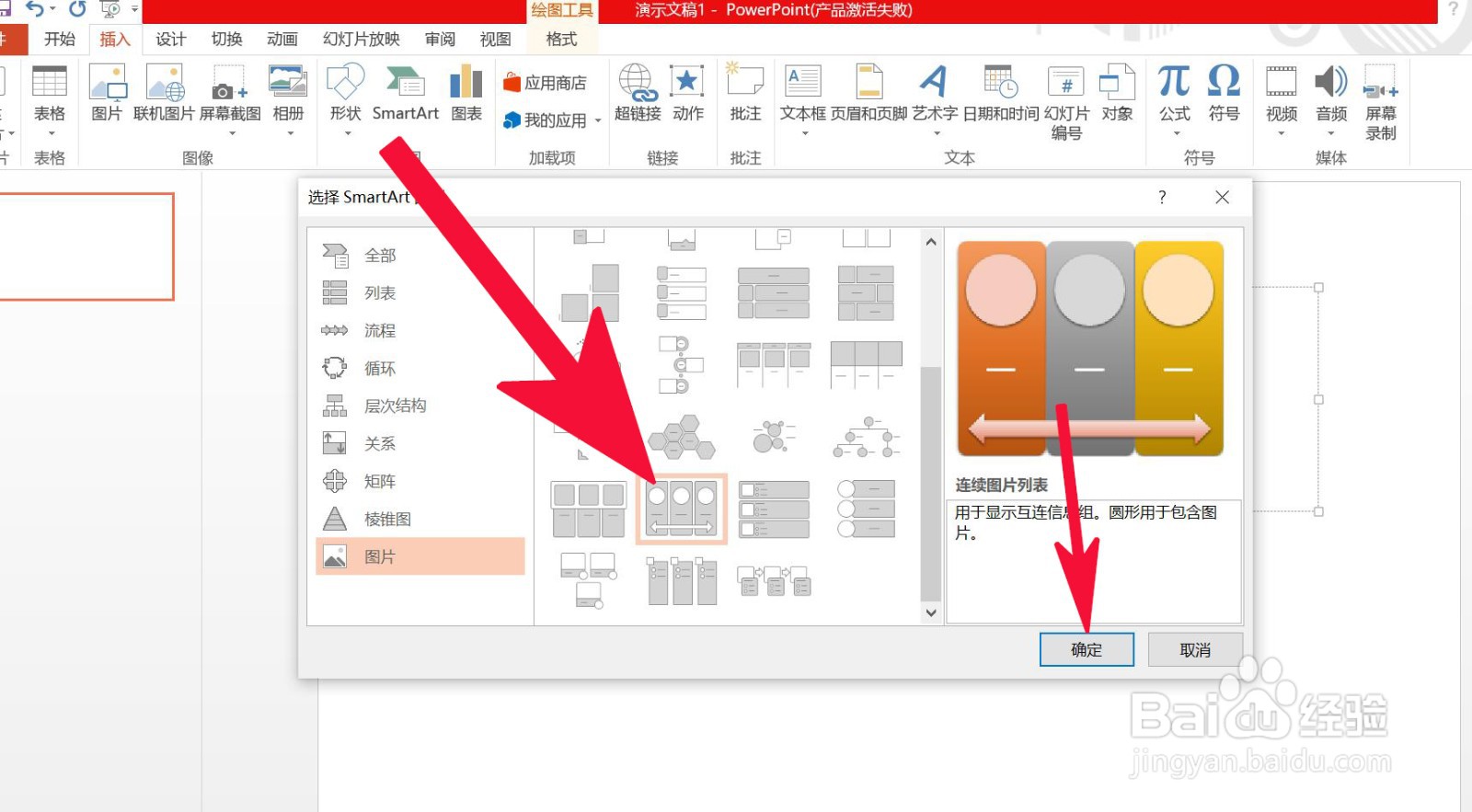
4、第四步,点击连续图片列表,然后确定。

PowerPoint 中如何插入连续图片列表

5、第五步,编辑插入后的连续图片列表便可完成。

PowerPoint 中如何插入连续图片列表

  • 怎么为幻灯片添加动作按钮?
  • 幻灯片插入动作按钮形状【第一张】的方法
  • 怎么为幻灯片添加编号?
  • ppt如何插入动作按钮并且怎么设置
  • PPT中怎么添加动作按钮
  • 热门搜索
    定量分析方法 考试前紧张怎么办 脾虚肥胖怎么办 画眉鸟叫声大全 过敏性咳嗽怎么办 win7怎么设置密码 糖蒜的腌制方法大全 孩子的教育方式和方法 干无花果怎么吃 烟雾头怎么调