PowerShape 2017怎么设置拟合方法为内侧

 时间:2026-02-12 03:15:09

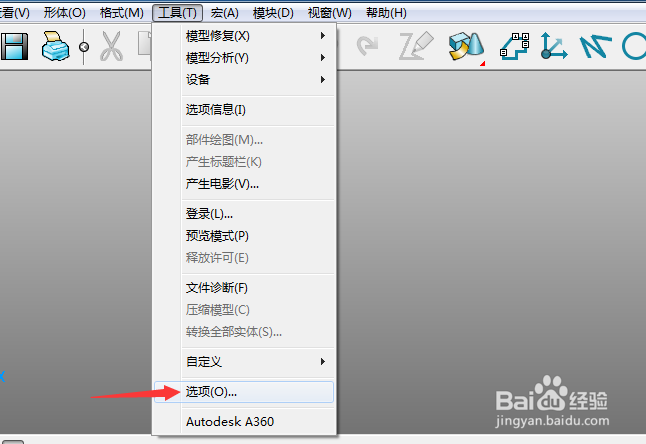
1、首先,点击菜单中的工具菜单,弹出了下拉菜单选中为选项


PowerShape 2017怎么设置拟合方法为内侧

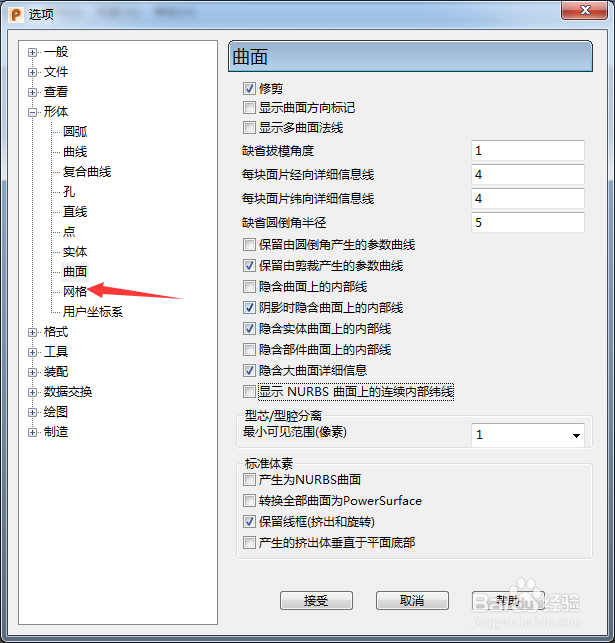
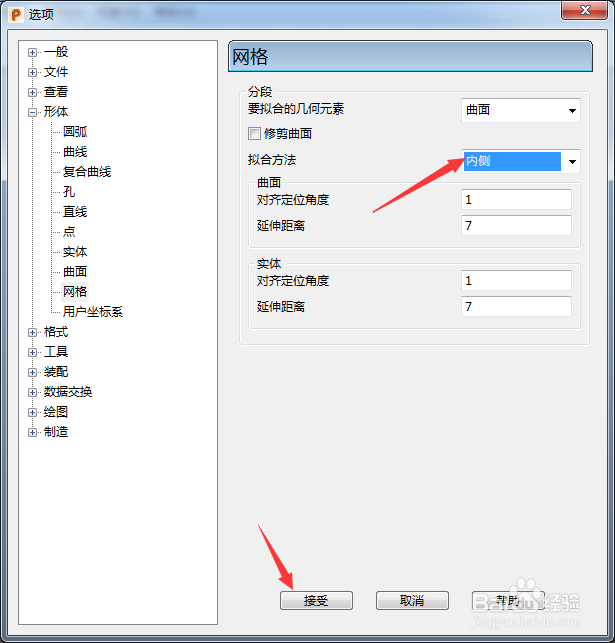
2、点击网格选项


PowerShape 2017怎么设置拟合方法为内侧

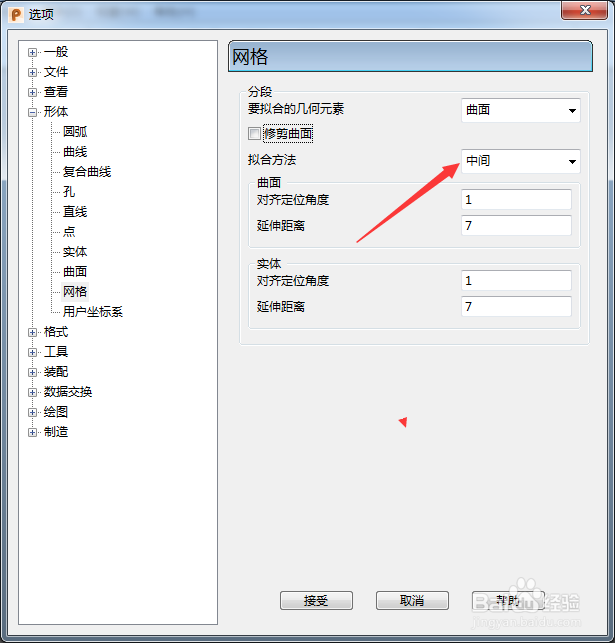
3、点击拟合方法选项

PowerShape 2017怎么设置拟合方法为内侧

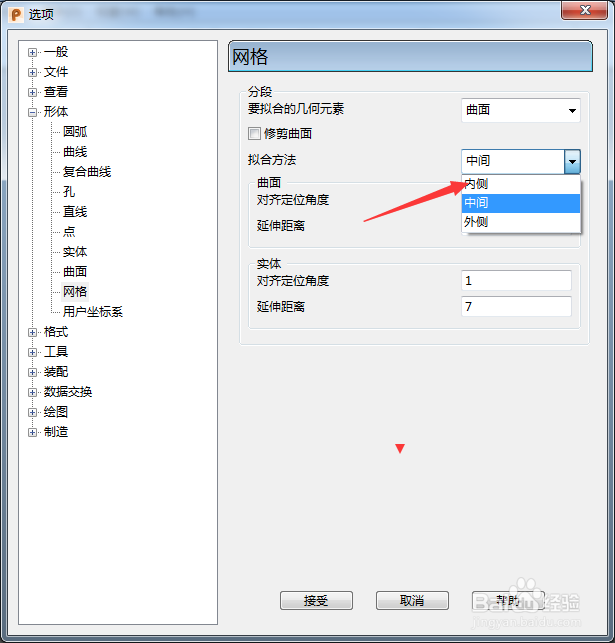
4、弹出了下拉菜单选择为内侧

PowerShape 2017怎么设置拟合方法为内侧

5、选择为内侧选项之后,点击接受按钮

PowerShape 2017怎么设置拟合方法为内侧

  • PowerShape 2017怎么设置最大不连续角度为30
  • PowerShape 2017怎么设置矩形
  • PowerShape 2017怎么设置要拟合几何元素为实体
  • PowerShape 2017怎么跟踪球颜色为明亮
  • PowerShape 2017怎么设置viewGube大小为极小
  • 热门搜索
    怎么做网络推广 蓝牙耳机怎么使用 沙冰怎么做 柠檬怎么吃 电脑密码忘了怎么办 第三人称转述句怎么改 怎么做网络推广 贴膜神器怎么用 圆的面积怎么算 股票怎么玩