五度知识库
网站首页
美食营养
游戏数码
知识问答
生活家居
健康养生
运动户外
职场理财
情感交际
生活百科
生活知识
PowerShape 2017怎么设置最大不连续角度为30
时间:2026-04-23 23:27:52
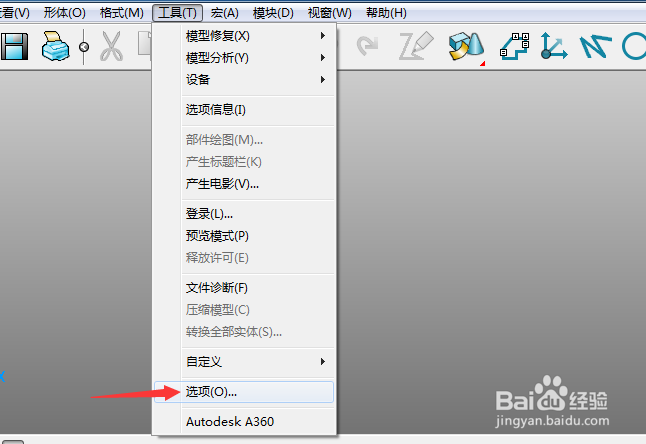
1、首先,点击菜单中的工具菜单,弹出了下拉菜单选中为选项
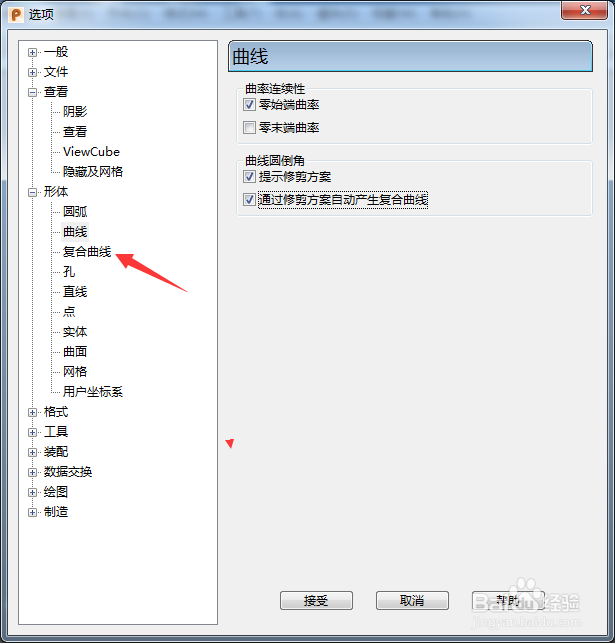
2、点击左侧中复合测试选项
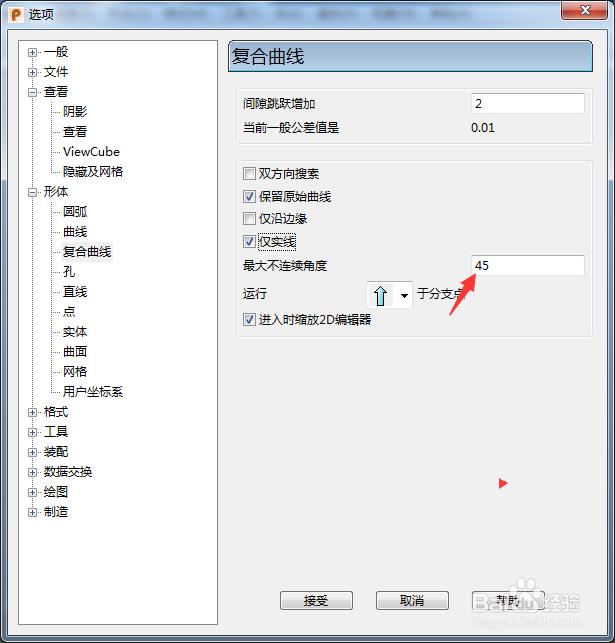
3、在最大不连续角度中输入30
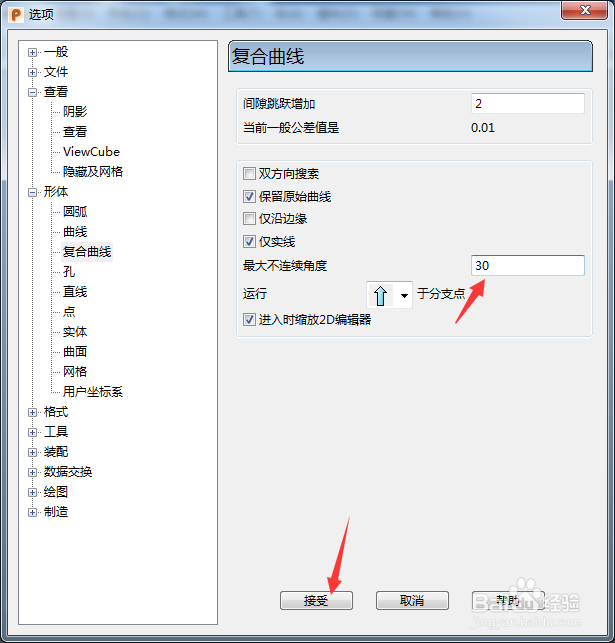
4、输入30选项之后,点击接受按钮
PowerShape 2017怎么设置标记为阴影
PowerShape 2017怎么跟踪球颜色为明亮
PowerShape 2017怎么跟踪球颜色为不可见
PowerShape 2017怎么设置viewGube大小为极小
PowerShape 2017怎么关闭拖动
热门搜索
迈腾怎么样
被蜂蛰了怎么办
怎么快速消除黑眼圈
皮肤暗黄怎么办
ps怎么加水印
发烧38度怎么办
红警怎么下载
孕妇鼻炎怎么办
银行贷款怎么贷
肝大是怎么回事
Copyright © 2026
五度知识库
All Rights Reserved 信息来自网络,所有数据仅供参考,有任何疑问请联系站长