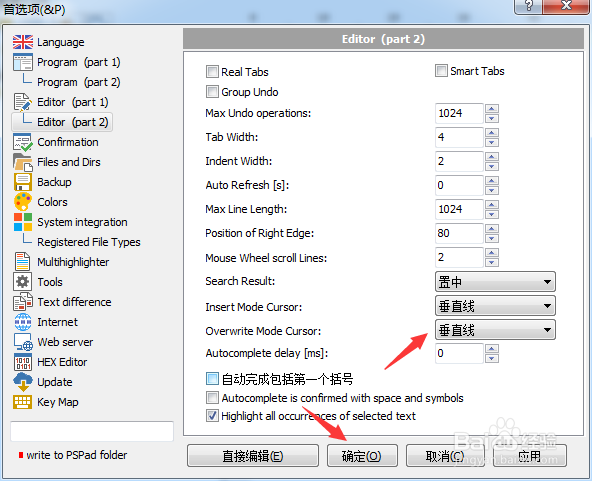
PSPad editor怎么设置覆盖模式光标为垂直线

 时间:2024-10-14 11:29:38

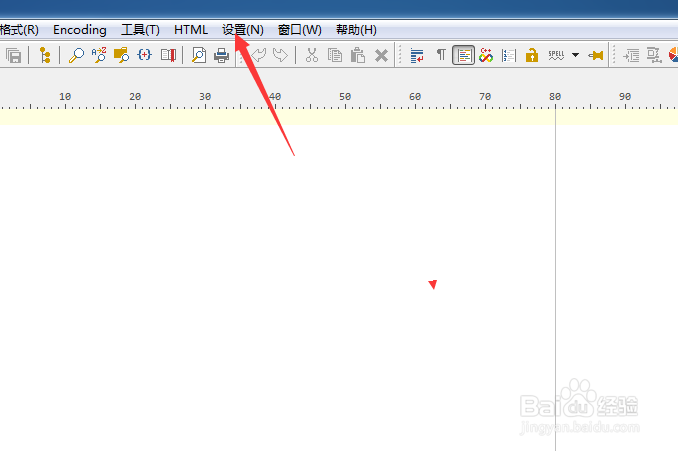
1、点击菜单中的设置菜单

PSPad editor怎么设置覆盖模式光标为垂直线

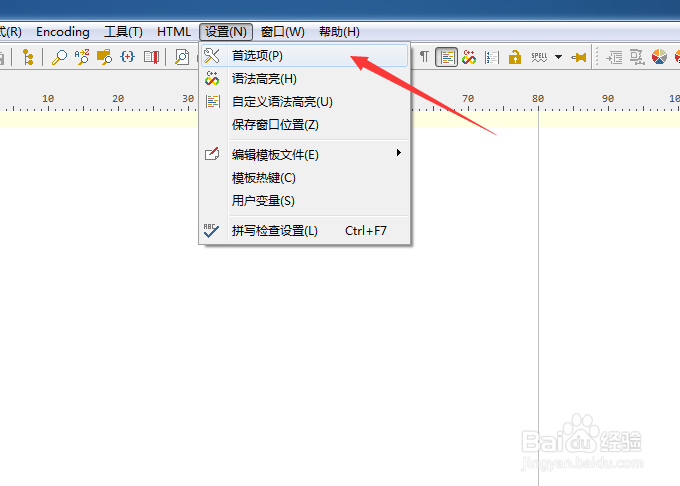
2、弹出了下拉菜单选中为首选项

PSPad editor怎么设置覆盖模式光标为垂直线

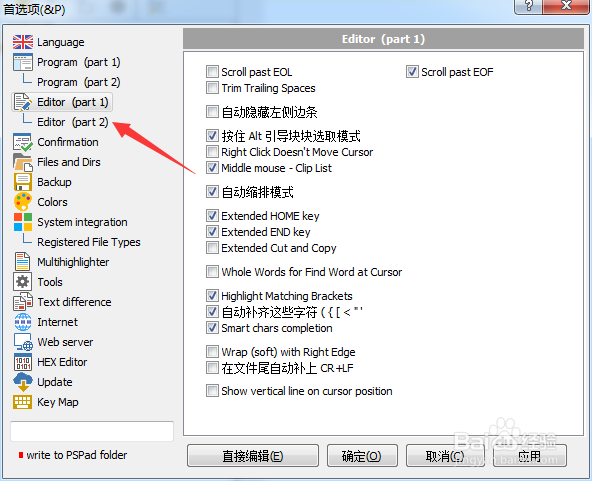
3、点击左侧中editor选项

PSPad editor怎么设置覆盖模式光标为垂直线

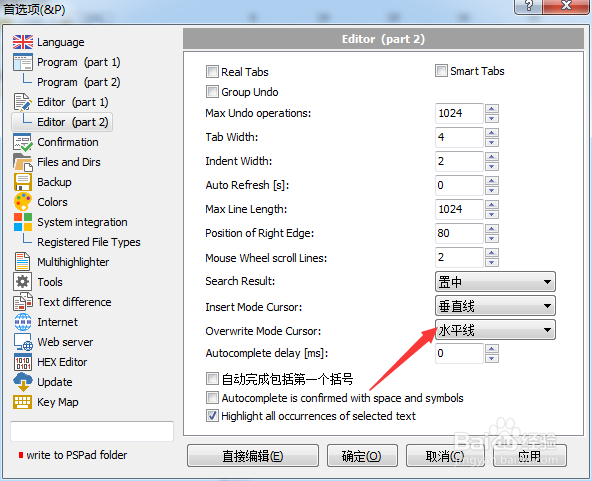
4、点击overwrite mode cursor选项

PSPad editor怎么设置覆盖模式光标为垂直线

5、弹出了下拉菜单选择为‍垂直线

PSPad editor怎么设置覆盖模式光标为垂直线

6、选择为‍垂直线之后,点击确定

PSPad editor怎么设置覆盖模式光标为垂直线
  • PSPad editor怎么设置插入模式光标为垂直线
  • PSPad editor怎么关闭pspad前显示确认对话框
  • PSPad editor怎么设置搜索结果为下
  • PSPad editor怎么设置插入模式光标为水平线
  • PSPad editor怎么设置搜索结果为默认值
  • 热门搜索
    面团怎么做 五菱宏光s1怎么样 怎么看手机配置 怎么做个人简历 面包怎么做才松软好吃 黑头怎么去掉 电子称怎么用 长智齿疼怎么办 羊肉火锅怎么做好吃 dnf积分怎么得