PSPad editor怎么设置插入模式光标为水平线

 时间:2024-10-31 04:44:26

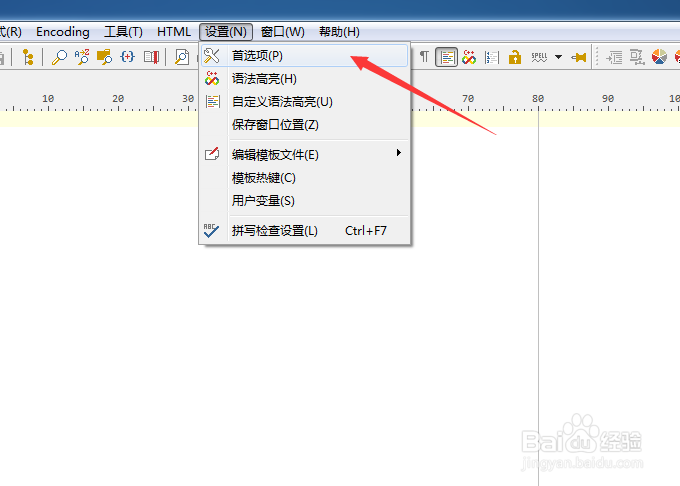
1、点击PSPad editor菜单中的设置菜单

PSPad editor怎么设置插入模式光标为水平线

2、弹出了下拉菜单选中为首选项

PSPad editor怎么设置插入模式光标为水平线

3、点击左侧中editor选项

PSPad editor怎么设置插入模式光标为水平线

4、点击insert mode cursor选项

PSPad editor怎么设置插入模式光标为水平线

5、弹出了下拉菜单选择为水平线选项

PSPad editor怎么设置插入模式光标为水平线

6、选择为水平线选项之后,点击确定

PSPad editor怎么设置插入模式光标为水平线
  • PSPad editor怎么设置搜索结果为置中
  • PSPad editor怎么设置自动完成延迟为1
  • PSPad editor怎么设置搜索结果为默认值
  • PSPad editor怎么关闭pspad前显示确认对话框
  • PSPad editor怎么设置插入模式光标为垂直线
  • 热门搜索
    10月是什么星座 如何快速学习英语 数学与生活作品 猥的拼音是什么 iphone被锁了怎么办 公诉是什么意思 高考分数怎么查询 美女教你如何接吻 qc是什么意思 如何除甲醛最快最有效