outlook设置邮件单击时为未读状态,双击为已读

 时间:2026-04-23 02:31:39

1、打开outlook软件,使用鼠标点击“file"。

outlook设置邮件单击时为未读状态,双击为已读

2、使用鼠标点击”options“。

outlook设置邮件单击时为未读状态,双击为已读

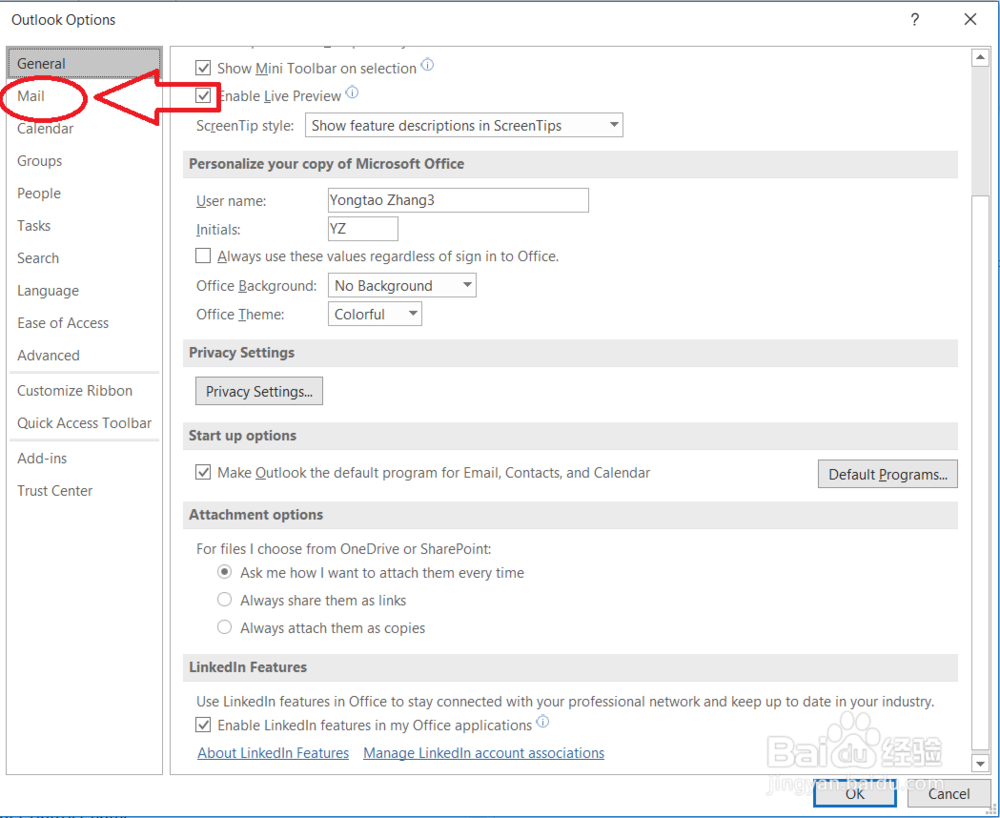
3、使用鼠标点击”Mail“。

outlook设置邮件单击时为未读状态,双击为已读

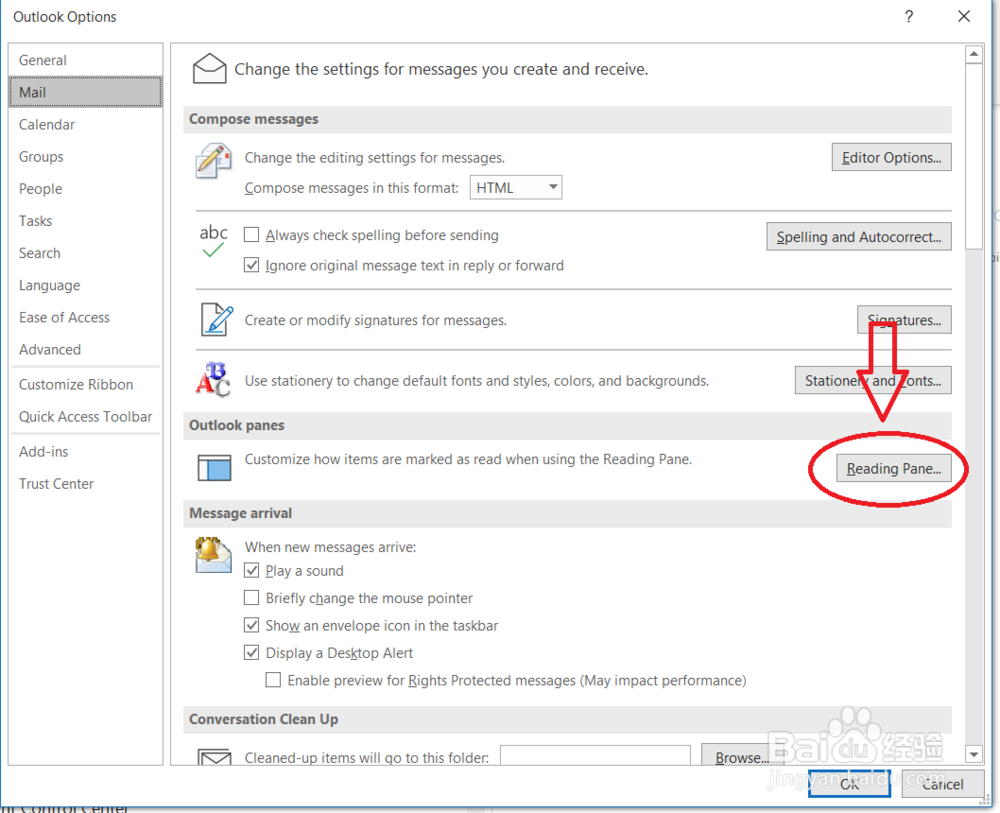
4、使用鼠标点击”reading pane"。

outlook设置邮件单击时为未读状态,双击为已读

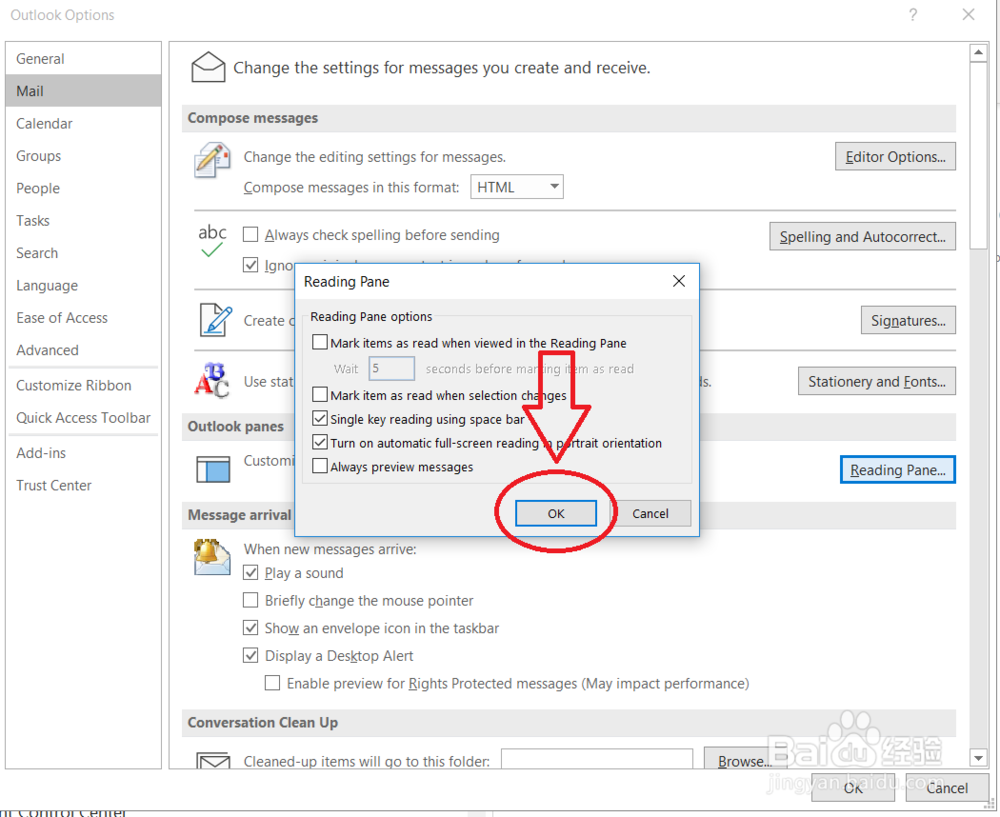
5、使用鼠标把“Mark item as read when selection changes"前的对号去掉。

outlook设置邮件单击时为未读状态,双击为已读

6、使用鼠标点击"OK"保持设置。

outlook设置邮件单击时为未读状态,双击为已读

1、打开outlook软件,使用鼠标点击“file"。

2、使用鼠标点击”options“。

3、使用鼠标点击”Mail“。
4、使用鼠标点击”reading pane"。
5、使用鼠标把“Mark item as read when selection changes"前的对号去掉。

6、使用鼠标点击"OK"保持设置。
  • Outlook怎样设置默认字体
  • outlook设置邮件单击时为未读状态,双击为已读
  • Outlook怎样设置弹窗提醒
  • outlook怎么创建文件夹
  • Outlook如何调整界面密度为舒适
  • 热门搜索
    脚踝韧带拉伤怎么办 童言稚语怎么写 怎么调鼠标灵敏度 油泼面怎么做 兰州大学怎么样 少儿医保怎么办理 高度近视怎么办 八宝粥怎么煮 胸太小怎么办 忘记用英语怎么说