PotPlayer反交错方式设置为中值

 时间:2024-11-06 02:30:08

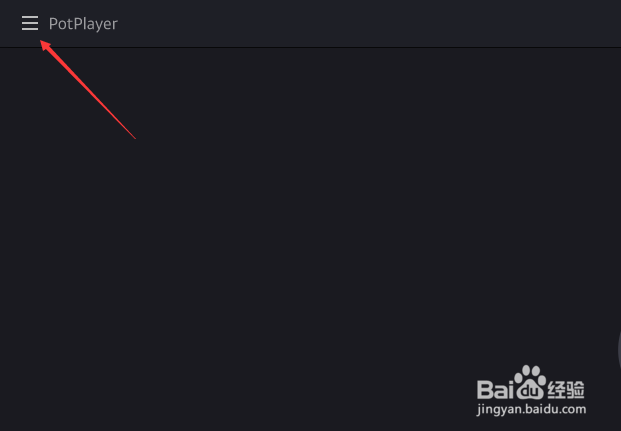
1、点击左上角中更多选项

PotPlayer反交错方式设置为中值

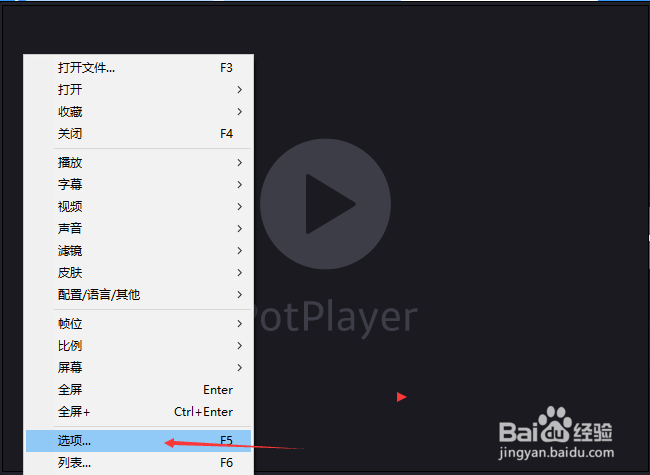
2、弹出了下拉菜单选择选项

PotPlayer反交错方式设置为中值

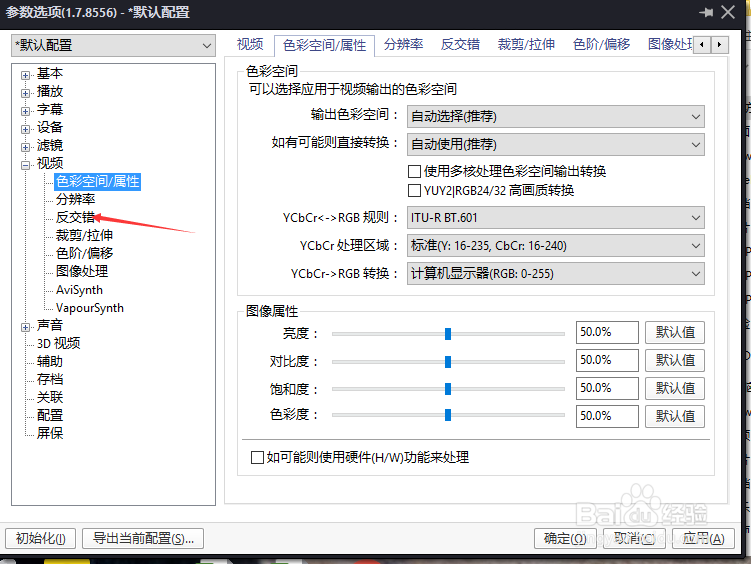
3、点击左侧中反交错选项

PotPlayer反交错方式设置为中值

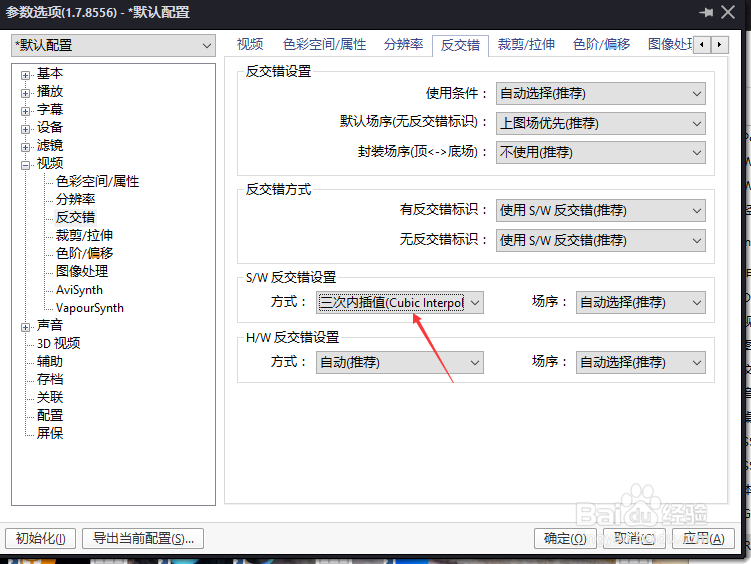
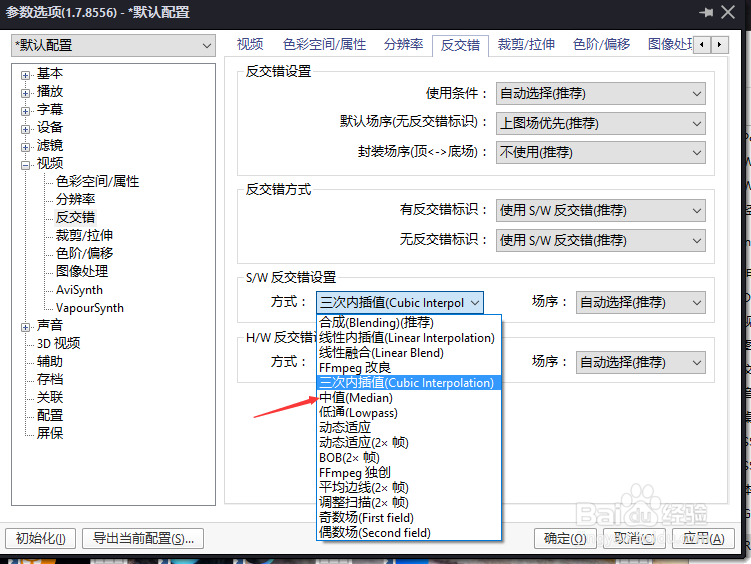
4、点击方式选项

PotPlayer反交错方式设置为中值

5、弹出了下拉菜单选择为中值

PotPlayer反交错方式设置为中值

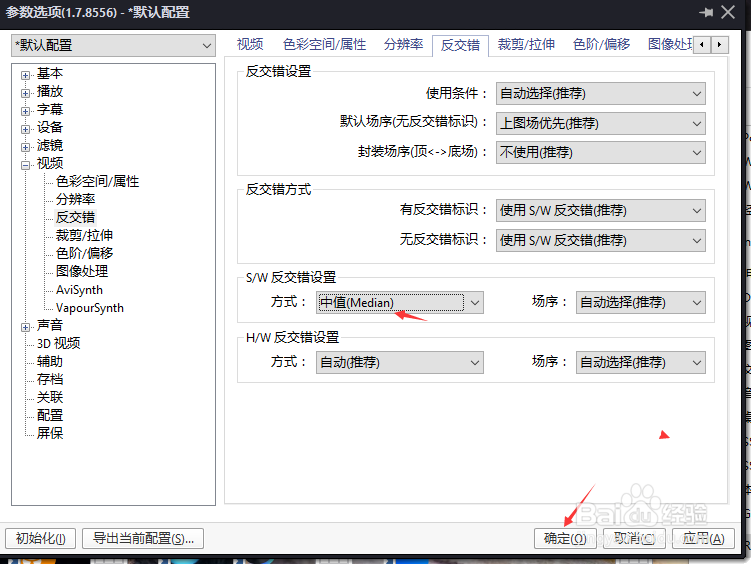
6、选择为中值之后,点击确定

PotPlayer反交错方式设置为中值
  • PotPlayer反交错设置么方式设置为不使用
  • PotPlayer反交错设置么场序设置为下图场优先
  • PotPlayer音量调节方式怎么设置为默认音量控制
  • PotPlayer反交错设置怎么使用为总是使用
  • PotPlayer怎么输出方式设置为PCM默认输出
  • 热门搜索
    拘留所的真实生活 如何打好羽毛球 生活小创意 驾照扣分周期怎么算 泰迪犬怎么养 生活习惯英文 表带调节器怎么用 天天特价怎么报名 如何成为健身教练 离婚手续如何办理