PotPlayer反交错设置么方式设置为不使用

 时间:2024-10-31 02:58:15

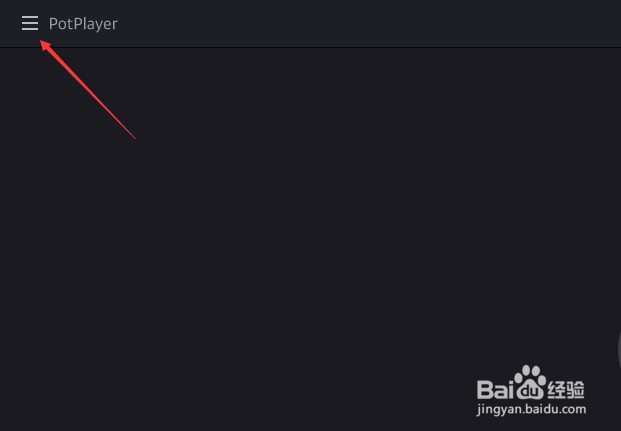
1、点击左上角中更多选项

PotPlayer反交错设置么方式设置为不使用

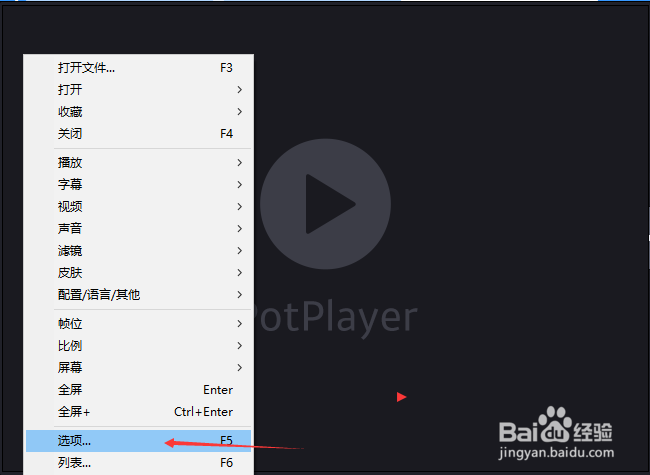
2、弹出了下拉菜单选择选项

PotPlayer反交错设置么方式设置为不使用

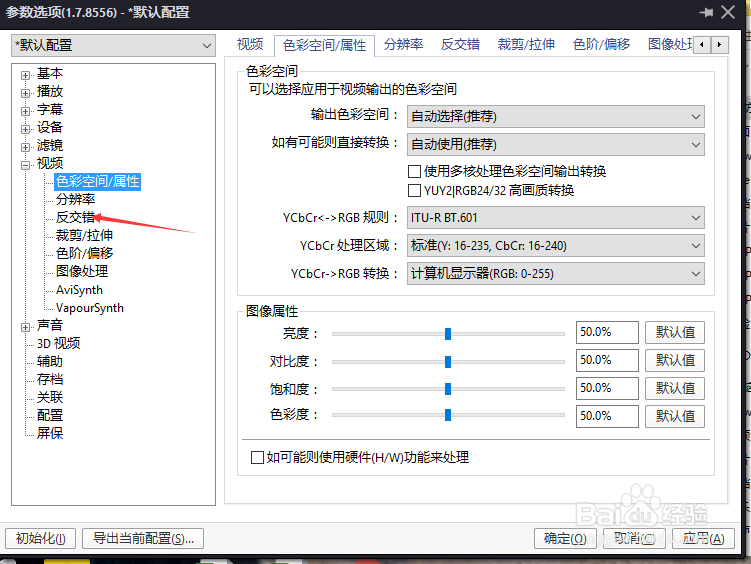
3、点击左侧中的反交错选项

PotPlayer反交错设置么方式设置为不使用

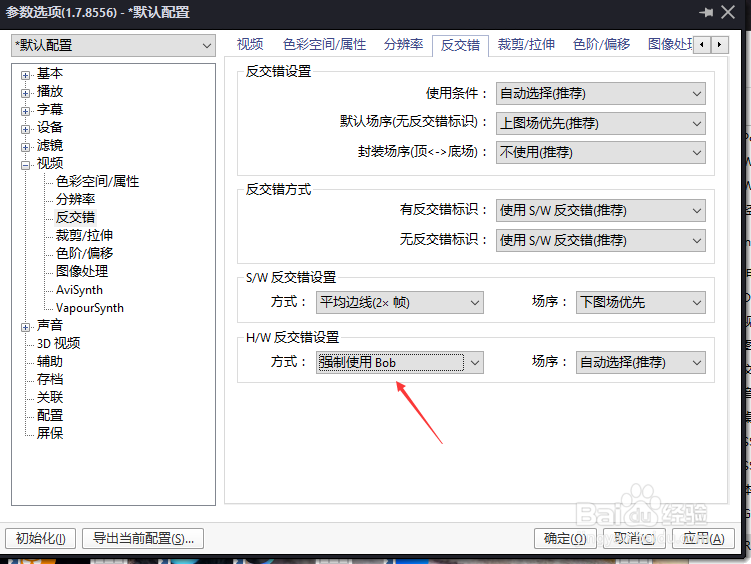
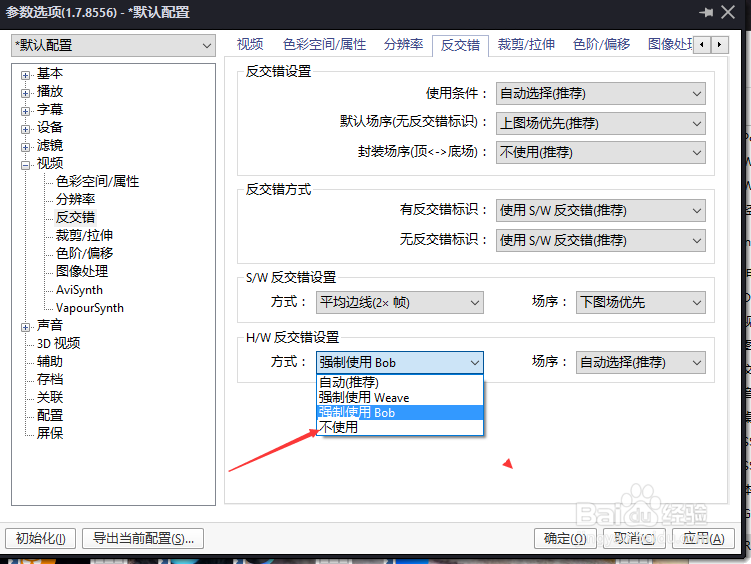
4、点击方式选项

PotPlayer反交错设置么方式设置为不使用

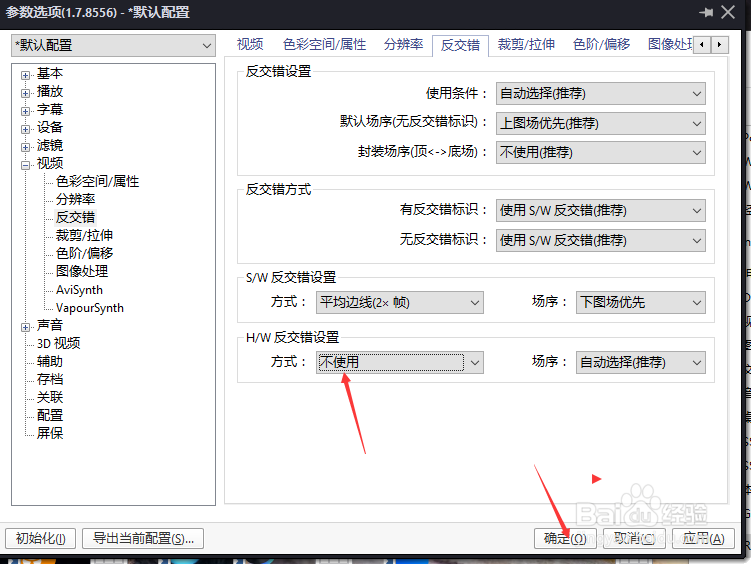
5、弹出了下拉菜单选择为不使用

PotPlayer反交错设置么方式设置为不使用

6、选择为不使用之后,点击确定

PotPlayer反交错设置么方式设置为不使用
  • PotPlayer怎么不使用自定义3D深度
  • PotPlayer怎么不使用PIP画中画功能
  • PotPlayer怎么设置封装场序为由图像或有反交错
  • PotPlayer反交错设置怎么使用为总是使用
  • PotPlayer怎么不使用时间定位功能
  • 热门搜索
    如何让牙齿变白 口香糖粘在衣物上如何弄掉 如何考研 稚优泉怎么样 如何消除近视眼 萌妻哪里逃 如何写剧本 苹果手机内存怎么清理 屈原是哪里人 如何让你爱的人爱上你