PSPad editor怎么关闭自动检查更新

 时间:2026-04-25 00:21:41

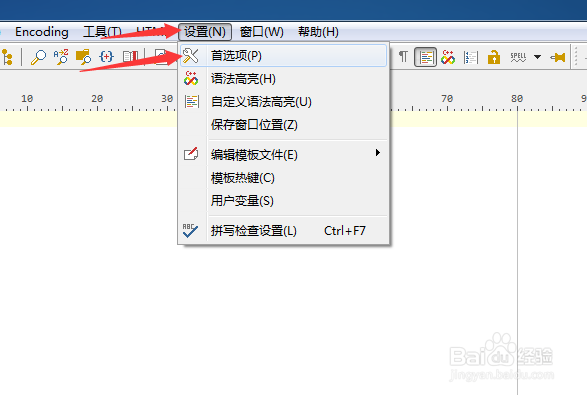
1、点击菜单中的设置菜单,弹出了下拉菜单选中为首选项

PSPad editor怎么关闭自动检查更新

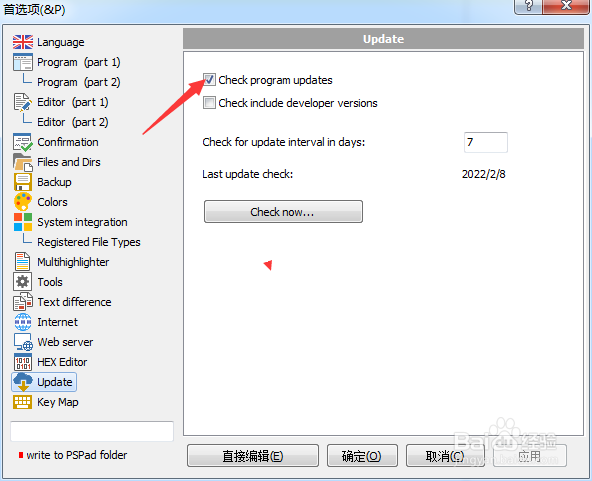
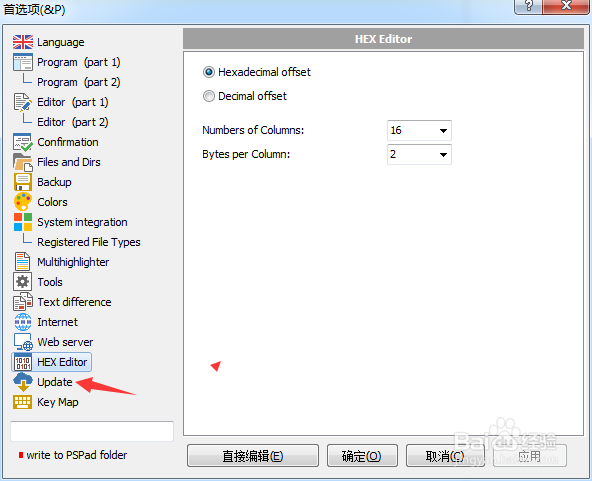
2、点击update选项

PSPad editor怎么关闭自动检查更新

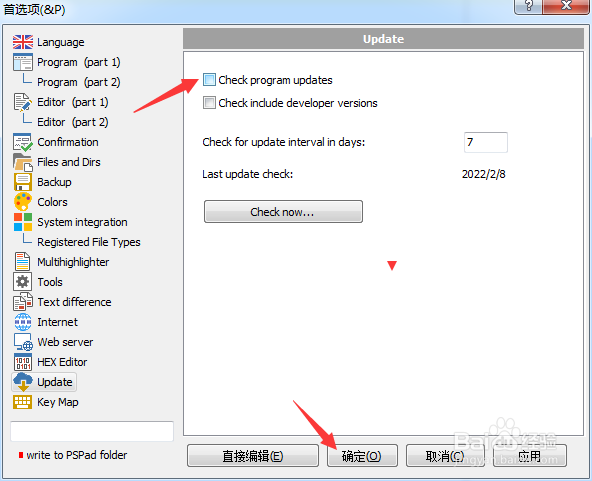
3、去掉勾选上check program updates选项

PSPad editor怎么关闭自动检查更新

4、去掉勾选上check program updates选项之后,点击确定
PSPad editor怎么关闭自动检查更新

  • PSPad editor怎么关闭pspad前显示确认对话框
  • PSPad editor怎么关闭自动缩排模式
  • PSPad editor怎么开启自动检查更新
  • PSPad editor怎么设置检查更新间隔为8
  • PSPad editor怎么对代码剪辑关闭
  • 热门搜索
    槟榔的功效与作用 关于禁毒的知识 固化剂的作用 黑莲花什么意思 关于蜜蜂的知识 原来你什么都不要 peak什么意思 排卵期有什么症状表现 第七届世界军人运动会 你的生命有什么可能