PowerPoint中如何插入垂直重点列表

 时间:2026-04-22 08:43:24

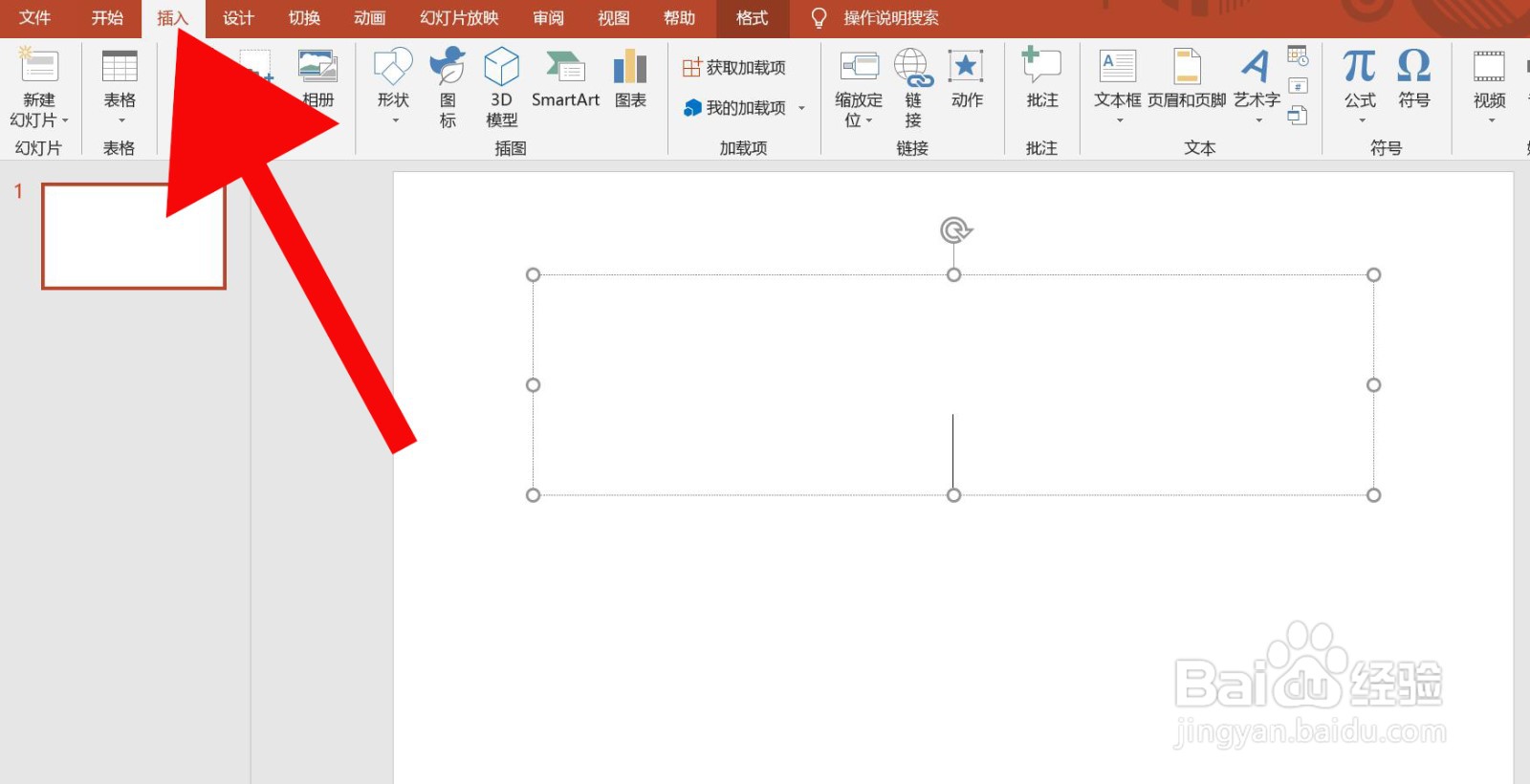
1、第一步、打开PowerPoint中的插入选项。

PowerPoint中如何插入垂直重点列表

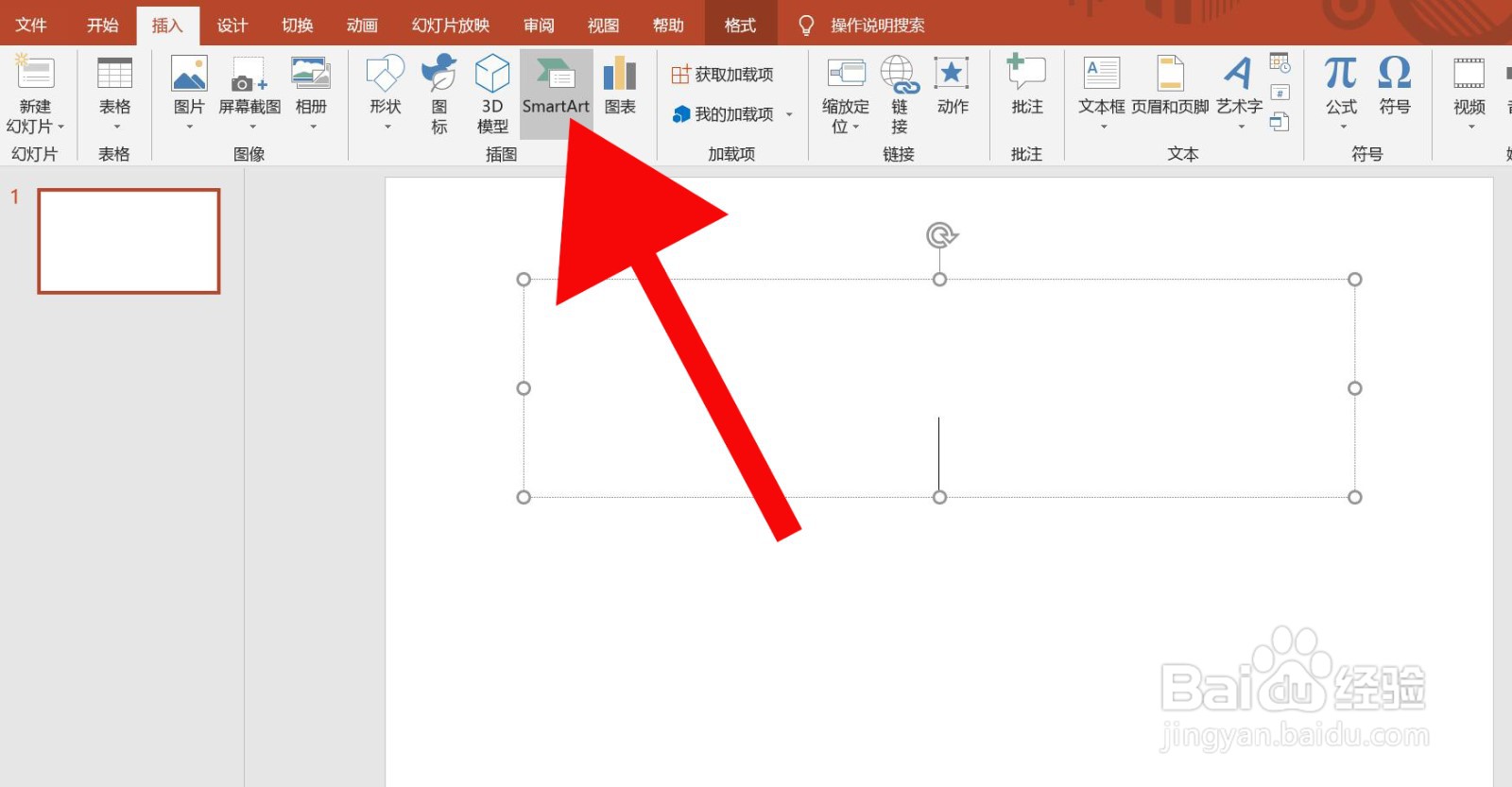
2、第二步、点击SmartArt。

PowerPoint中如何插入垂直重点列表

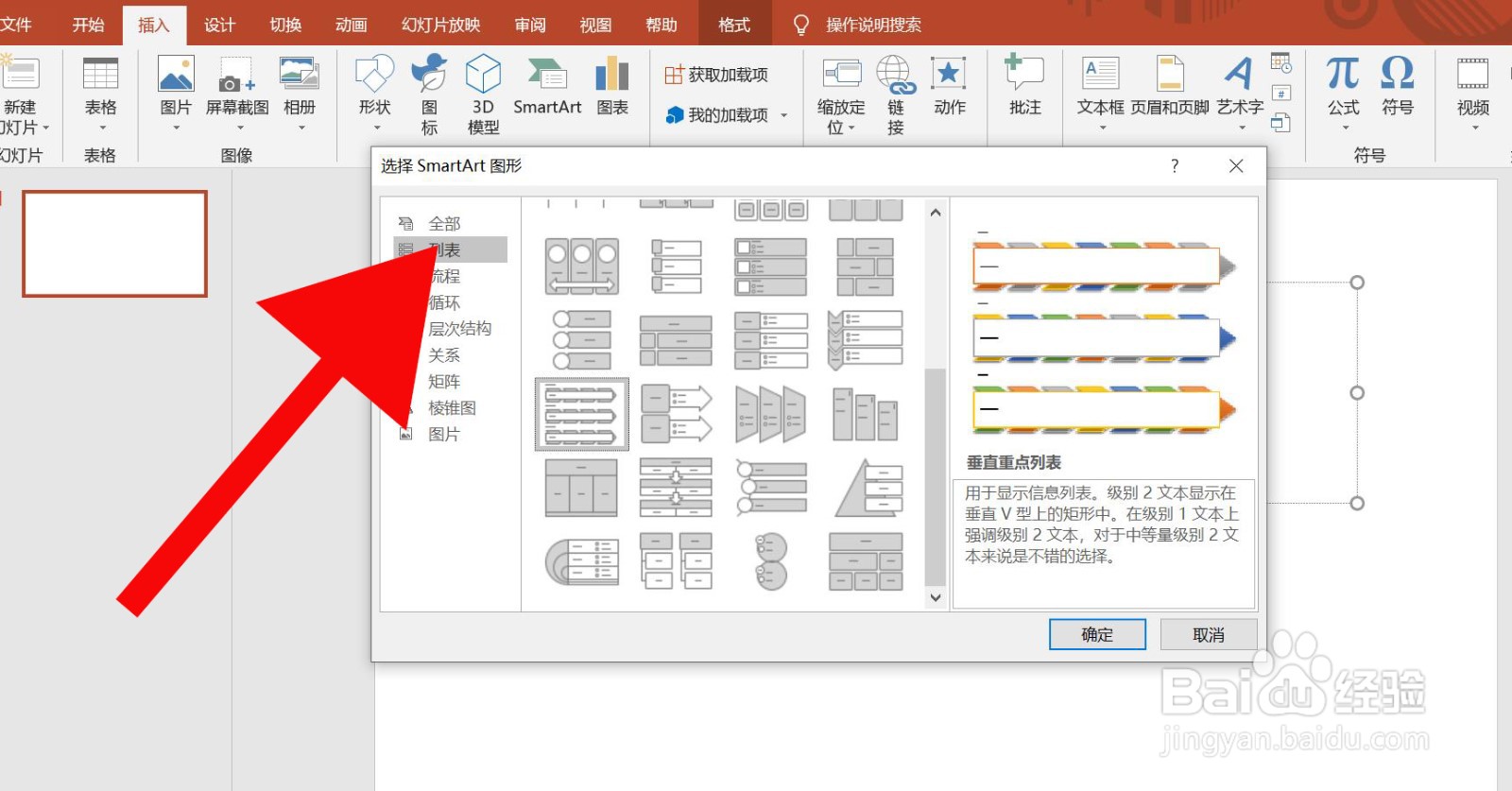
3、第三步、点击列表。

PowerPoint中如何插入垂直重点列表

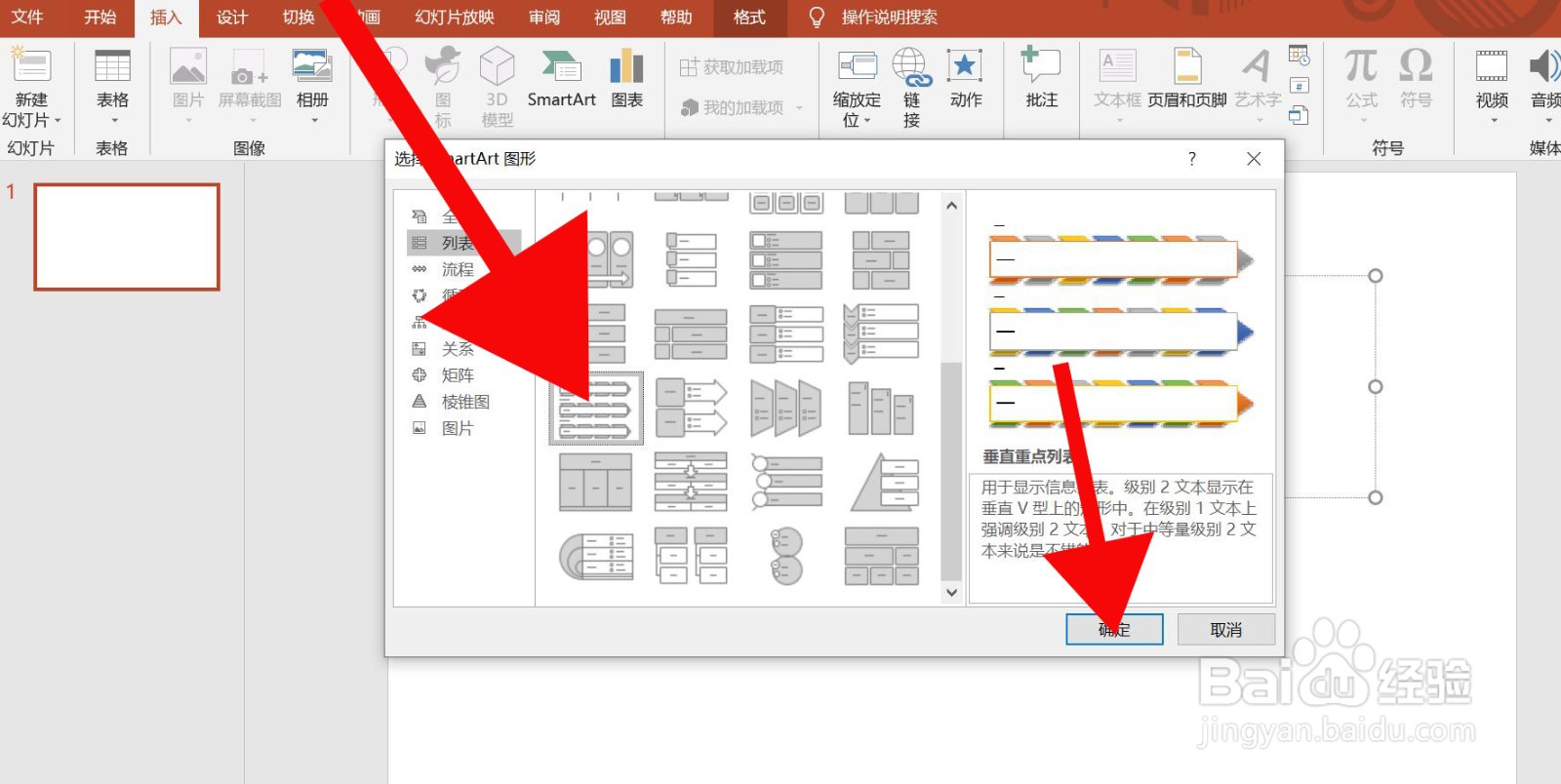
4、第四步、点击垂直重点列表,然后确定。

PowerPoint中如何插入垂直重点列表

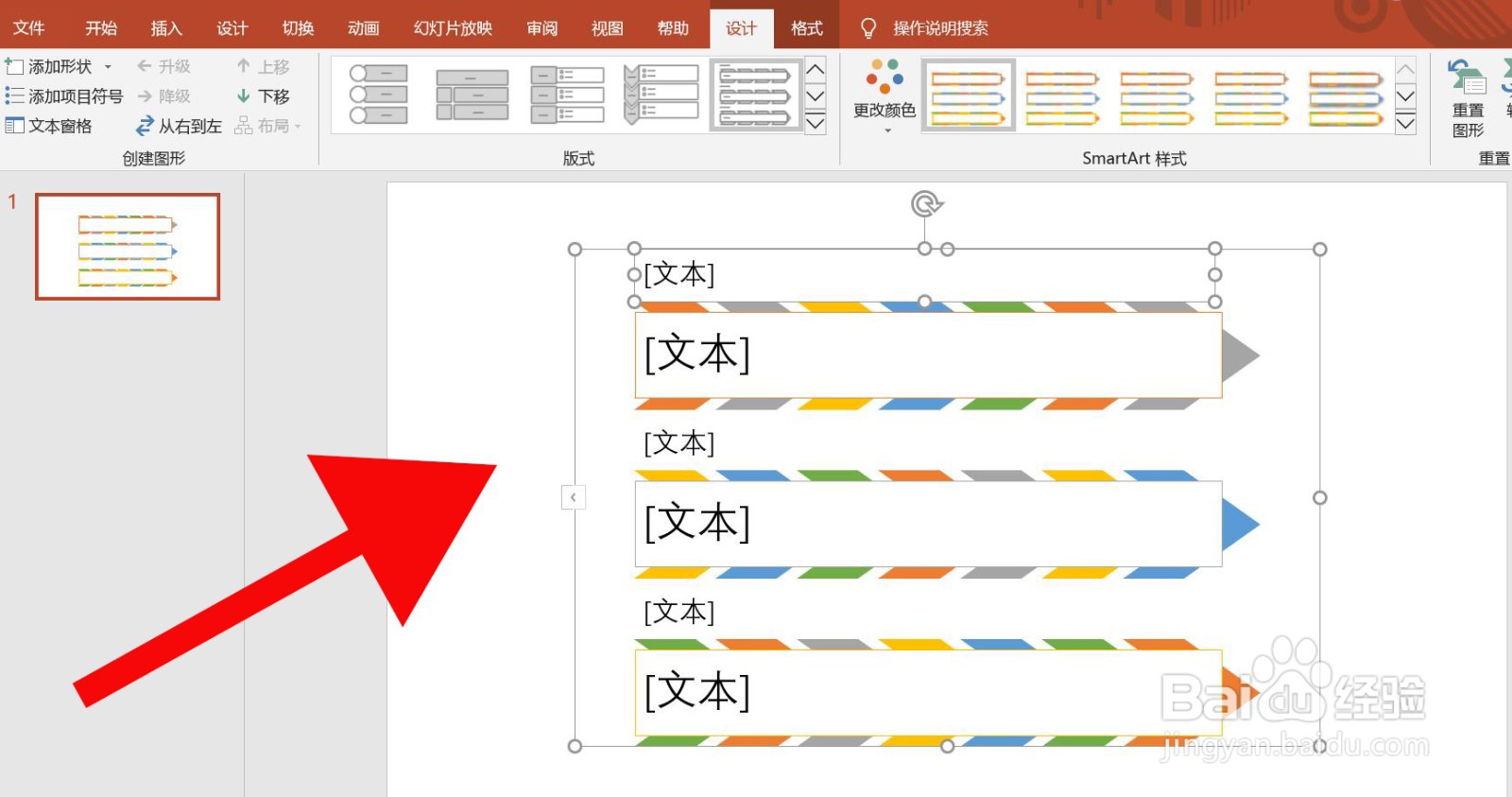
5、第五步、编辑插入后的垂直重点列表便可完成。

PowerPoint中如何插入垂直重点列表

  • PowerPoint中如何插入图片重点列表
  • PowerPoint 中如何插入气泡图片列表
  • PowerPoint 中如何插入反转列表
  • PowerPoint 中如何插入连续图片列表
  • PowerPoint 中如何插入水平图片列表
  • 热门搜索
    表格打不开怎么办 怎么画漫画人物步骤图 手机如何刷机 柠檬怎么泡水 哪里整容好 如何提高英语听力 电脑怎么放碟片 评书怎么下载 桃花岛旅游攻略 马来西亚旅游签证