PSPad editor怎么开启esc退出程序

 时间:2026-04-21 20:26:55

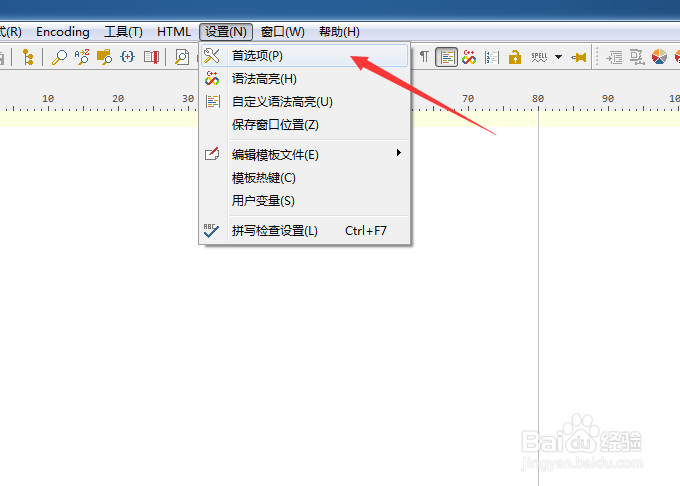
1、点击PSPad editor菜单中的设置菜单
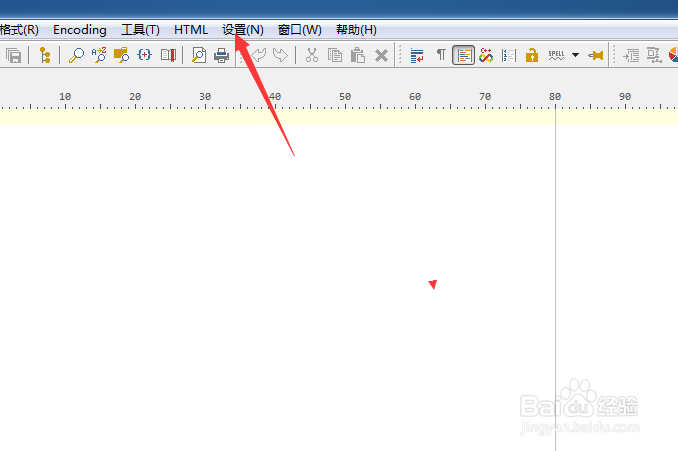
PSPad editor怎么开启esc退出程序

2、弹出了下拉菜单选中为首选项

PSPad editor怎么开启esc退出程序

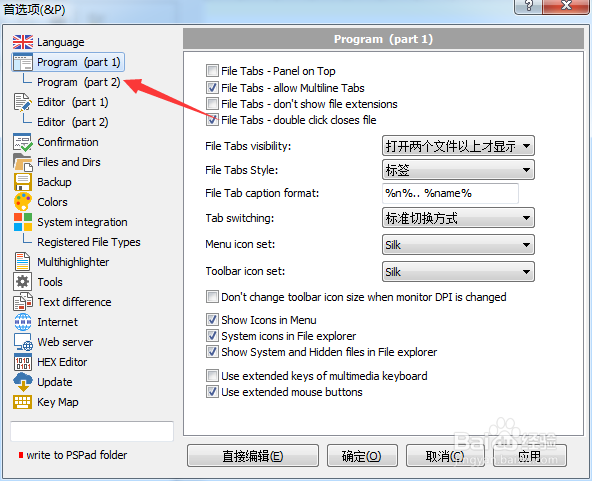
3、点击左侧program选项

PSPad editor怎么开启esc退出程序

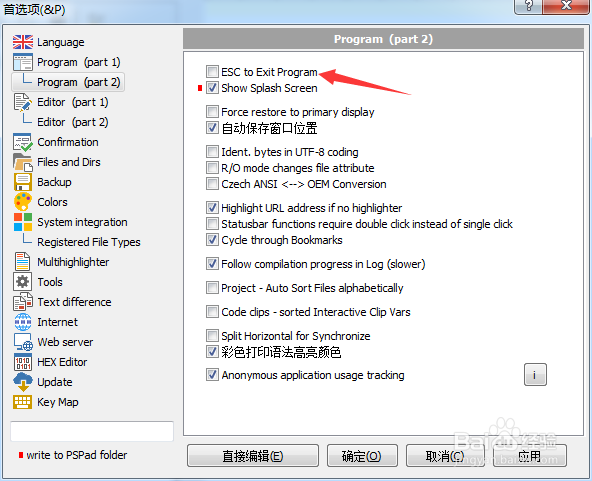
4、勾选上esc to exit program选项

PSPad editor怎么开启esc退出程序

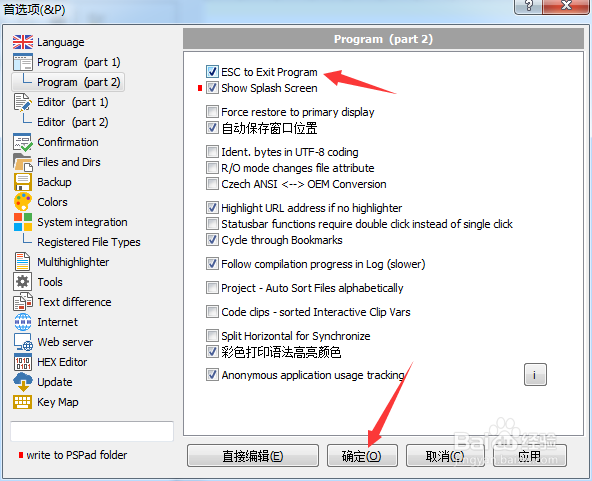
5、勾选上esc to exit program选项之后,点击确定

PSPad editor怎么开启esc退出程序

  • PSPad editor怎么开启在菜单中显示图标
  • PSPad editor怎么设置Highlight url地址
  • PSPad editor怎么关闭显示启动屏幕
  • PSPad editor怎么关闭esc退出程序
  • PSPad editor怎么开启顶部面板
  • 热门搜索
    克徕帝钻戒怎么样 医保缴费怎么交 年假怎么算 免疫力下降怎么办 婴儿打嗝怎么办 鄯善怎么读 怎么做披萨 手机掉水里了怎么办 我的世界打火石怎么做 怎么判断自己的肤质