PSPad editor怎么设置始终使用这个文件类型

 时间:2024-10-27 04:17:54

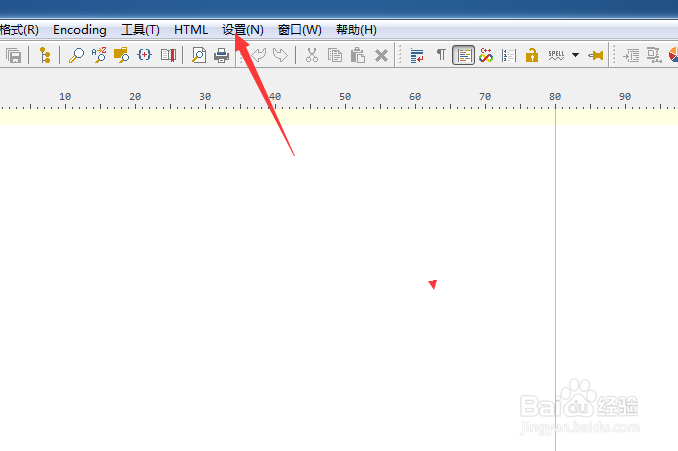
1、点击菜单中的设置菜单

PSPad editor怎么设置始终使用这个文件类型

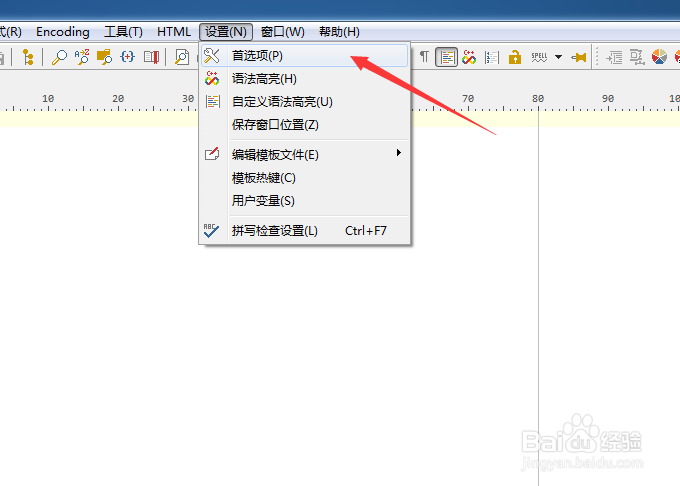
2、弹出了下拉菜单选中为首选项

PSPad editor怎么设置始终使用这个文件类型

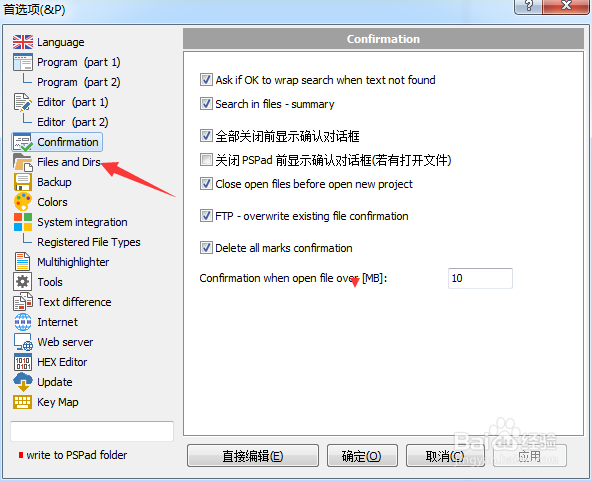
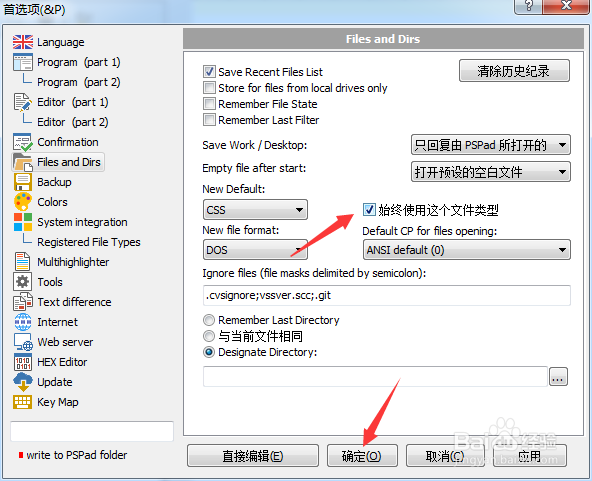
3、点击左侧中files and dirs选项

PSPad editor怎么设置始终使用这个文件类型

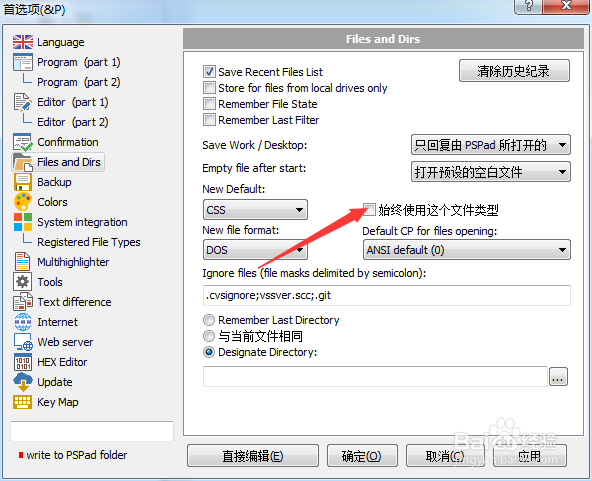
4、勾选上始终使用这个文件类型选项

PSPad editor怎么设置始终使用这个文件类型

5、勾选上始终使用这个文件类型选项之后,点击确定

PSPad editor怎么设置始终使用这个文件类型
  • PSPad editor怎么工具栏图标集为pspad
  • PSPad editor怎么菜单图标集为PSpad
  • PSPad editor怎么设置搜索结果为默认值
  • PSPad editor怎么设置标签宽度
  • PSPad editor怎么设置搜索结果为下
  • 热门搜索
    如何拒绝别人借钱 微信翻译功能怎么用 如何端正人生态度 杨光的快乐生活5 如何学电脑 in是什么意思 富得利地板怎么样 夫妻间怎么相处 云南工商学院怎么样 怎么设置qq空间背景音乐