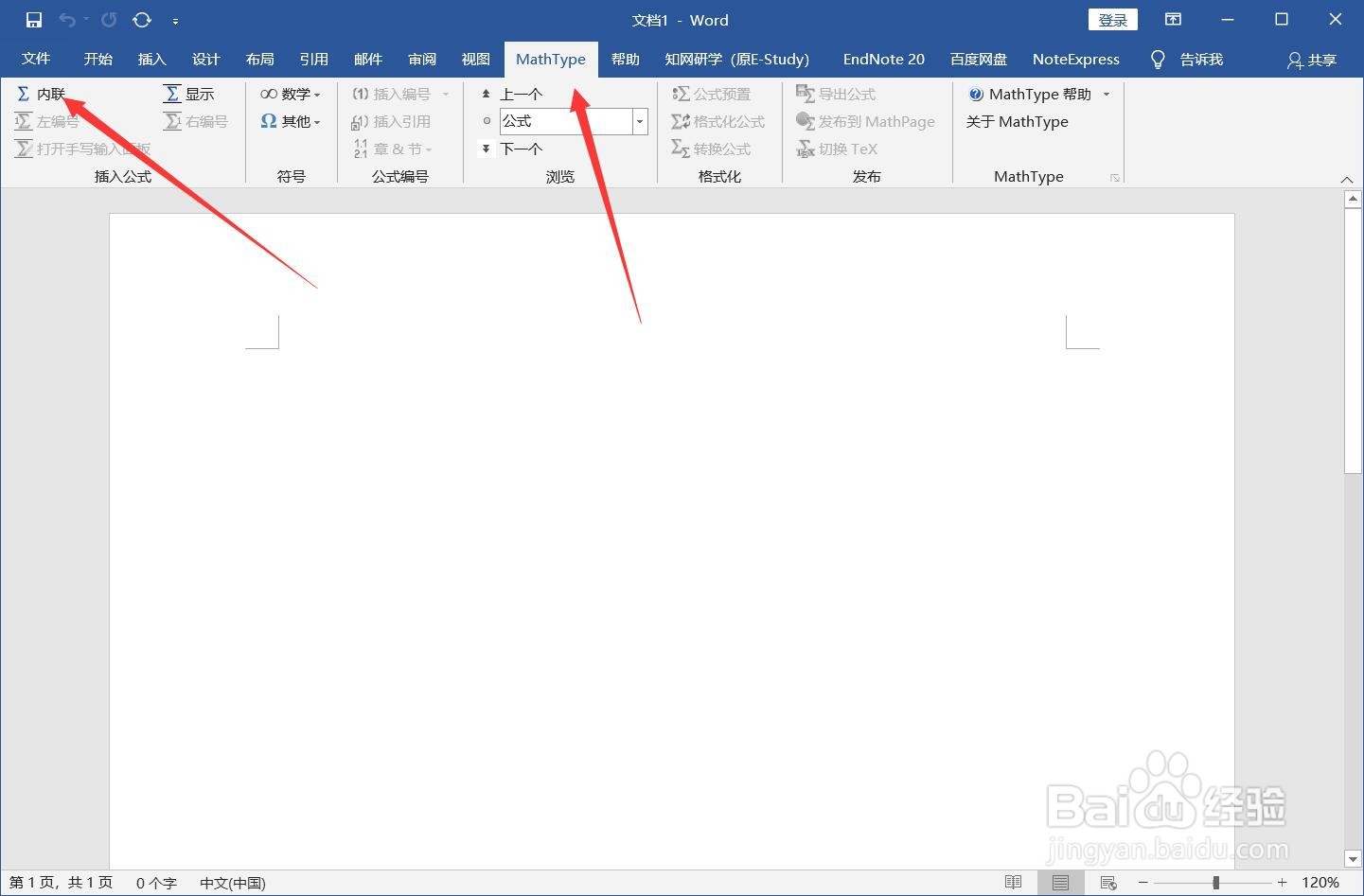
1、打开Word,点击【mathtype】-【内联】。
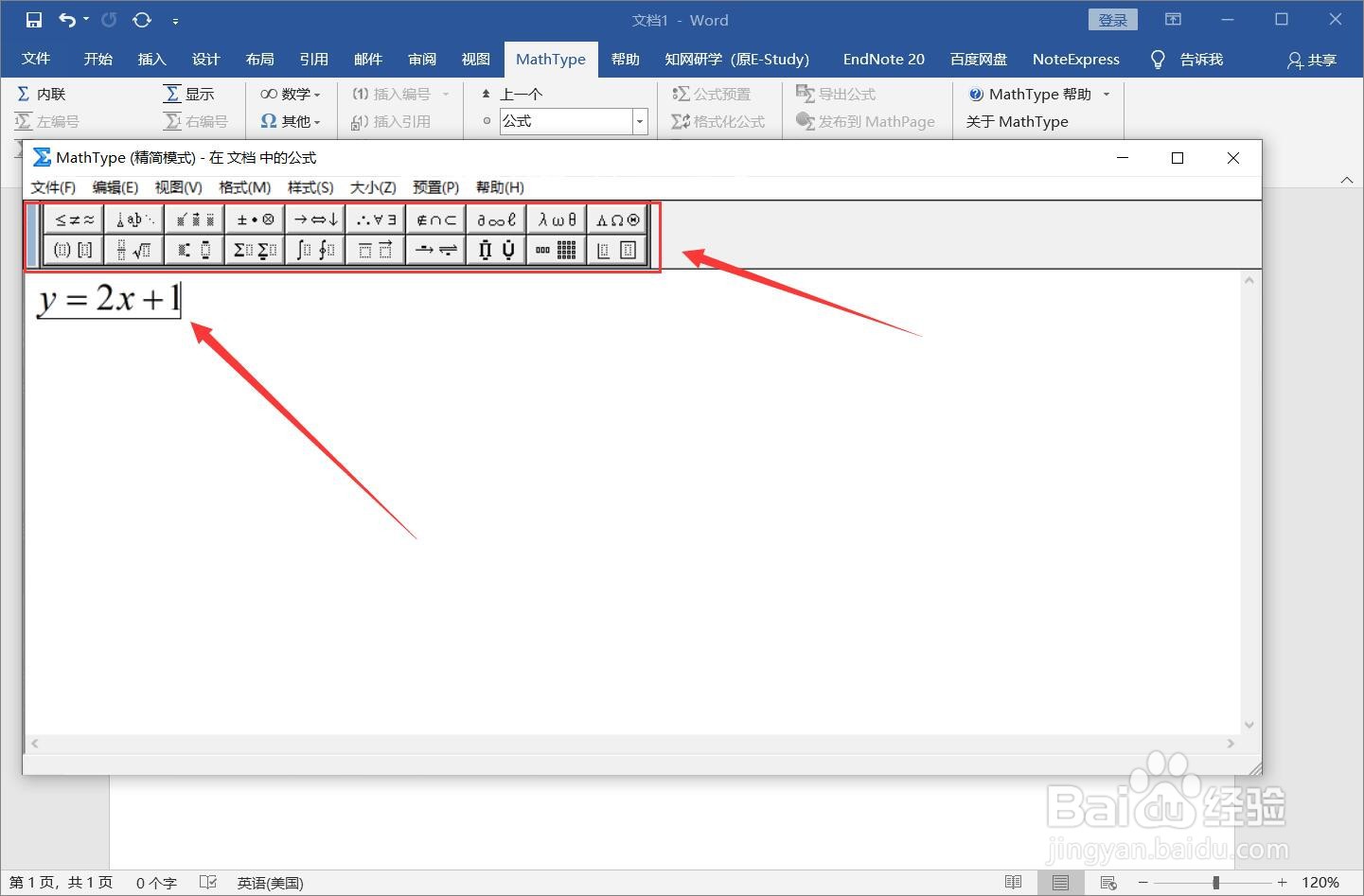
2、在弹出的编辑窗口中使用英文输入法输入公式,工具栏中有很多常用的运算符号。
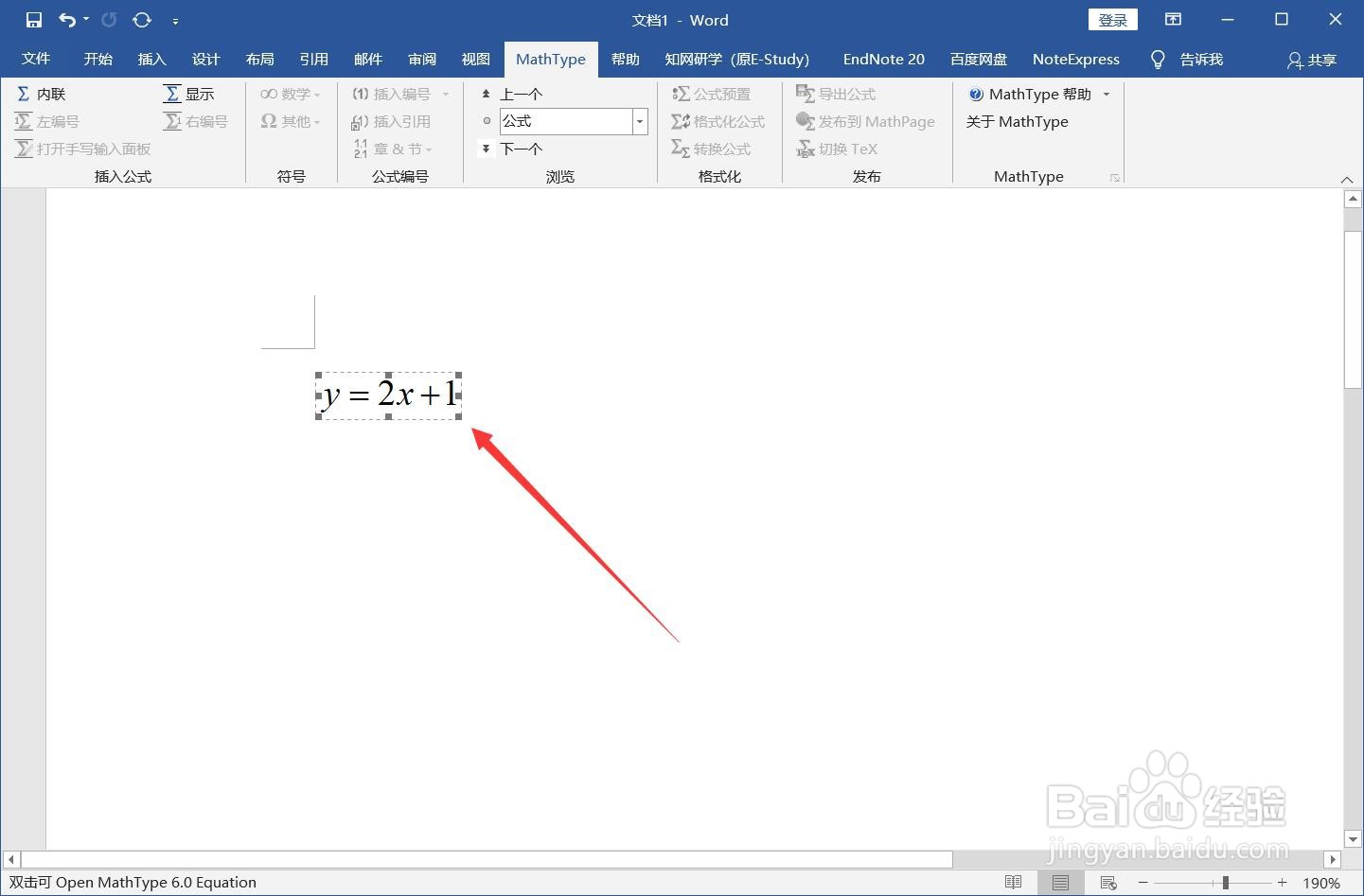
3、输入完成后点击ctrl+s保存公式即会显示在文档中。
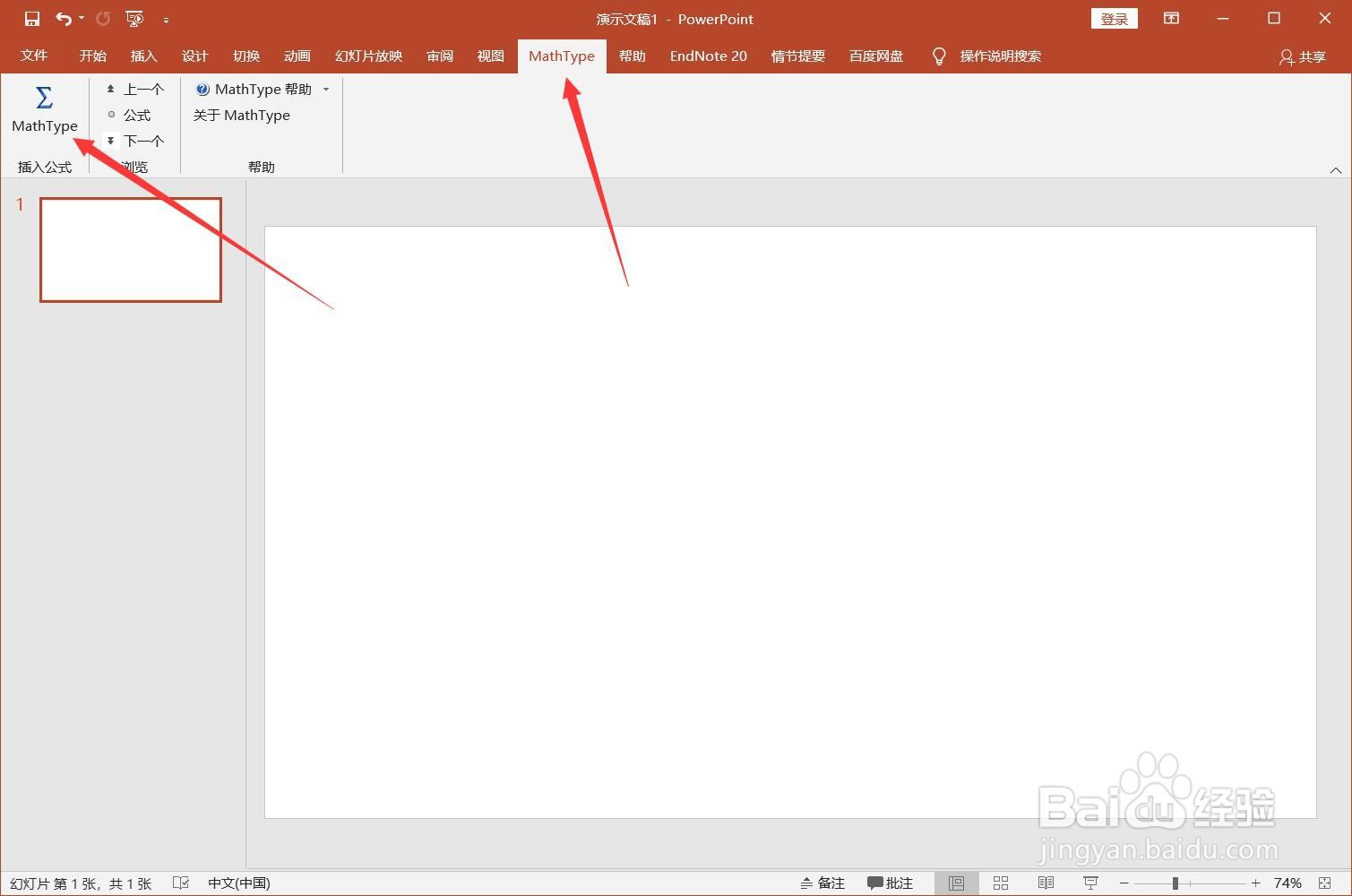
4、打开PPT,点击菜单栏【mathtype】-【mathtype】。
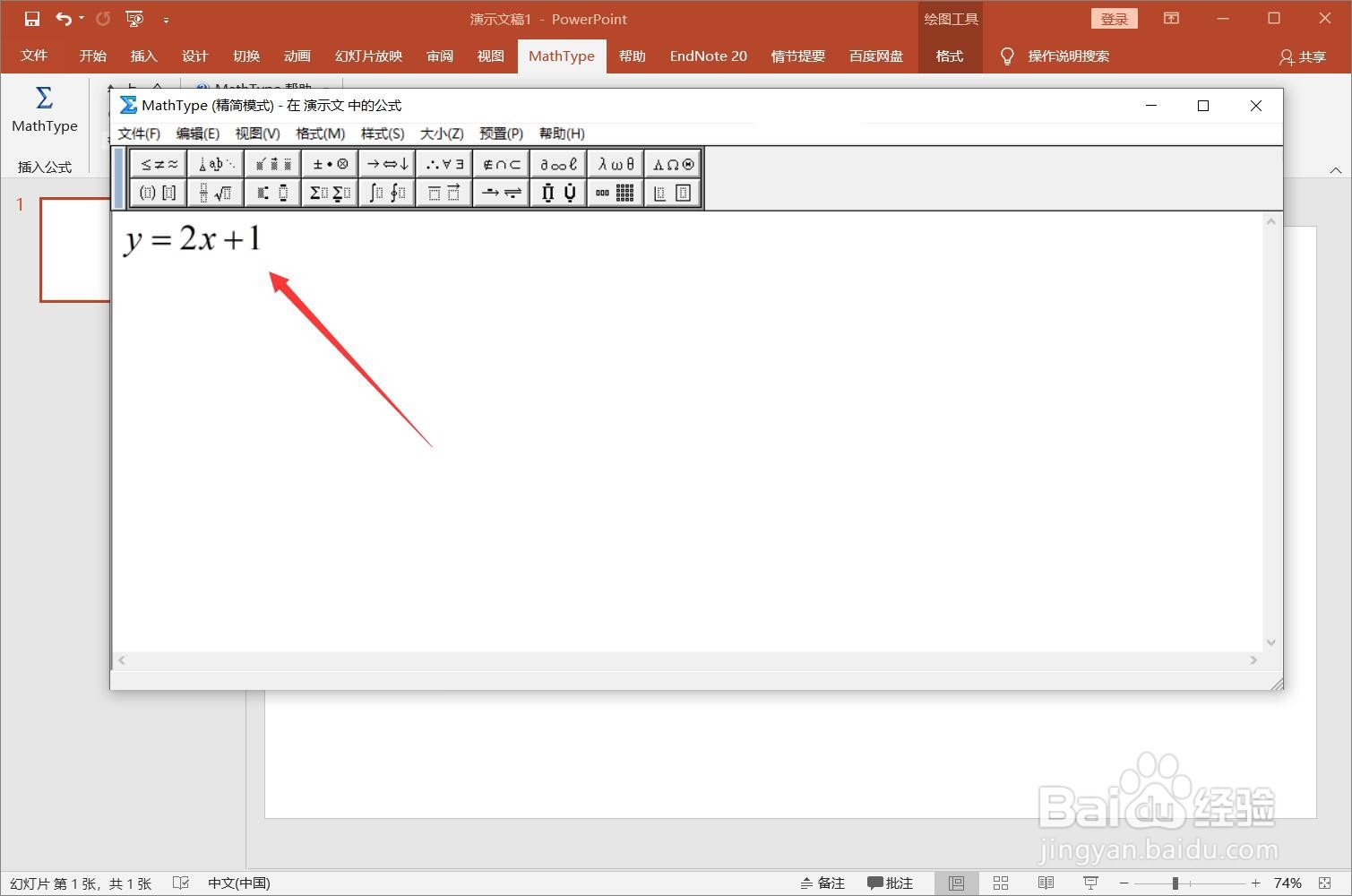
5、切换英文输入法,输入公式,点击Ctrl+S保存。
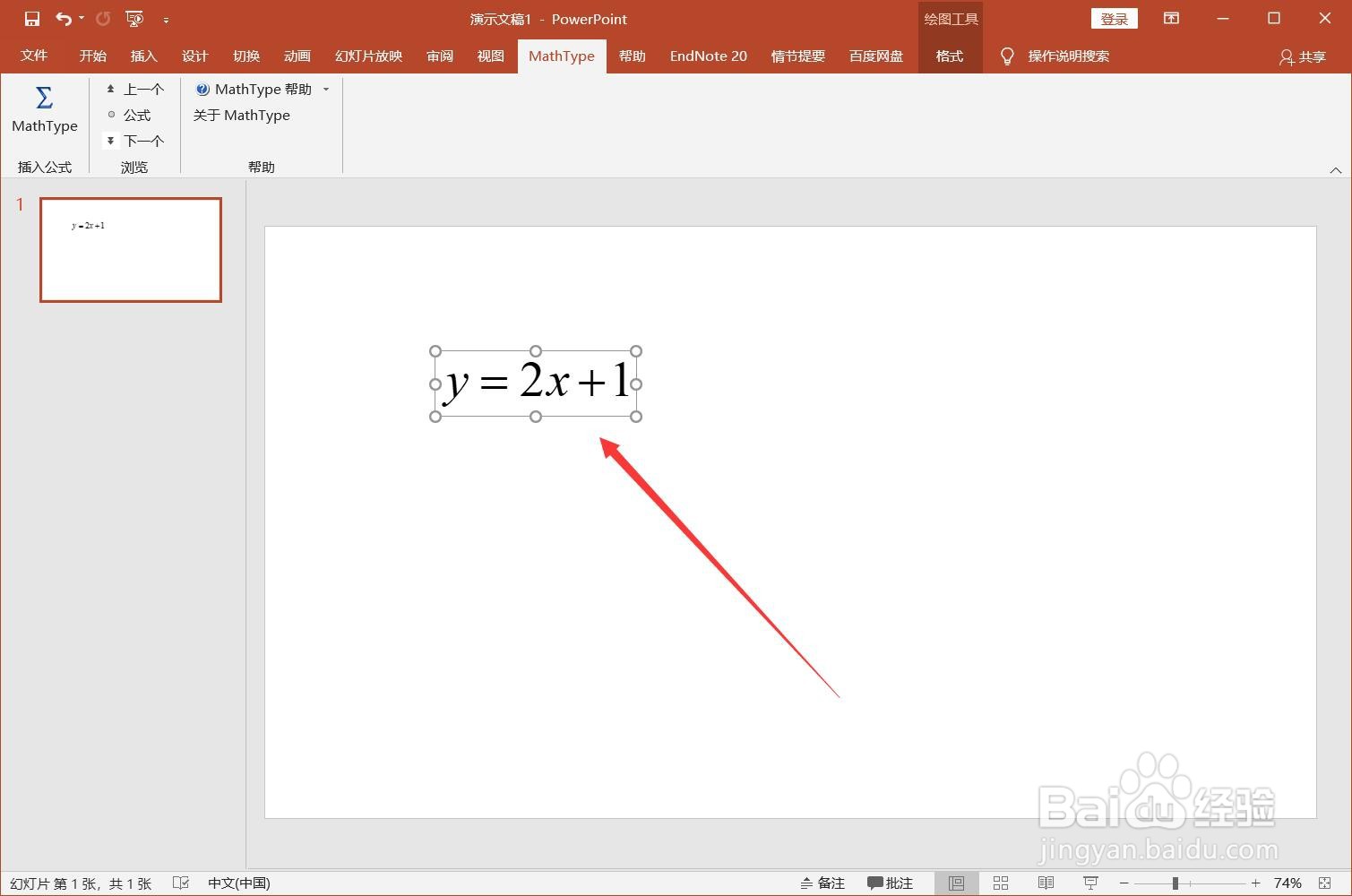
6、在PPT同样显示设置好的数学公式。
时间:2026-04-21 23:36:24
1、打开Word,点击【mathtype】-【内联】。
2、在弹出的编辑窗口中使用英文输入法输入公式,工具栏中有很多常用的运算符号。
3、输入完成后点击ctrl+s保存公式即会显示在文档中。
4、打开PPT,点击菜单栏【mathtype】-【mathtype】。
5、切换英文输入法,输入公式,点击Ctrl+S保存。
6、在PPT同样显示设置好的数学公式。
