PowerPoint2007如何插入圆角矩形

 时间:2026-05-05 08:40:28

1、点击打开“PowerPoint2007”。

PowerPoint2007如何插入圆角矩形

2、点击PowerPoint2007左上角“插入”。

PowerPoint2007如何插入圆角矩形

3、点击“形状”。

PowerPoint2007如何插入圆角矩形

4、点击“圆角矩形”图案。

PowerPoint2007如何插入圆角矩形

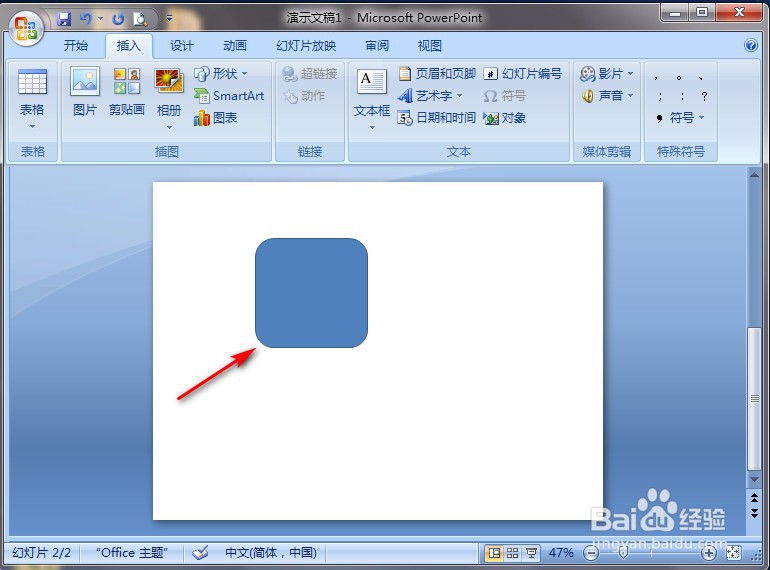
5、在PowerPoint2007空白处长按鼠标左键进行划拉,就完成了。

PowerPoint2007如何插入圆角矩形

  • PowerPoint2007如何插入曲线双箭头连接符
  • PowerPoint2007如何插入曲线连接符
  • PowerPoint2007如何插入任意多边形
  • PowerPoint2007如何插入曲线
  • PowerPoint2007如何插入剪去单角的矩形
  • 热门搜索
    鼻子干燥怎么办 颁奖词怎么写 圣元优博奶粉怎么样 水肿怎么消除 things怎么读 苹果密码忘记了怎么办 抽动症怎么治疗 火锅用英语怎么说 win10我的电脑怎么放在桌面 白衬衫发黄怎么洗