Eclipse中安装hibernate插件:hibernatetools

 时间:2026-04-22 04:55:05

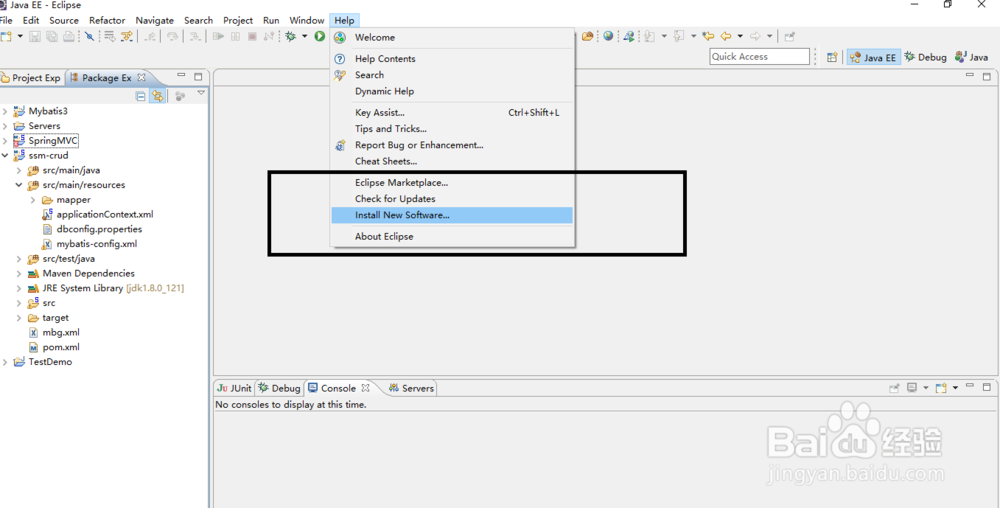
1、在eclipse菜单中点击help->Install New Software
Eclipse中安装hibernate插件:hibernatetools

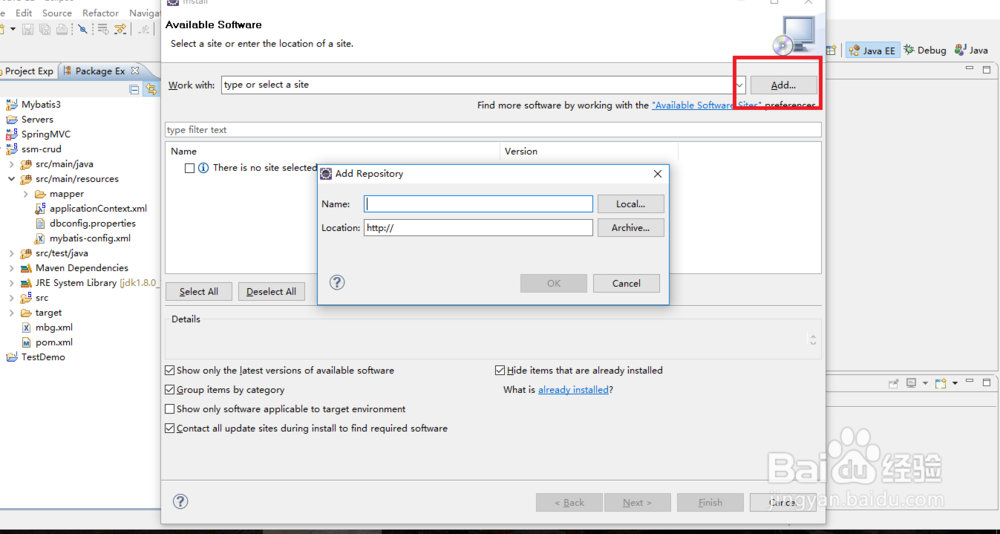
2、在弹出窗口中点击Add.

Eclipse中安装hibernate插件:hibernatetools

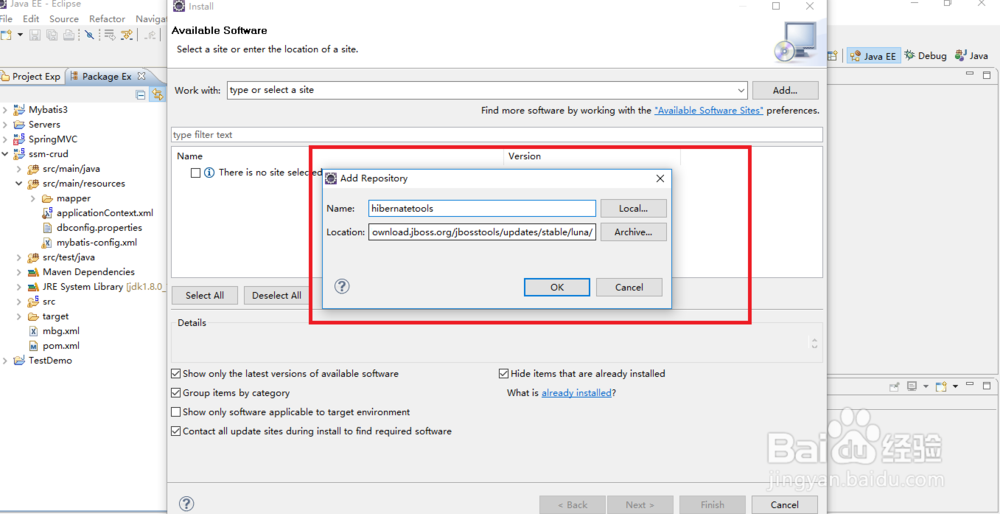
3、在窗口填写上Name和

Location:http://download.jboss.org/jbosstools/updates/stable/luna/。
Eclipse中安装hibernate插件:hibernatetools

4、点击OK,等待Eclipse从互联网上下载需要的插件。

Eclipse中安装hibernate插件:hibernatetools

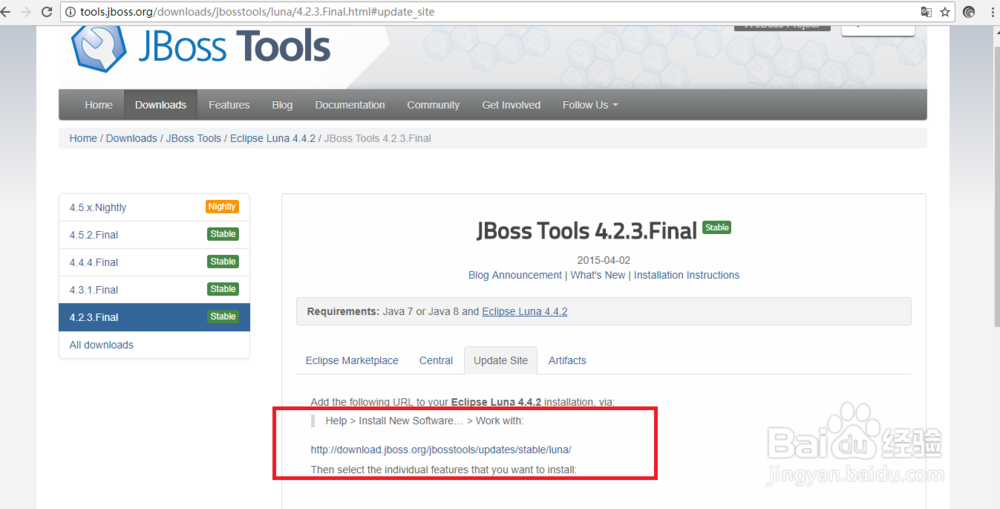
5、这里需要说明的一点就是不同的eclipse版本下载地址不一样,可以从http://tools.jboss.org/downloads/jbosstools/luna/4.2.3.Final.html#update_site

找到相应的安装地址。
Eclipse中安装hibernate插件:hibernatetools

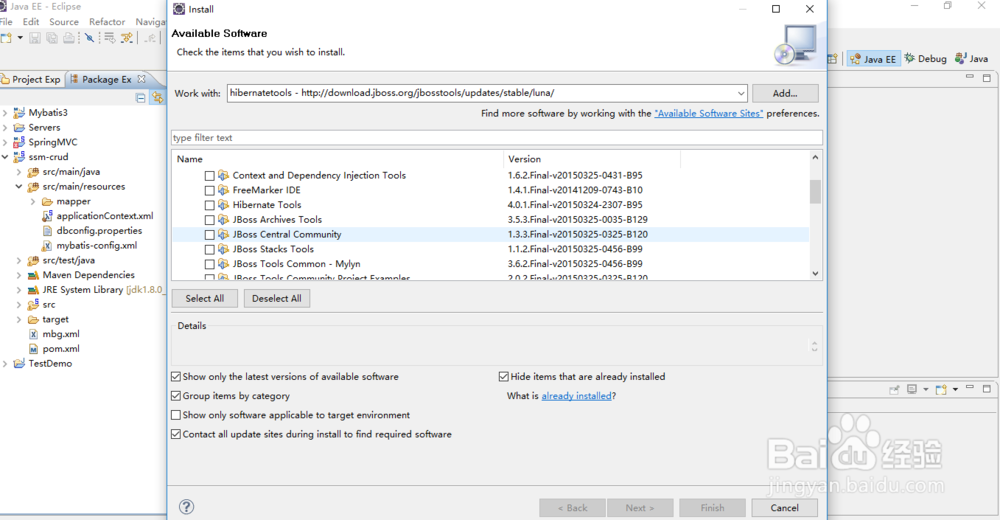
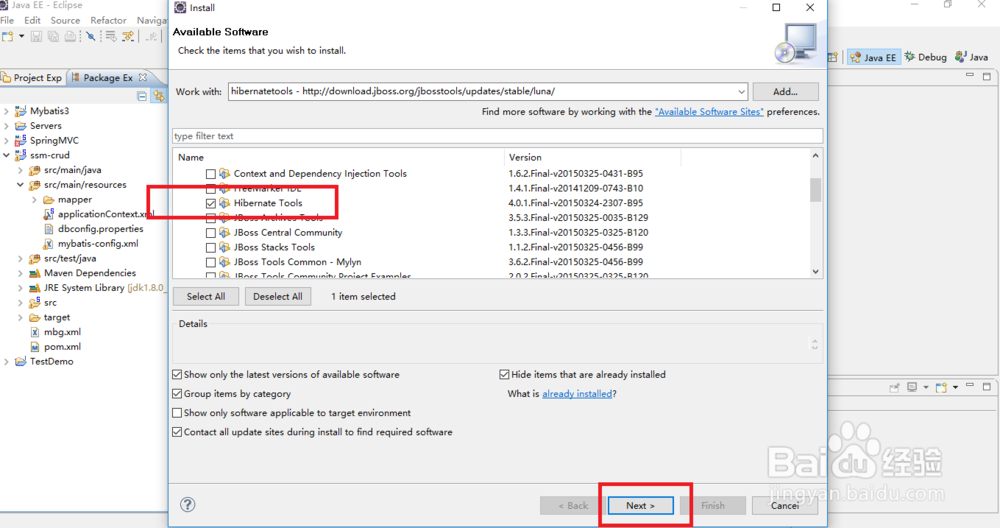
6、接下来选中Hibernate Tools,然后点击Next。等待程序的安装,需要5分钟左右。程序安装完成之后重启服务器即可。
Eclipse中安装hibernate插件:hibernatetools

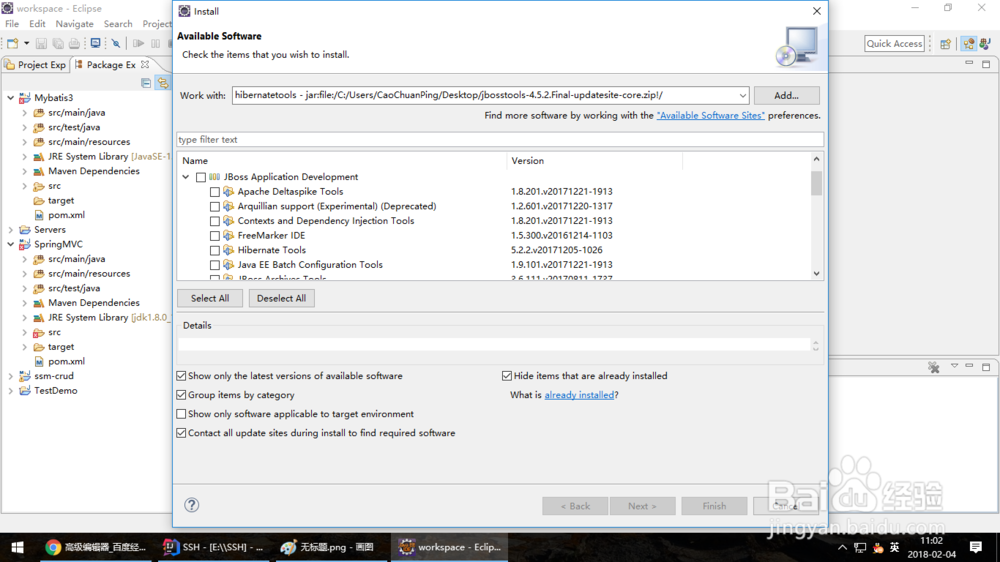
7、还有一种安装方式就是把插件下载下来之后再执行安装。这种方式更加靠谱,因为这个插件包比较大,很容易下载中断。
Eclipse中安装hibernate插件:hibernatetools

  • Eclipse如何切换工作空间
  • 使用Eclipse创建Maven Web工程
  • 图解MySQL5.7.20免安装版配置方法
  • apache-tomcat-9安装
  • 用maven怎么配置c3p0
  • 热门搜索
    2345小游戏大全 牛肉片的做法大全 hwp文件怎么打开 手游礼包大全 3d电影怎么下载 小妇人简介 淮扬菜谱大全带图片 消防手抄报大全 作文大全600字 蛇图片大全