1、首先在桌面上双击"PlotPlayer"图标,打开视频播放窗口主界面。

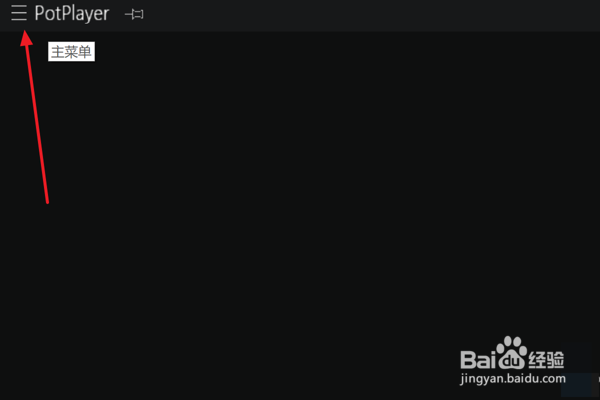
2、在主界面右上角区域,点击“主菜单”图标。
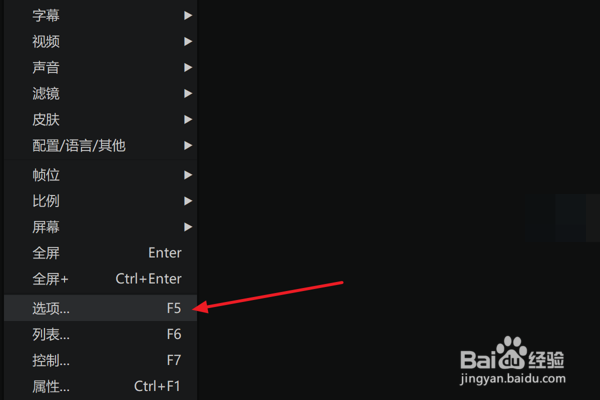
3、在弹出下拉菜单中,单击“选项”项。
4、在弹出“参数选项”窗口左侧,选择“简索”项。
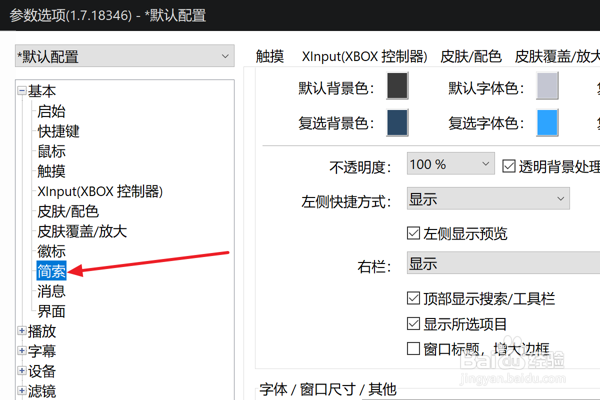
5、最后在右侧“简索”面板,勾选“显示所选项目”选项。

时间:2026-04-23 10:10:55
1、首先在桌面上双击"PlotPlayer"图标,打开视频播放窗口主界面。
2、在主界面右上角区域,点击“主菜单”图标。
3、在弹出下拉菜单中,单击“选项”项。
4、在弹出“参数选项”窗口左侧,选择“简索”项。
5、最后在右侧“简索”面板,勾选“显示所选项目”选项。
