丰云行怎么注销账号

 时间:2026-02-14 14:22:48

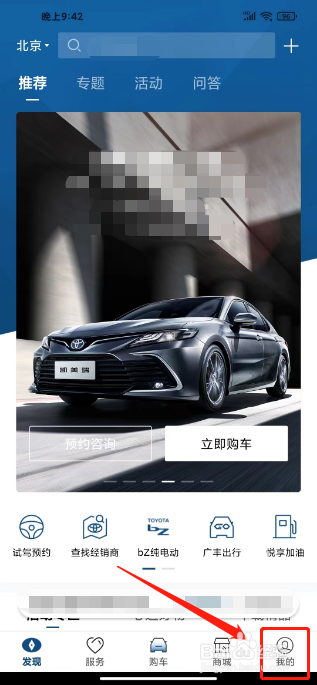
1、打开丰云行app后,点击【我的】。

丰云行怎么注销账号

2、进入我的,点击【设置图标】。

丰云行怎么注销账号

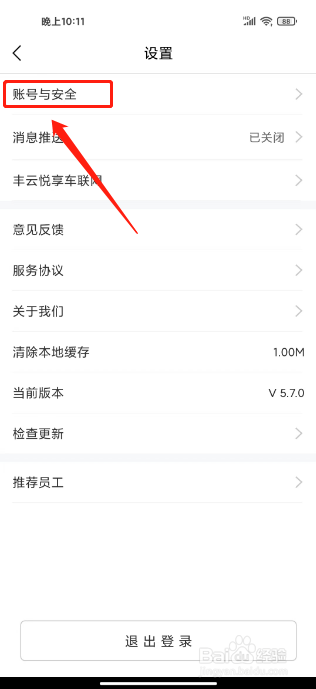
3、进入设置,点击【账号与安全】。

丰云行怎么注销账号

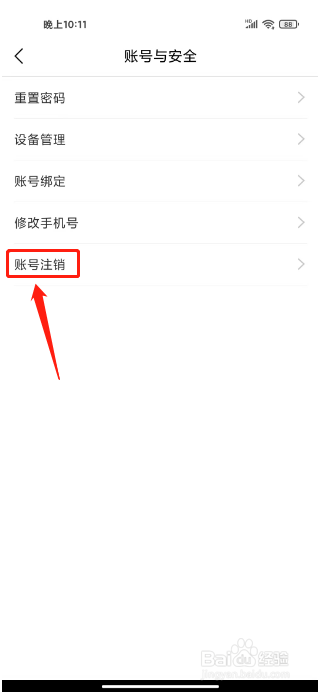
4、进入账号与安全,点击【账号注销】。

丰云行怎么注销账号

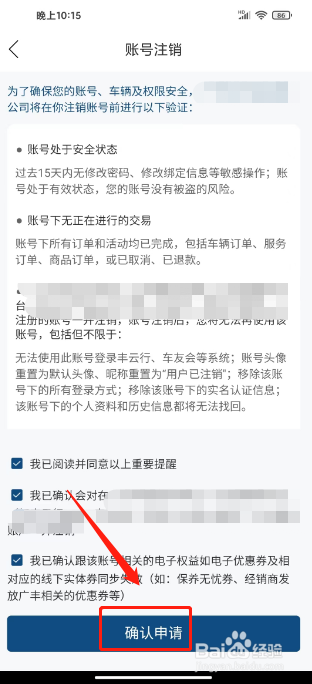
5、进入账号注销,点击【确认申请】。

丰云行怎么注销账号

  • 丰云行要注销账号在哪里进入?
  • 丰云行如何解绑
  • 怎么检查丰云行是否更新
  • 丰云行如何注销账号
  • 怎么注销丰云行账号
  • 热门搜索
    闫怎么读 乡道编号为什么是y 朋友圈怎么只发文字 珍珠奶茶的珍珠怎么做 粉丝怎么做好吃 微信微粒贷怎么开通 金鱼怎么养 饬怎么读 訾怎么读 履怎么读