1、改进:
-对系统进行补丁从而能播放480×272的全屏AVC
-修正了PSP游戏中pic0不显示的问题-频率设置在设置之后不清空,这可能导致少数游戏的超频失效(翻译可能有误,原句: The speed functions were not dummied after setting the speed. This could cause the few games
that set the cpu speed not to run at the selected speed in the recovery menu.)
-改变了程序结构,如今在游戏中将有更多的可用内存,sysmemp.prx 移除,systemctrl.prx 分离为systemctrl.prx 和 vshctrl.prx。
-PS游戏的说明书制作工具支持的图片支持到最多1000张!
2、下载:进入
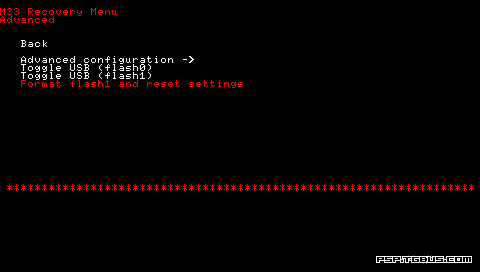
3、安装:电玩巴士提供的为Dark Alex原版升级包,只能从3.03 OE-A或3.03 OE-A'(A2)升级,把压缩包内的MS_ROOT文件夹下的PSP文件夹复制到记忆棒根目录,然后直接在PSP上运行3.03OE-B Update,当一段白色文字滚过,升级完毕等5秒钟自动回到PSP主菜单,操作完成,系统已经为3.03OE-B 。
4、注意:全屏AVC的压制方法和以前的320x240的压制方法一样,只需要将分辨率调整到480x272即可。仍然不支持普通格式的AVC文件!
DA给的两个3gp的例子:
Example 1: For a 1-pass 768 kbps bitrate:
[ItemXX]
Title=AVC 480x272 768 kbps 1-pass
TitleE=AVC 480x272 768 kbps 1-pass
Command0=""<%AppPath%>\cores\ffmpeg" -y -i "<%InputFile%>" -title "<%Title%>" -timestamp "<%TimeStamp%>" -bitexact -vcodec h264 -coder 1 -bufsize 128 -g 250 -s 480x272 -r 29.97 -b 768 -acodec aac -ac 2 -ar 48000 -ab 64 -f psp "<%OutputPath%>MAQ<%RandomNumber5%>.MP4""
Command1=""<%AppPath%>\cores\ffmpeg" -y -i "<%InputFile%>" -f image2 -ss 5 -vframes 1 -s 160x120 -an "<%OutputPath%>MAQ<%RandomNumber5%>.THM""
Example 2: For a 2-pass 512 kbps bitrate
[ItemXX]
Title=AVC 480x272 512 kbps 2-pass
TitleE=AVC 480x272 512 kbps 2-pass
Command0=""<%AppPath%>\cores\ffmpeg" -y -i "<%InputFile%>" -title "<%Title%>" -timestamp "<%TimeStamp%>" -bitexact -vcodec h264 -coder 1 -bufsize 128 -g 250 -s 480x272 -r 29.97 -b 512 -passlogfile "<%OutputFile%>" -pass 1 -acodec aac -ac 2 -ar 48000 -ab 64 -f psp "<%OutputPath%>MAQ<%RandomNumber5%>.MP4""
Command1=""<%AppPath%>\cores\ffmpeg" -y -i "<%InputFile%>" -title "<%Title%>" -timestamp "<%TimeStamp%>" -bitexact -vcodec h264 -coder 1 -bufsize 128 -g 250 -s 480x272 -r 29.97 -b 512 -passlogfile "<%OutputFile%>" -pass 2 -acodec aac -ac 2 -ar 48000 -ab 64 -f psp "<%OutputPath%>MAQ<%RandomNumber5%>.MP4""
Command2="rm "<%OutputFile%>-0.log""
Command3=""<%AppPath%>\cores\ffmpeg" -y -i "<%InputFile%>" -f image2 -ss 5 -vframes 1 -s 160x120 -an "<%OutputPath%>MAQ<%RandomNumber5%>.THM""