怎样在Microsoft Edge中使用Flash Player

 时间:2024-10-20 09:11:33

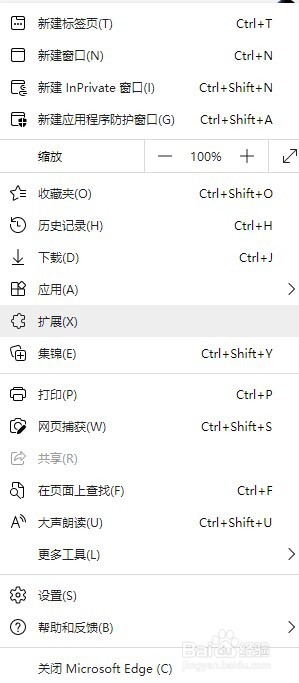
1、打开"扩展"

怎样在Microsoft Edge中使用Flash Player

2、点击"获取Microsoft Edge扩展"

怎样在Microsoft Edge中使用Flash Player

3、搜索"IE tab",回车

怎样在Microsoft Edge中使用Flash Player

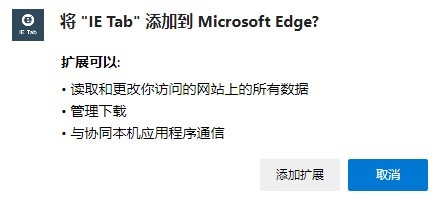
4、点击"获取",确定

怎样在Microsoft Edge中使用Flash Player怎样在Microsoft Edge中使用Flash Player

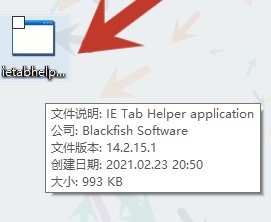
5、此时会下载一个文件"IEtabhelper",打开安装

怎样在Microsoft Edge中使用Flash Player

6、之后在浏览网页时就可以点击切换了

怎样在Microsoft Edge中使用Flash Player

7、效果:(第一张图片为未切换,第二张为切换后)

怎样在Microsoft Edge中使用Flash Player怎样在Microsoft Edge中使用Flash Player
  • 此电脑不见了怎么找回
  • 删除文件显示在windows资源管理器中打开
  • 如何修复“驱动程序无法在此设备上加载”
  • win10找不到appdata文件夹怎么办
  • 电脑右下方任务栏显示CPU温度的方法
  • 热门搜索
    融资融券什么意思 风口浪尖的意思 落寞的意思 慢性非萎缩性胃炎是什么意思 类风湿用什么药 簇拥的意思 干股是什么意思 fps是什么意思 嘉善有什么好玩的地方 开洗车店需要什么设备