1、准备好需要用到的图标。

2、新建html文档。

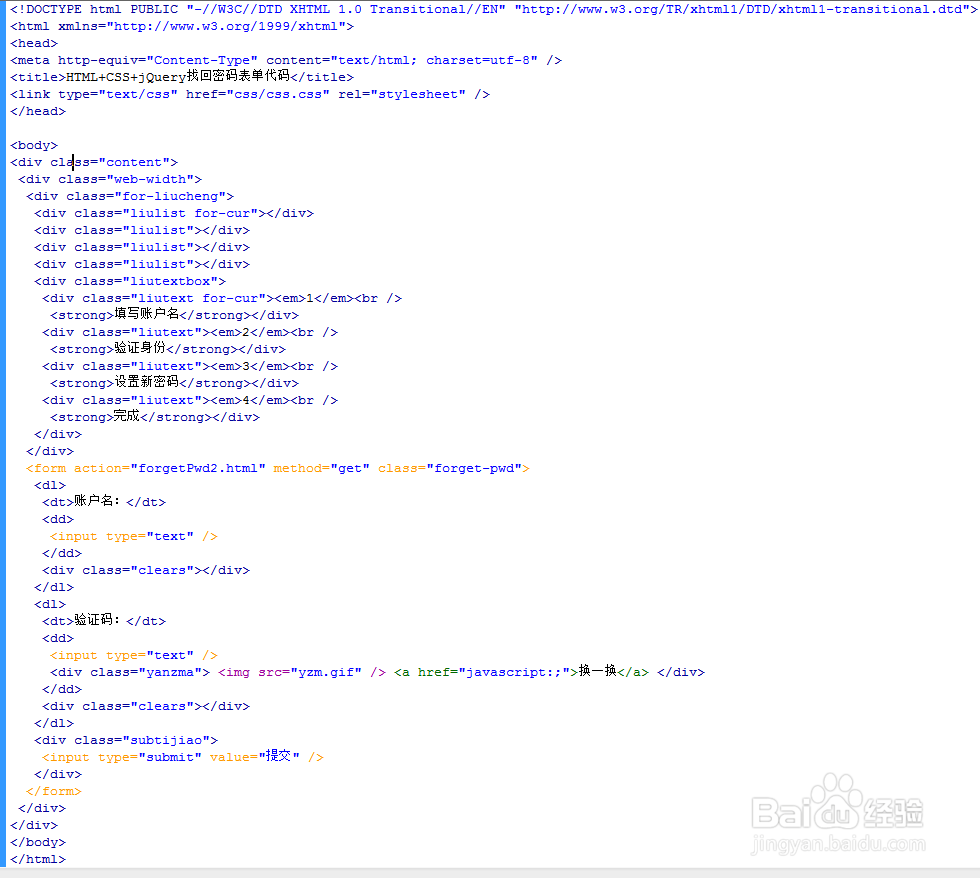
3、书写hmtl代码。
<div class="content">
<div class="web-width">
<div class="for-liucheng">
<div class="liulist for-cur"></div>
<div class="liulist"></div>
<div class="liulist"></div>
<div class="liulist"></div>
<div class="liutextbox">
<div class="liutext for-cur"><em>1</em><br />
<strong>填写账户名</strong></div>
<div class="liutext"><em>2</em><br />
<strong>验证身份</strong></div>
<div class="liutext"><em>3</em><br />
<strong>设置新密码</strong></div>
<div class="liutext"><em>4</em><br />
<strong>完成</strong></div>
</div>
</div>
<form action="forgetPwd2.htm|" method="get" class="forget-pwd">
<dl>
<dt>账户名:</dt>
<dd>
<input type="text" />
</dd>
<div class="clears"></div>
</dl>
<dl>
<dt>验证码:</dt>
<dd>
<input type="text" />
<div class="yanzma"> <img src="yzm.gif" /> <a href="#">换一换</a> </div>
</dd>
<div class="clears"></div>
</dl>
<div class="subtijiao">
<input type="submit" value="提交" />
</div>
</form>
</div>
</div>

4、初始化css代码。
html, body, div, span, applet, object, iframe, h1, h2, h3, h4, h5, h6, p, blockquote, pre, a, abbr, acronym, address, big, cite, code, del, dfn, em, img, ins, kbd, q, s, samp, small, strike, strong, sub, sup, tt, var, b, u, i, center, dl, dt, dd, ol, ul, li, fieldset, form, label, legend, table, caption, tbody, tfoot, thead, tr, th, td, article, aside, canvas, details, embed, figure, figcaption, footer, header, hgroup, menu, nav, output, ruby, section, summary, time, mark, audio, video, select{margin: 0;padding: 0;border: 0;}
table{ border-collapse:collapse;}
body{font-size:12px;color:#333; font-family:"Microsoft Yahei"; overflow-x:hidden; background:#f7f7f7;}
.bodybg{ background:url(../images/bodybg.jpg) right 160px no-repeat;}
img,a{border:0; text-decoration:none;}
ol, ul {list-style: none; }
a{color:#333;-webkit-transition: all .3s ease-out;-moz-transition: all .3s ease-out;transition: all .3s ease-out;}
a:hover{color:#005b9e;-webkit-transition: all .3s ease-out;-moz-transition: all .3s ease-out;transition: all .3s ease-out;}
img{ max-width:100%; height:auto;}
.web-width{width:1200px;margin:0 auto;}
.fl{float:left;}
.fr{float:right;}

5、书写css代码。.clears{clear:both}.for-liucheng{width:640px;margin:30px auto;height:50px;padding:20px 0 0 0;position:relative}.liulist{float:left;width:25%;height:7px;background:#ccc}.liutextbox{position:absolute;width:100%;left:0;top:10px}.liutextbox .liutext{float:left;width:25%;text-align:center}.liutextbox .liutext em{display:inline-block;width:24px;height:24px;-moz-border-radius:24px;-webkit-border-radius:24px;border-radius:24px;background:#ccc;text-align:center;font-size:14px;line-height:24px;font-style:normal;font-weight:bold;color:#fff}.liutextbox .liutext strong{display:inline-block;height:26px;line-height:26px;font-weight:400}.liulist.for-cur{background:#77b852}.liutextbox .for-cur em{background:#77b852}.liutextbox .for-cur strong{color:#77b852}.forget-pwd{width:500px;margin:20px auto;min-height:400px}.forget-pwd input,.forget-pwd select,.forget-pwd button{border:0;margin:0;padding:0;background:0}.forget-pwd dl{margin-bottom:20px}.forget-pwd dt{float:left;padding-right:10px;width:100px;height:30px;line-height:30px;text-align:right;font-size:14px}.forget-pwd dd{float:left;width:380px;height:30px;position:relative}.forget-pwd dd input{width:190px;height:28px;border:#ccc 1px solid}.forget-pwd dd select{width:190px;height:30px;border:#ccc 1px solid}.forget-pwd dd button{width:120px;height:30px;line-height:30px;border:#ddd 1px solid;background:#f1f1f1;text-align:center;cursor:pointer;font-size:14px;color:#666}.forget-pwd .yanzma{position:absolute;left:200px;top:2px;height:30px;line-height:30px;width:180px}.subtijiao{padding:0 0 0 110px}.subtijiao input{width:85px;height:32px;background:#f60;color:#fff;font-size:14px;cursor:pointer}.successs{text-align:center;padding:20px 0 60px 0}.successs h3{padding:20px;font-size:25px;color:#a0cd4e}

6、代码整体结构。
7、查看效果。

