在sketchpad中创建f(x)=sin(5x-3)函数及其图像

 时间:2026-02-13 06:08:37

1、打开sketchpad,进入软件的编辑界面;
在sketchpad中创建f(x)=sin(5x-3)函数及其图像

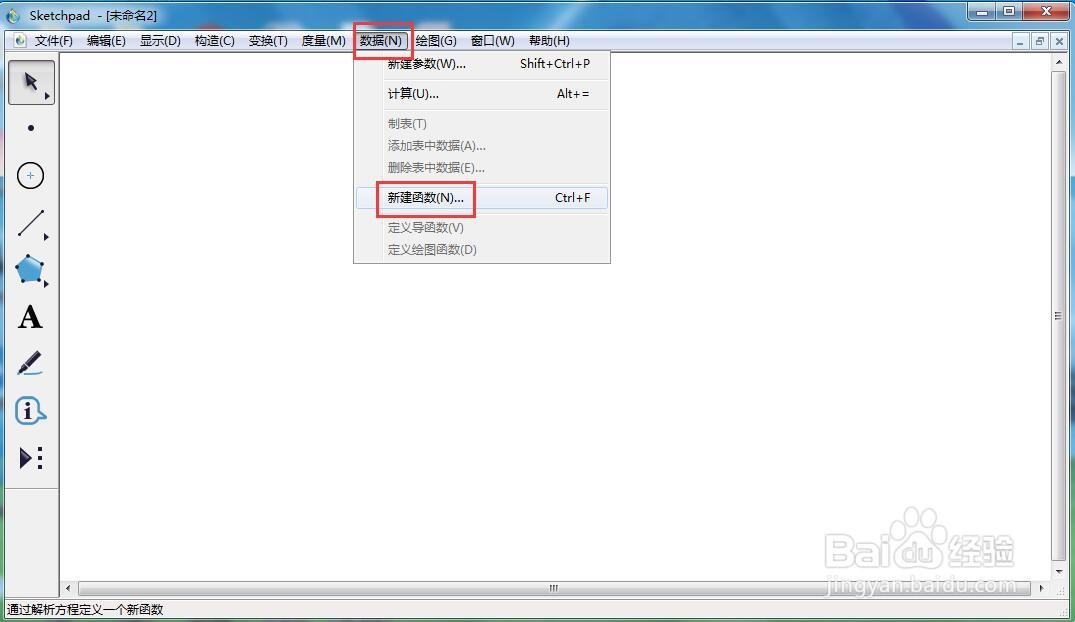
2、点击数据,选择新建函数;

在sketchpad中创建f(x)=sin(5x-3)函数及其图像

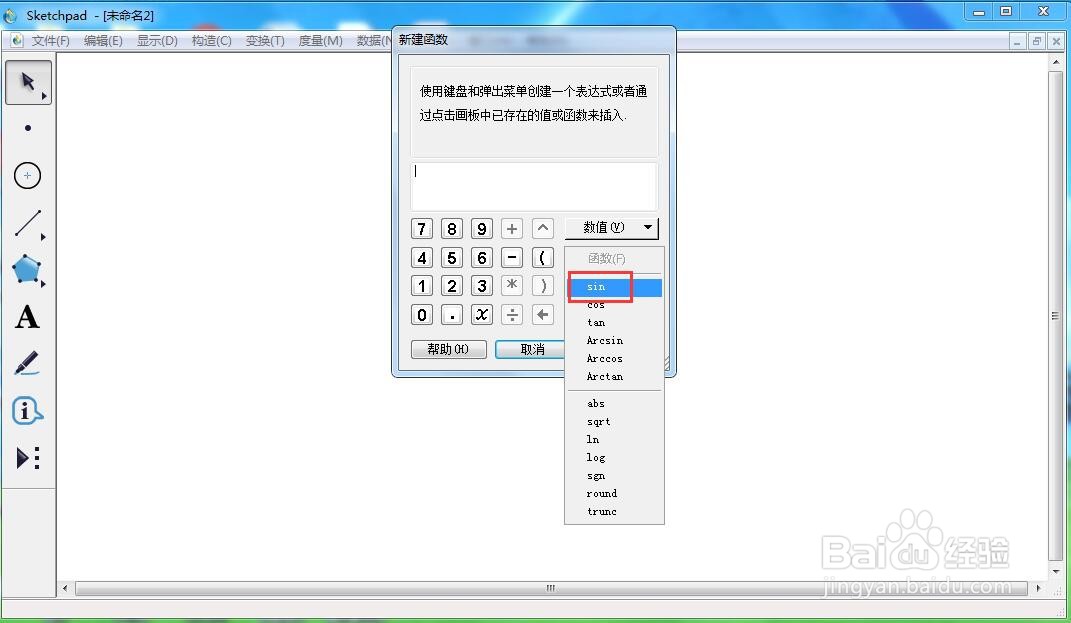
3、在函数中选择正弦函数;

在sketchpad中创建f(x)=sin(5x-3)函数及其图像

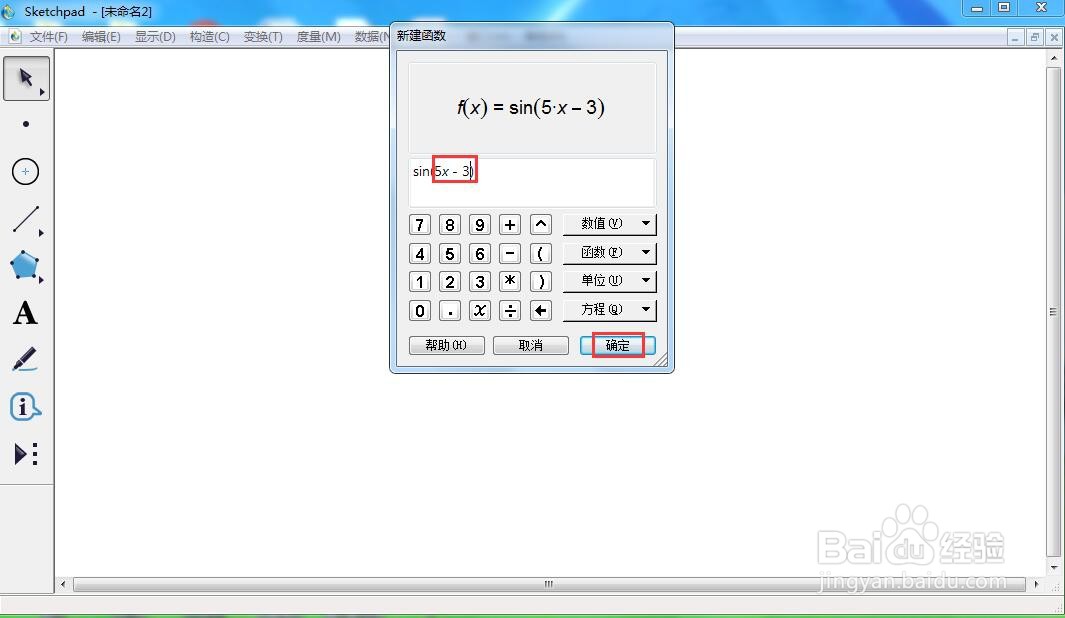
4、输入5x-3,按确定;

在sketchpad中创建f(x)=sin(5x-3)函数及其图像

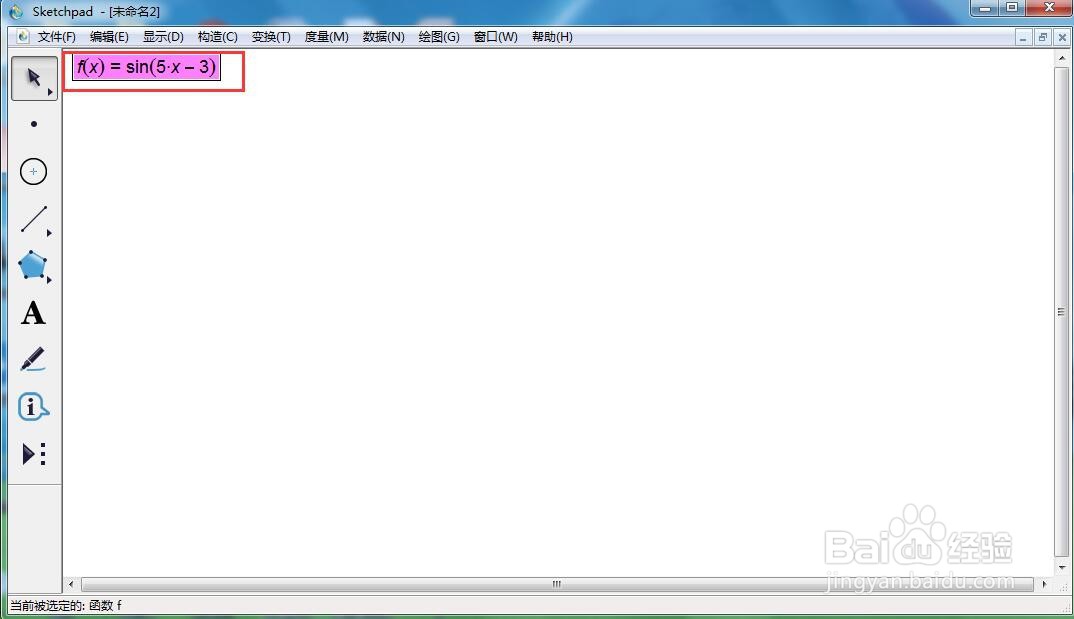
5、创建好函数f(x)=sin(5x-3);

在sketchpad中创建f(x)=sin(5x-3)函数及其图像

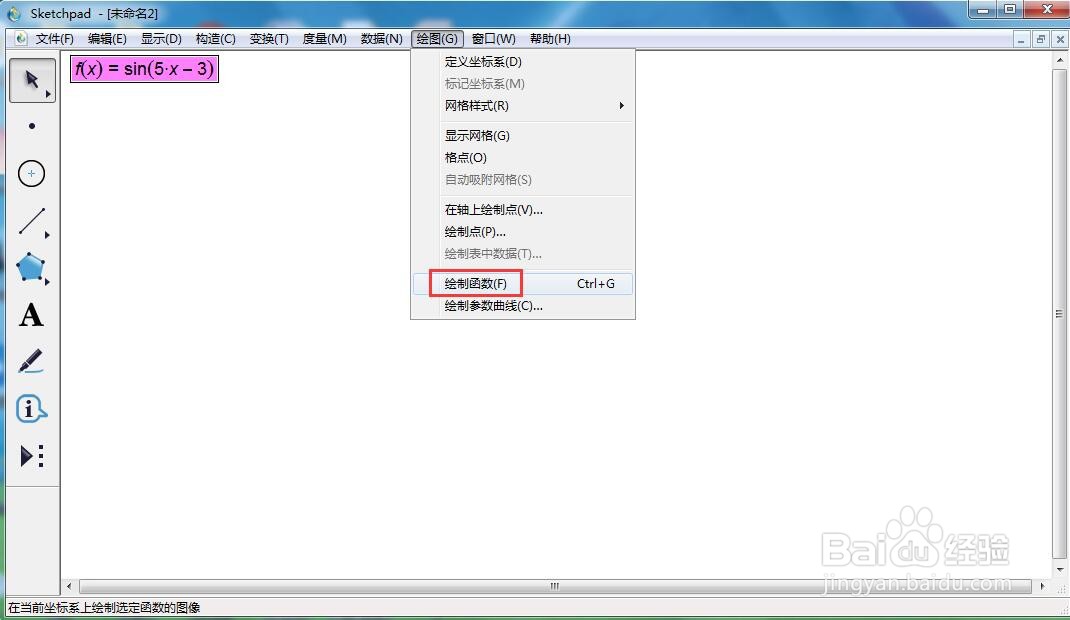
6、点击绘图,选择绘制函数;

在sketchpad中创建f(x)=sin(5x-3)函数及其图像

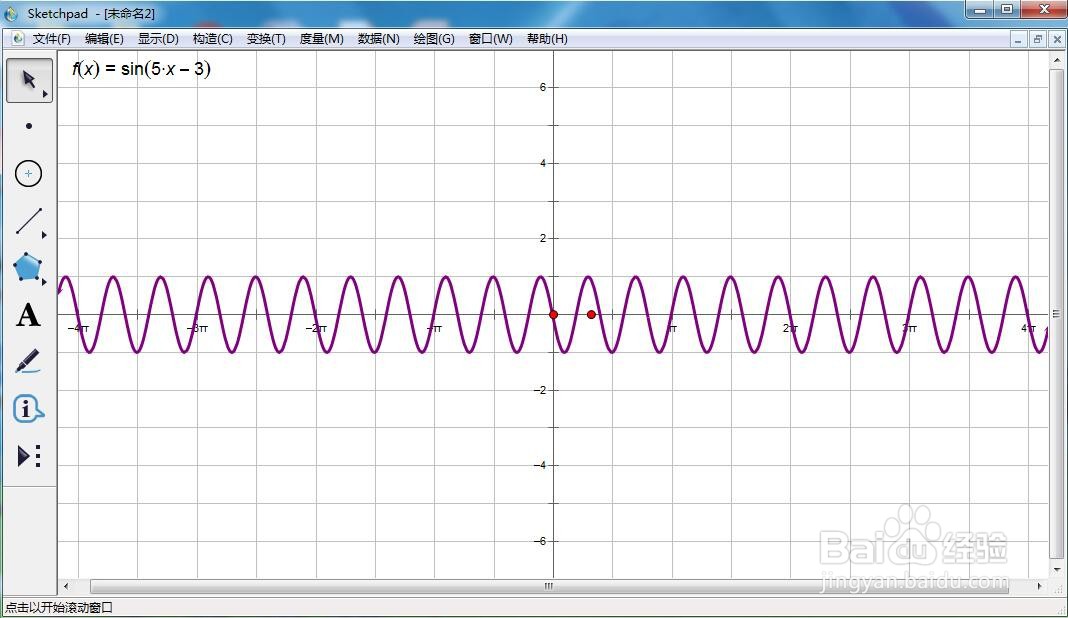
7、我们就创建好了函数f(x)=sin(5x-3)及其图像。

在sketchpad中创建f(x)=sin(5x-3)函数及其图像

  • 在sketchpad中创建f(x)=sin(3x-2)的函数图像
  • 在sketchpad中绘制f(x)=sin(3x-5)的函数图像
  • 怎样在sketchpad中创建函数y=x^3-1及其图像
  • 在sketchpad中创建f(x)=tan(20x+5)的函数图像
  • 怎样在sketchpad中新建f(x)=sin2x函数及其图像
  • 热门搜索
    银行行号是什么 什么是团队 什么叫质数 eraser是什么意思 kid是什么意思 opc是什么 无什么无什么的词语 急得什么填词语 什么是电子邮箱 mix是什么意思