eclipse怎么添加ADT,eclipse添加adt插件

 时间:2024-11-15 08:23:49

1、打开eclipse

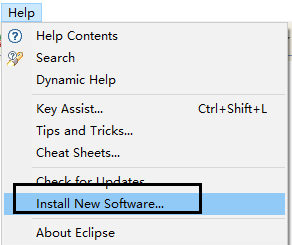
2、点击help
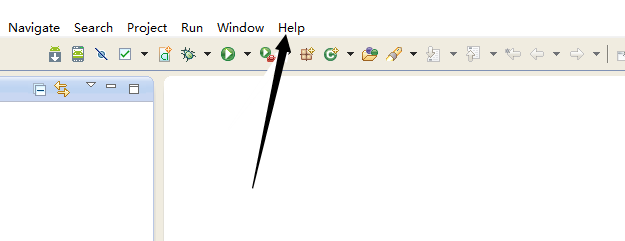
eclipse怎么添加ADT,eclipse添加adt插件

3、选择install new software

eclipse怎么添加ADT,eclipse添加adt插件

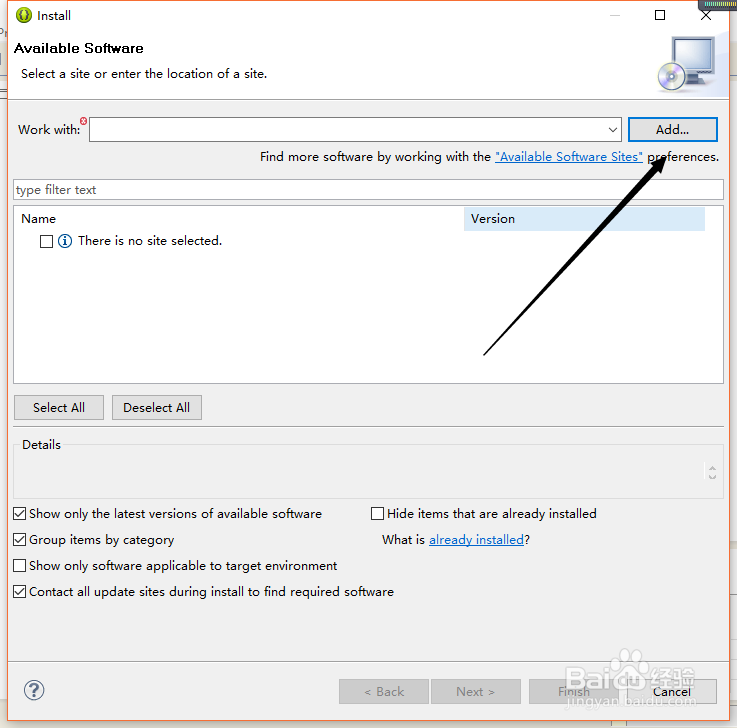
4、点击add

eclipse怎么添加ADT,eclipse添加adt插件

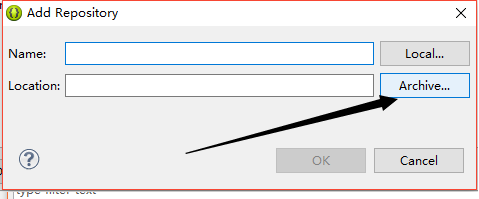
5、点击Archive

eclipse怎么添加ADT,eclipse添加adt插件

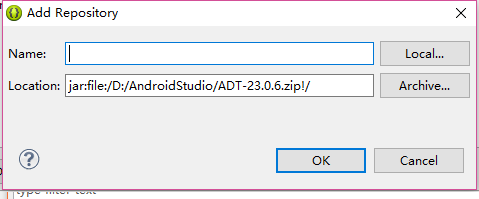
6、选中下载号的ADT压缩包

eclipse怎么添加ADT,eclipse添加adt插件

7、name填写

eclipse怎么添加ADT,eclipse添加adt插件

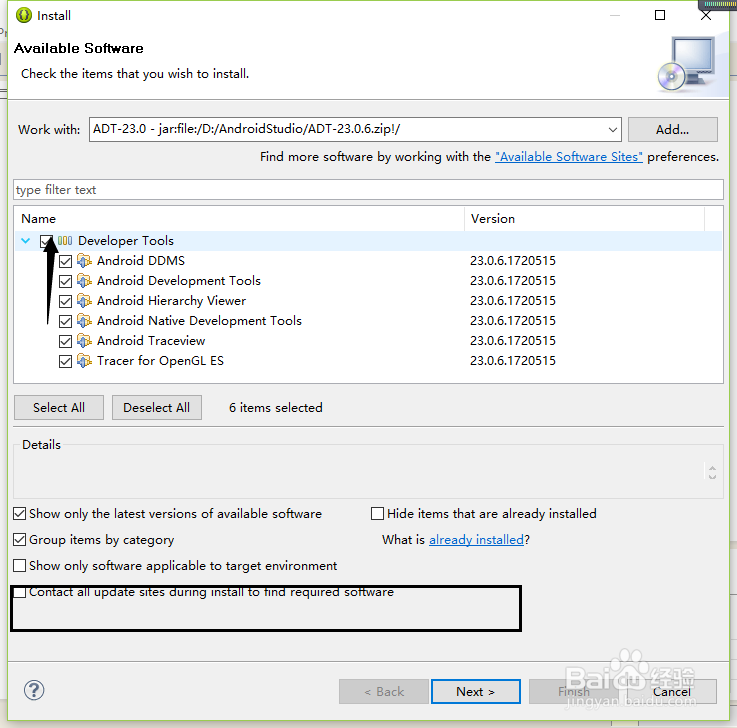
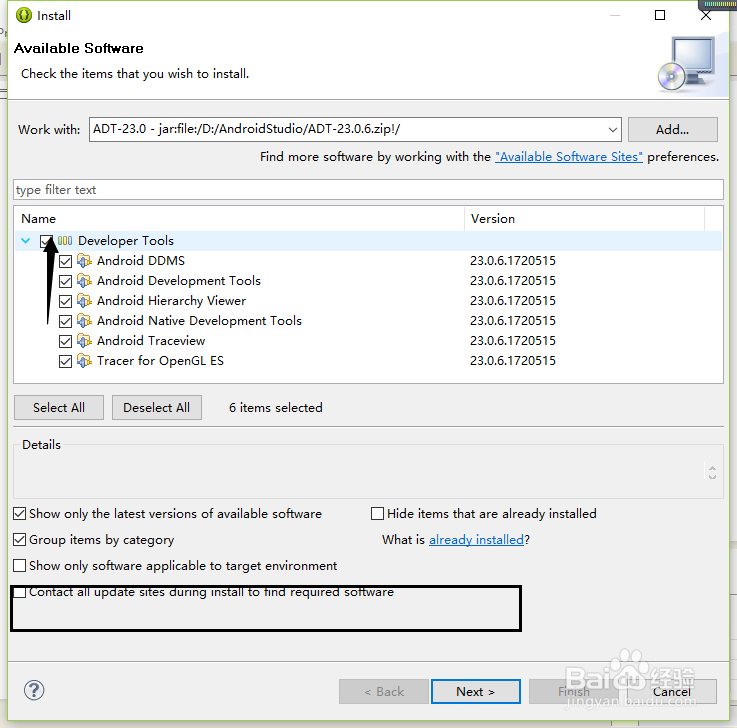
8、选中对号

eclipse怎么添加ADT,eclipse添加adt插件

9、一直点击next

eclipse怎么添加ADT,eclipse添加adt插件

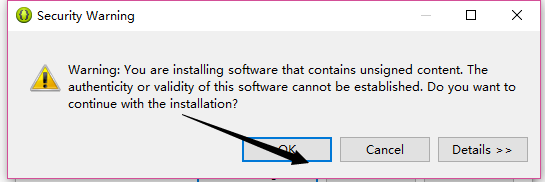
10、点击ok

eclipse怎么添加ADT,eclipse添加adt插件

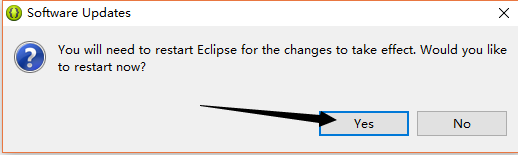
11、直接点yes重启

eclipse怎么添加ADT,eclipse添加adt插件
  • 怎样用Windows 2003系统架设邮件服务器
  • UML建模序列图
  • powerDesigner新手教程
  • Axure8内联框架(滚动条)基础说明
  • mysql 语句怎么创建数据表?
  • 热门搜索
    什么而什么之 风疹是什么 眼镜框什么材质的好 什么是旗舰店 流媒体是什么 山鸡养殖技术 伪娘什么意思 现在养殖什么最赚钱 送老师送什么花 by2当年出了什么事