1、Click Calendar
点击日历
2、Outlook 2007: Click Share my Calendar…
点击共享日历
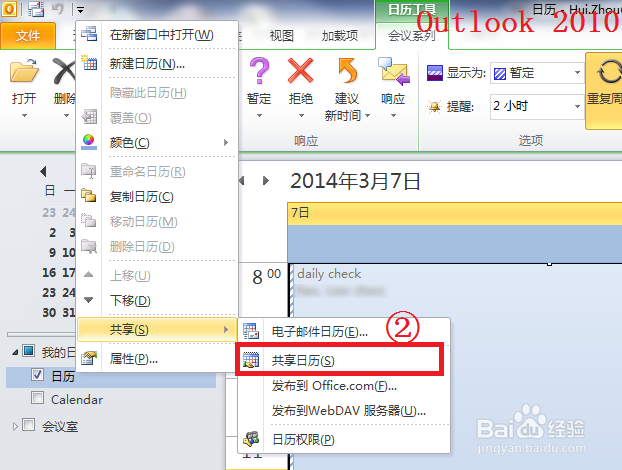
Outlook 2010: RightClick the calendar you want to share, select Share, click
Share calendar.
右键点击你想共享的日历,选择共享,点击共享日历

3、Type the email address or you can select from the address book, Click Send
输入邮箱地址或者你也可以从通讯录中选择,点击发送

4、Click Yes
点击是

5、Then the person who you want to share with will receive an e-mail notification that you have shared your Calendar.He can click “Open this calendar” to view it.
然后对方将收到一封邮件通知,内容为你已经共享了你的日历,对方可以点击打开此日历来查看它。

