Windows Server 2012设置正向主要区域动态更新

 时间:2026-02-14 20:28:27

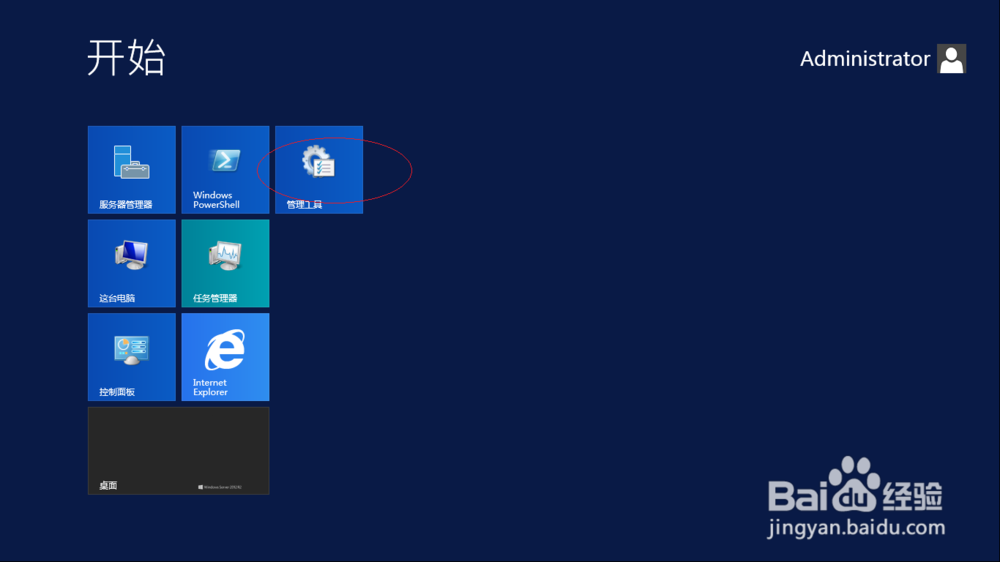
1、首先,点击开始屏幕"管理工具"磁贴

Windows Server 2012设置正向主要区域动态更新

2、点击"DNS"图标

Windows Server 2012设置正向主要区域动态更新

3、接着,展开左侧"DNS→ADSERVER"文件夹

Windows Server 2012设置正向主要区域动态更新

4、鼠标右击"正向查找区域→公司总部"图标

Windows Server 2012设置正向主要区域动态更新

5、然后,选择"属性"项

Windows Server 2012设置正向主要区域动态更新

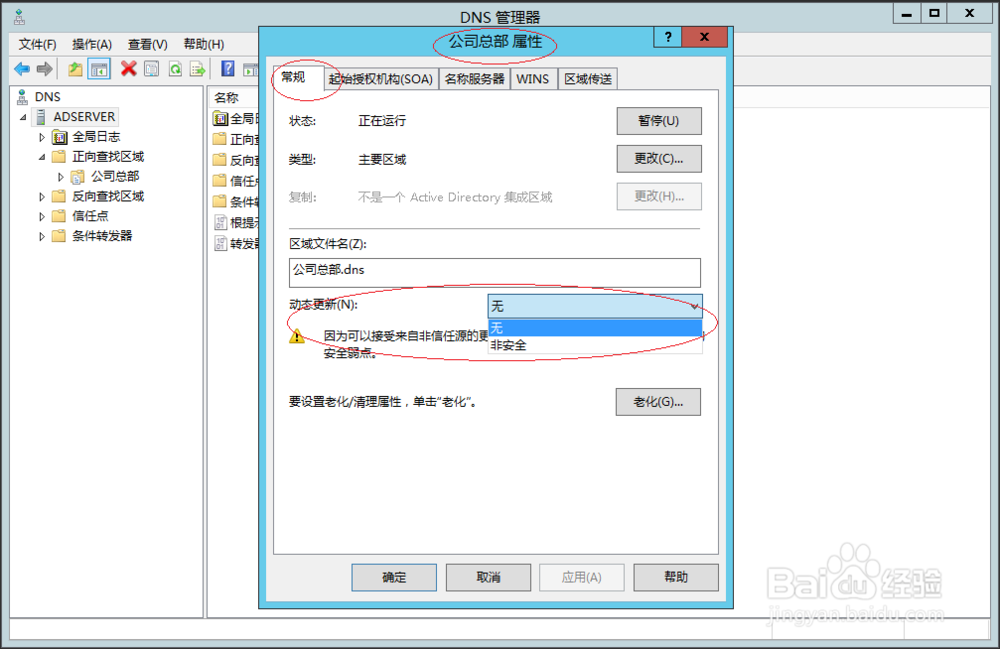
6、选择"常规→动态更新→非安全"项

Windows Server 2012设置正向主要区域动态更新

7、完成设置,本例到此谢谢关注

Windows Server 2012设置正向主要区域动态更新

  • windows10系统如何查看安全标识符SID
  • C#winform将窗体Form加入Panel
  • winform怎么美化textbox
  • 使用命令如何查看文件的所有者?
  • WindowsXP计算机管理怎样设置显示隐藏操作窗口
  • 热门搜索
    我的世界压力板怎么做 佳能墨盒怎么加墨水 怎么减肥最有效 鸡肉怎么做好吃又简单 cf烟雾头怎么调 卷发夹怎么用 style怎么读 流星蝴蝶剑怎么联机 口臭怎么去除小窍门 肚子痛拉肚子怎么办