1、ContextMenu:Adds the function to the context menu of the component.In the inspector of the attached script. When the user selects the context menu, the function will be executed
This is most useful for automatically setting up scene data from the script. The function has to be non-static.
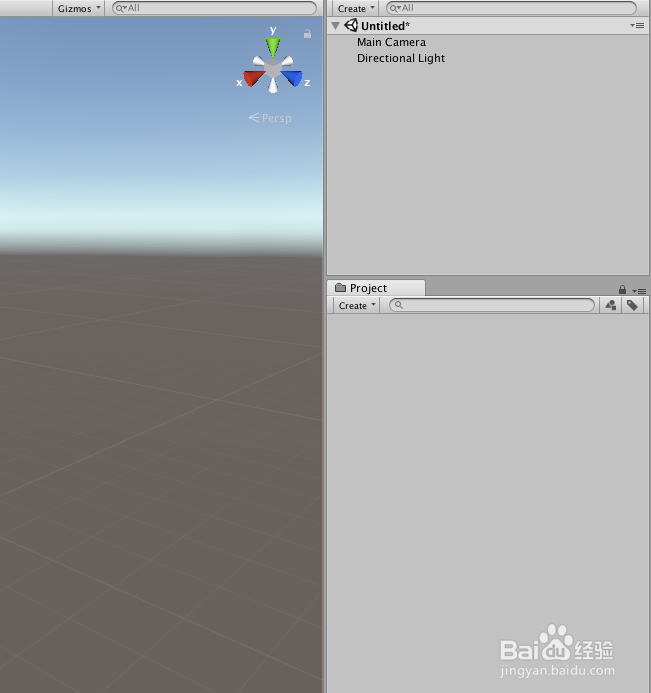
1、打开Unity,新建一个空工程,Unity界面如下图
2、在工程里面新建一个及哦啊本,可以命名为“ContextMenuTest”,具体如下图

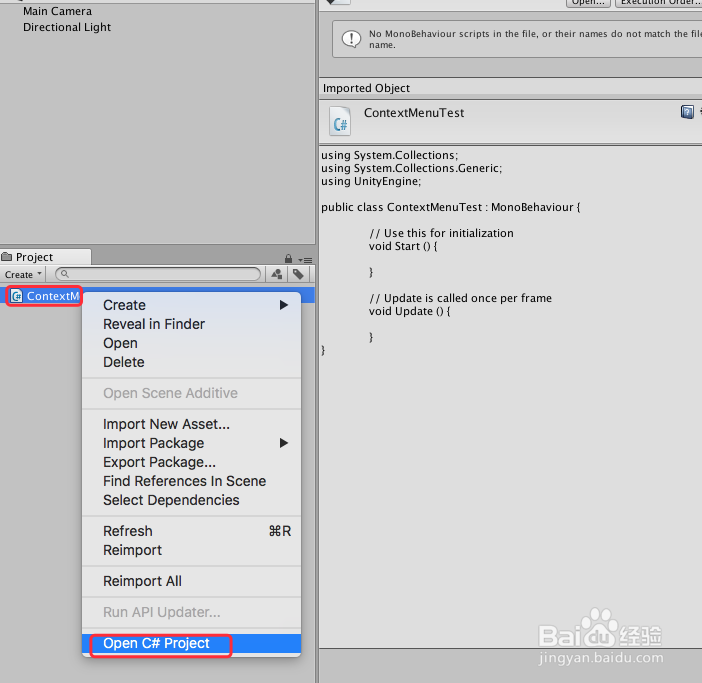
3、选中“ContextMenuTest”脚本,双击脚本或者右键“Open C# Project”打开脚本,具体如下图
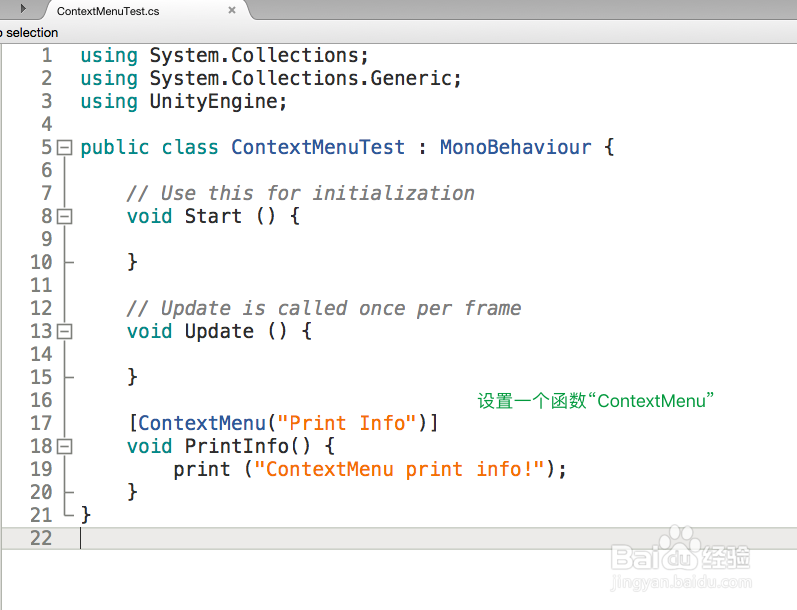
4、在打开的脚本中进行代码编辑,给一个函数设置为“ContextMenu”功能,然后让该函数有个打印功能即可,具体如下图
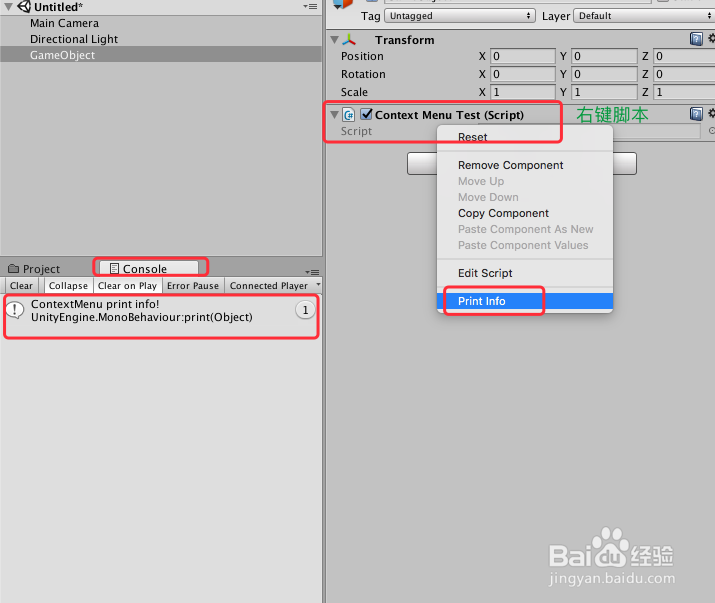
5、脚本编译正确之后,回到Unity界面,新建一个“GameObject”,然后把脚本“ContextMenuTest”赋给“GameObject”,在“Inspector”中右键脚本即可看到“Print Info”,具体如下图

6、然后,单击“Print Info”即可在非运行状态下,即可以在“Console”看到函数结果,具体如下图
7、到此,《Unity 经典教程 Editor扩展之ContextMenu的使用》讲解结束,谢谢
