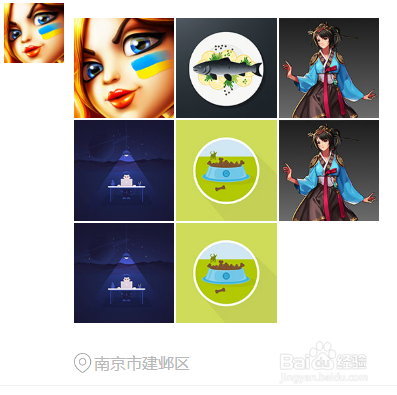
1、准备好需要用到的图标。

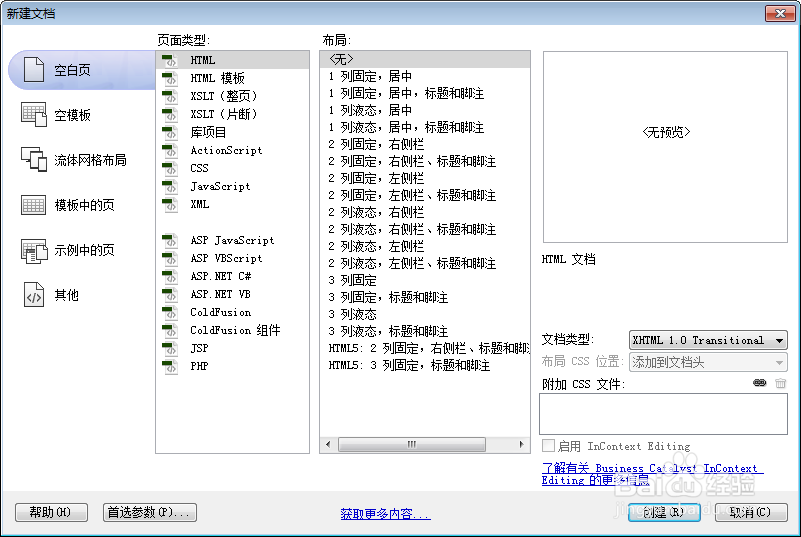
2、新建html文档。
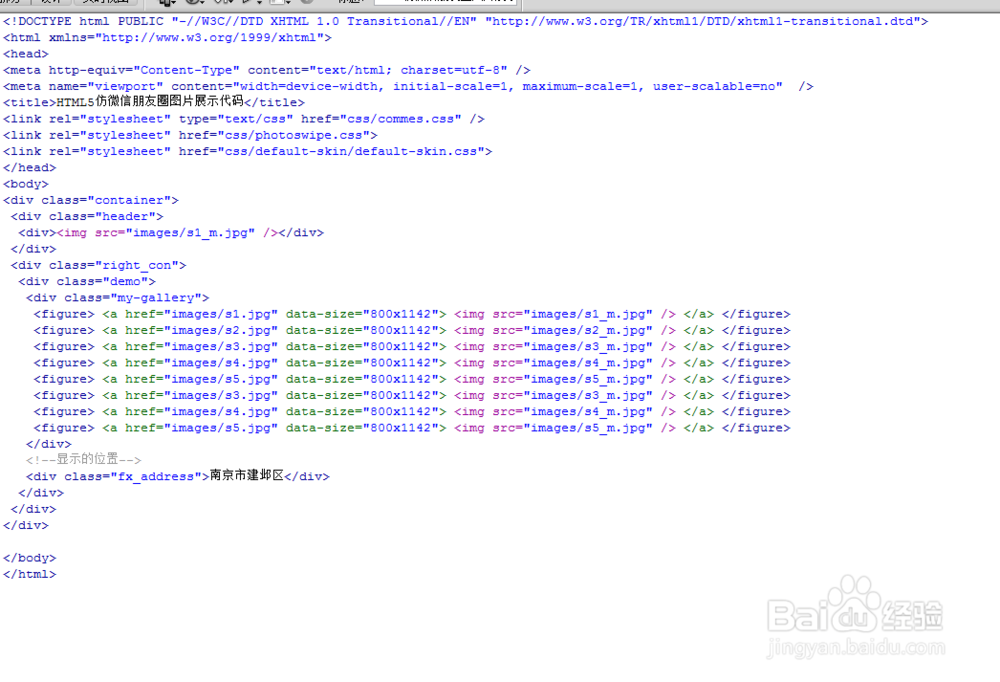
3、书写hmtl代码。
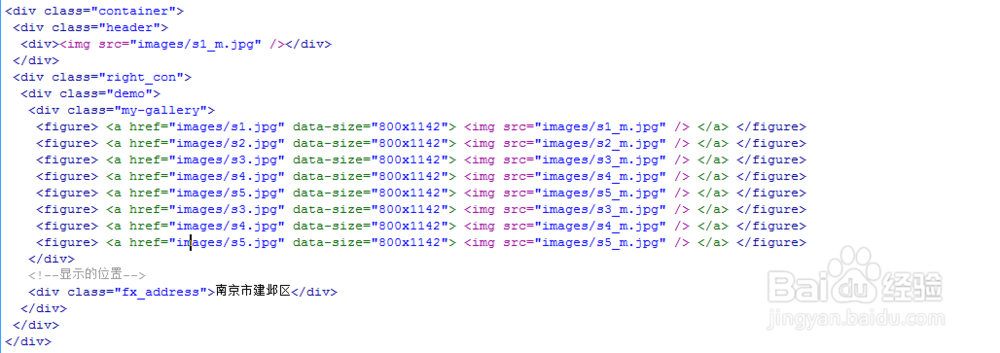
<div class="container">
<div class="header">
<div><img src="images/s1_m.jpg" /></div>
</div>
<div class="right_con">
<div class="demo">
<div class="my-gallery">
<figure> <a href="images/s1.jpg" data-size="800x1142"> <img src="images/s1_m.jpg" /> </a> </figure>
<figure> <a href="images/s2.jpg" data-size="800x1142"> <img src="images/s2_m.jpg" /> </a> </figure>
<figure> <a href="images/s3.jpg" data-size="800x1142"> <img src="images/s3_m.jpg" /> </a> </figure>
<figure> <a href="images/s4.jpg" data-size="800x1142"> <img src="images/s4_m.jpg" /> </a> </figure>
<figure> <a href="images/s5.jpg" data-size="800x1142"> <img src="images/s5_m.jpg" /> </a> </figure>
<figure> <a href="images/s3.jpg" data-size="800x1142"> <img src="images/s3_m.jpg" /> </a> </figure>
<figure> <a href="images/s4.jpg" data-size="800x1142"> <img src="images/s4_m.jpg" /> </a> </figure>
<figure> <a href="images/s5.jpg" data-size="800x1142"> <img src="images/s5_m.jpg" /> </a> </figure>
</div>
<!--显示的位置-->
<div class="fx_address">南京市建邺区</div>
</div>
</div>
</div>
4、书写css代码。
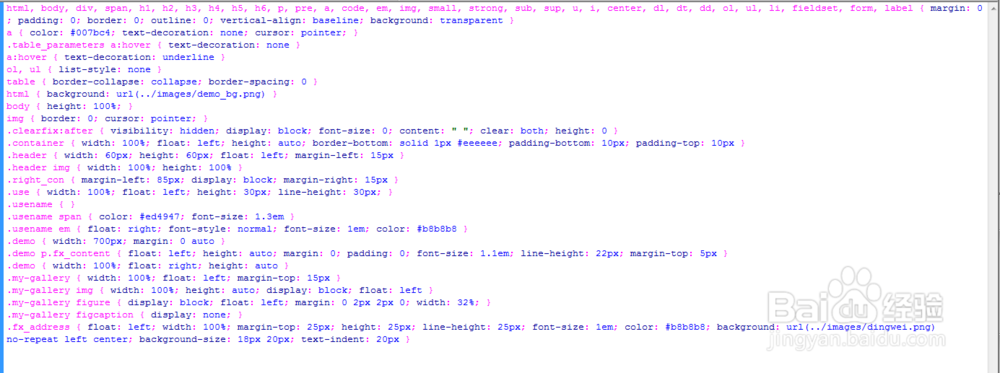
html, body, div, span, h1, h2, h3, h4, h5, h6, p, pre, a, code, em, img, small, strong, sub, sup, u, i, center, dl, dt, dd, ol, ul, li, fieldset, form, label { margin: 0; padding: 0; border: 0; outline: 0; vertical-align: baseline; background: transparent }
a { color: #007bc4; text-decoration: none; cursor: pointer; }
.table_parameters a:hover { text-decoration: none }
a:hover { text-decoration: underline }
ol, ul { list-style: none }
table { border-collapse: collapse; border-spacing: 0 }
html { background: url(../images/demo_bg.png) }
body { height: 100%; }
img { border: 0; cursor: pointer; }
.clearfix:after { visibility: hidden; display: block; font-size: 0; content: " "; clear: both; height: 0 }
.container { width: 100%; float: left; height: auto; border-bottom: solid 1px #eeeeee; padding-bottom: 10px; padding-top: 10px }
.header { width: 60px; height: 60px; float: left; margin-left: 15px }
.header img { width: 100%; height: 100% }
.right_con { margin-left: 85px; display: block; margin-right: 15px }
.use { width: 100%; float: left; height: 30px; line-height: 30px; }
.usename { }
.usename span { color: #ed4947; font-size: 1.3em }
.usename em { float: right; font-style: normal; font-size: 1em; color: #b8b8b8 }
.demo { width: 700px; margin: 0 auto }
.demo p.fx_content { float: left; height: auto; margin: 0; padding: 0; font-size: 1.1em; line-height: 22px; margin-top: 5px }
.demo { width: 100%; float: right; height: auto }
.my-gallery { width: 100%; float: left; margin-top: 15px }
.my-gallery img { width: 100%; height: auto; display: block; float: left }
.my-gallery figure { display: block; float: left; margin: 0 2px 2px 0; width: 32%; }
.my-gallery figcaption { display: none; }
.fx_address { float: left; width: 100%; margin-top: 25px; height: 25px; line-height: 25px; font-size: 1em; color: #b8b8b8; background: url(../images/dingwei.png) no-repeat left center; background-size: 18px 20px; text-indent: 20px }
5、代码整体结构。
6、查看效果。