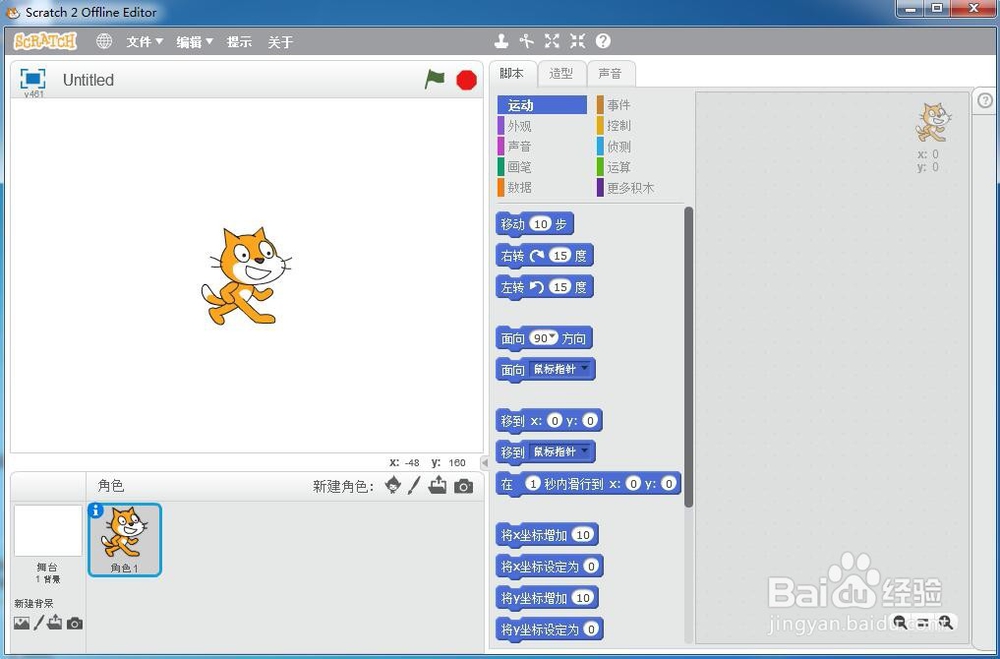
1、打开scratch,进入它的主界面中;
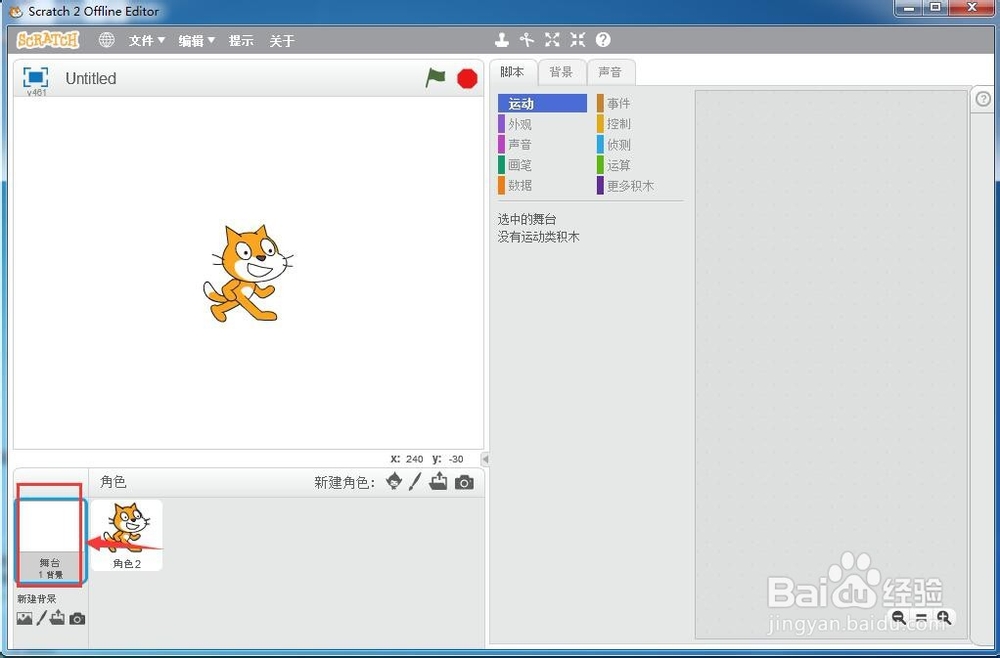
2、点击选中左下角的舞台;
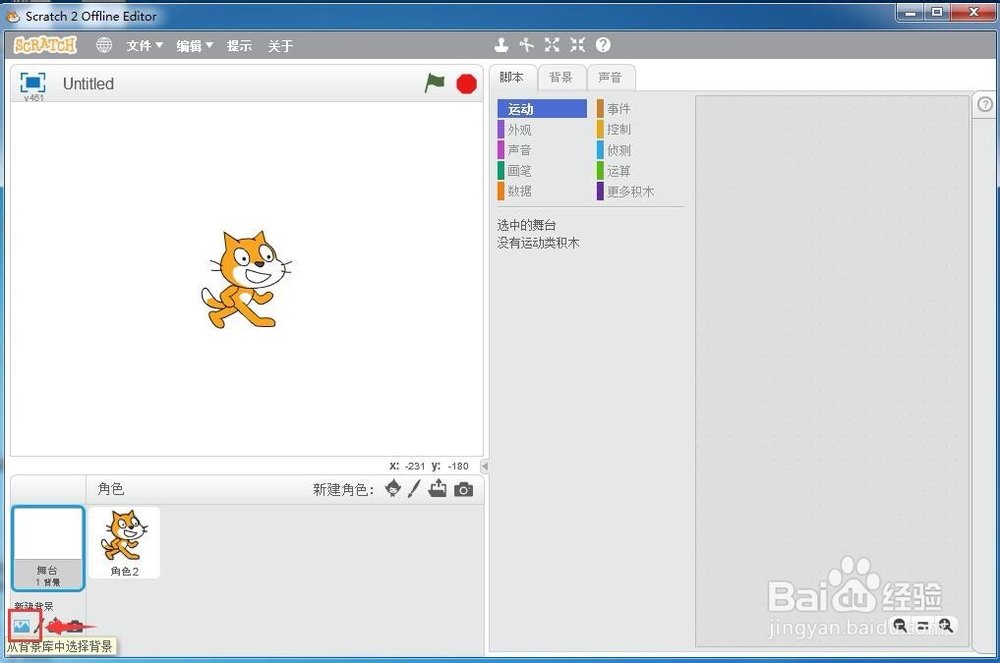
3、用鼠标点击从背景库中选择背景;
4、进入scratch的背景库;
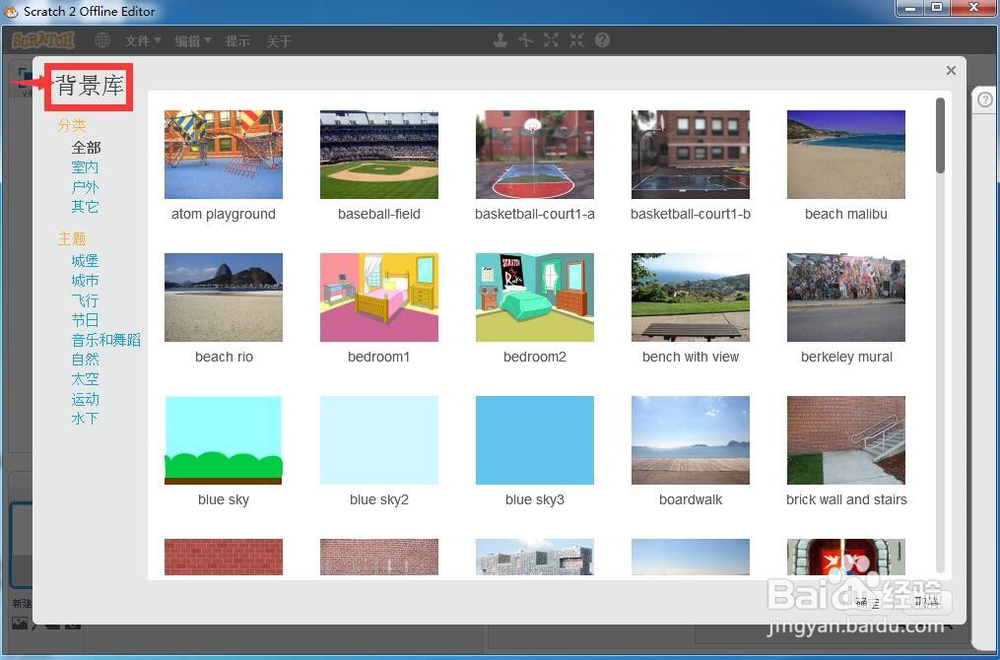
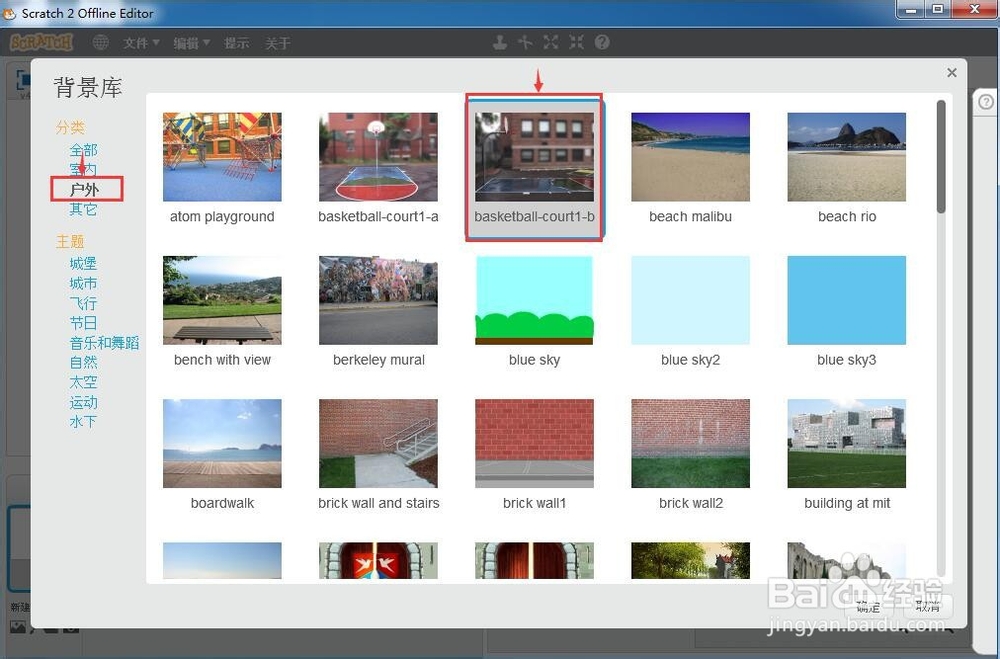
5、点击户外,找到需要的篮球场背景;
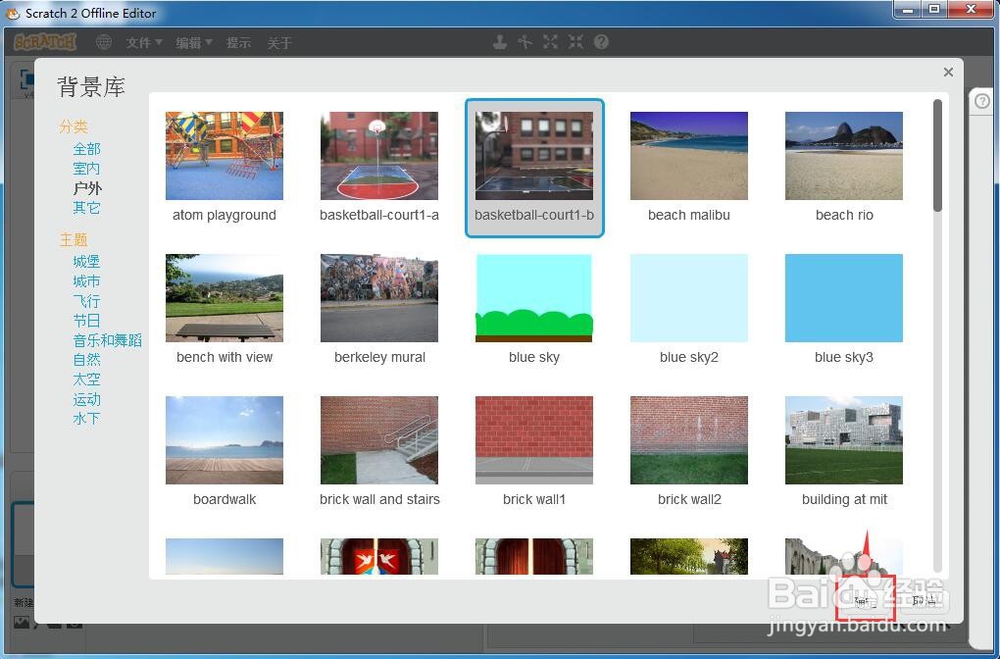
6、选中它后按确定;
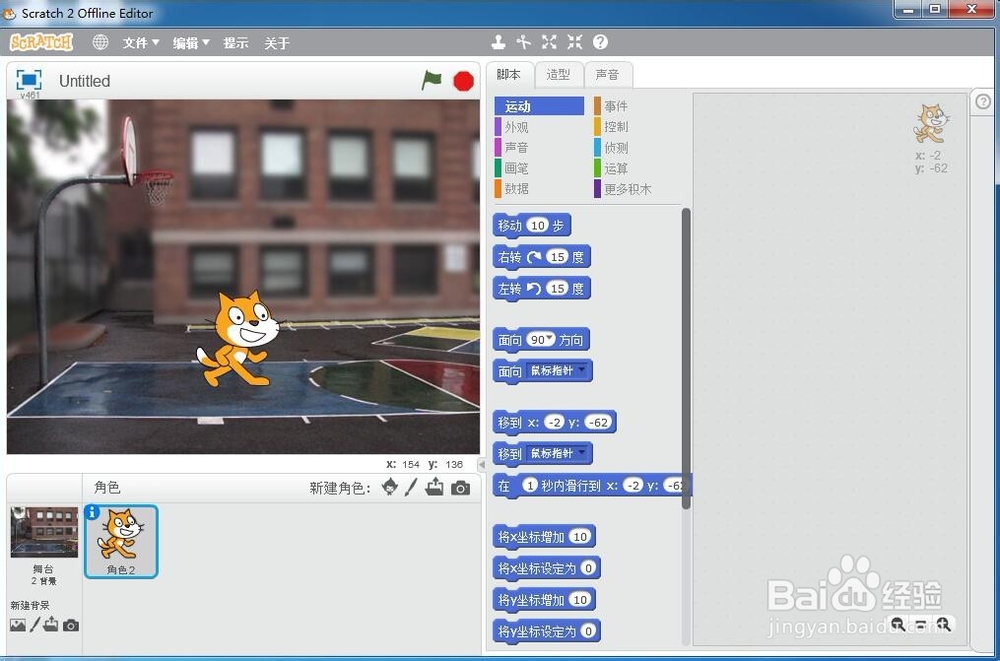
7、我们就在scratch中创建好了需要的篮球场背景。
时间:2026-04-23 14:57:47
1、打开scratch,进入它的主界面中;
2、点击选中左下角的舞台;
3、用鼠标点击从背景库中选择背景;
4、进入scratch的背景库;
5、点击户外,找到需要的篮球场背景;
6、选中它后按确定;
7、我们就在scratch中创建好了需要的篮球场背景。
