1、刚刚建好的wordpress网站,打开robots.txt是能访问的,但是在网站目录却找不到任何robots.txt文件比如http://www.am0s.com/robots.txt能访问,而且有内容User-agent: *Disallow: /wp-admin/Allow: /wp-admin/admin-ajax.php但是当我们想修改的时候却找不到robots.txt文件在哪里
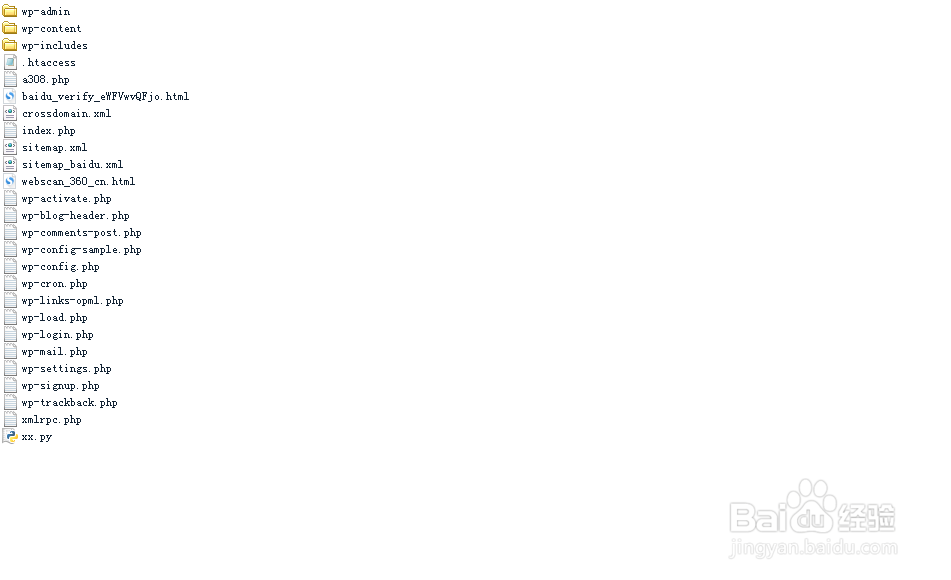
2、现在 我就告诉大家是什么原因
其实wordpress在内置的函数中已经帮我们写好了robots.txt文件,函数位置在includes/functions.php中。在该文件中搜索do_robots就能找到该函数
function do_robots() {
header( 'Content-Type: text/plain; charset=utf-8' );
/**
* Fires when displaying the robots.txt file.
*
* @since 2.1.0
*/
do_action( 'do_robotstxt' );
$output = "User-agent: *\n";
$public = get_option( 'blog_public' );
if ( '0' == $public ) {
$output .= "Disallow: /\n";
} else {
$site_url = parse_url( site_url() );
$path = ( !empty( $site_url['path'] ) ) ? $site_url['path'] : '';
$output .= "Disallow: $path/wp-admin/\n";
$output .= "Allow: $path/wp-admin/admin-ajax.php\n";
}
/**
* Filters the robots.txt output.
*
* @since 3.0.0
*
* @param string $output Robots.txt output.
* @param bool $public Whether the site is considered "public".
*/
echo apply_filters( 'robots_txt', $output, $publi
3、那么我们如何修改这个函数呢?
其实很简单,直接在网站根目录新建一个robots.txt文件就行了,比如我们新建的robots.txt文件内容是
# robots.txt generated at http://tool.chinaz.com/robots/
User-agent: *
Disallow:
Disallow: /bin/
Sitemap: http://www.am0s.com/sitemap.xml
然后将这个内容新建一个txt文件放到网站根目录就能访问了
http://www.am0s.com/robots.txt
