打开office word excel 弹出windows installer

 时间:2026-02-14 05:53:57

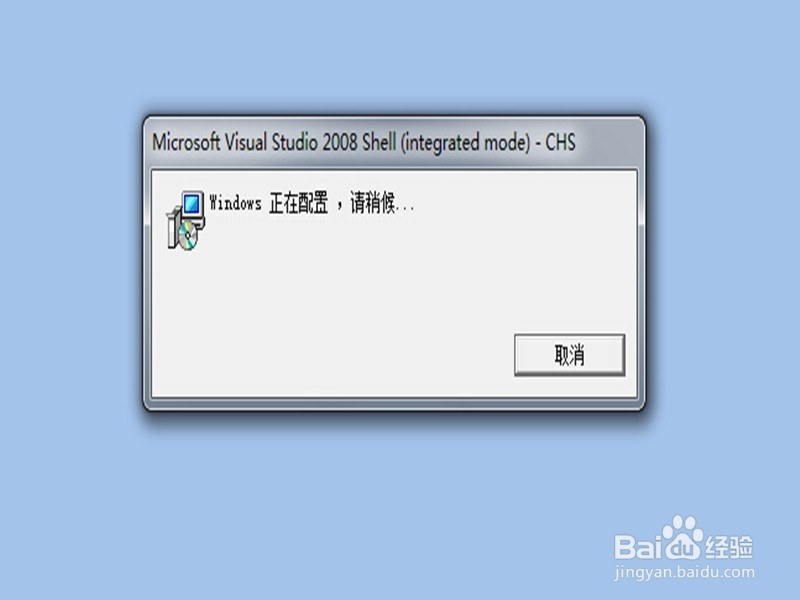
1、启动office软件,出现如图所示错误。如果是xp操作系统,解决方法非常简单,往下看。
打开office word excel 弹出windows installer

2、点击左上角office标志,然后选"excel选项"。

打开office word excel 弹出windows installer

3、点“加载项”。

打开office word excel 弹出windows installer

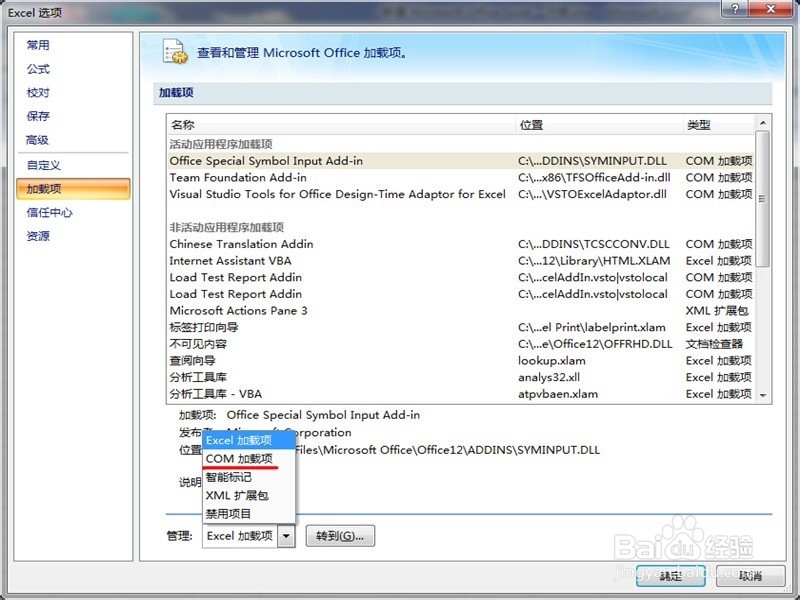
4、选“COM加载项”。

打开office word excel 弹出windows installer

5、点“转到”,如图。

打开office word excel 弹出windows installer

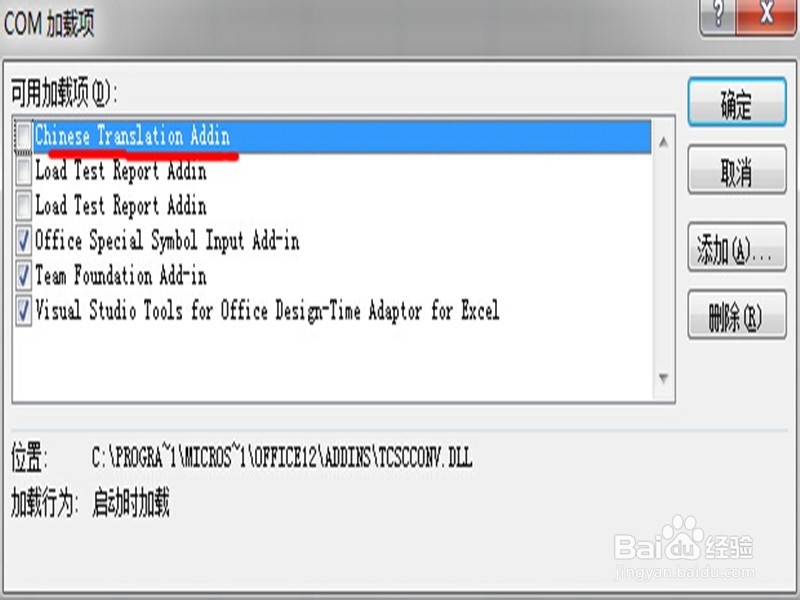
6、把chinese translation addin前门的勾去掉。就解决了。
打开office word excel 弹出windows installer

7、如果是win7操作系统,你去掉第六步勾的时候,会弹出如下提示,无法更改,这是因为权限的问题。
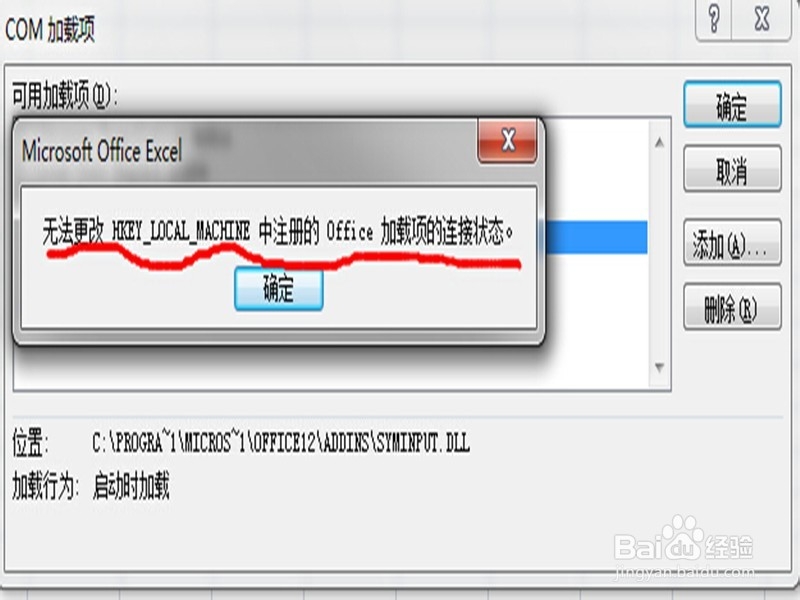
打开office word excel 弹出windows installer

8、找到你office软件的安装文档,通常在C:\Program Files\Microsoft Office下,找到下面的office12,如图所示。

打开office word excel 弹出windows installer

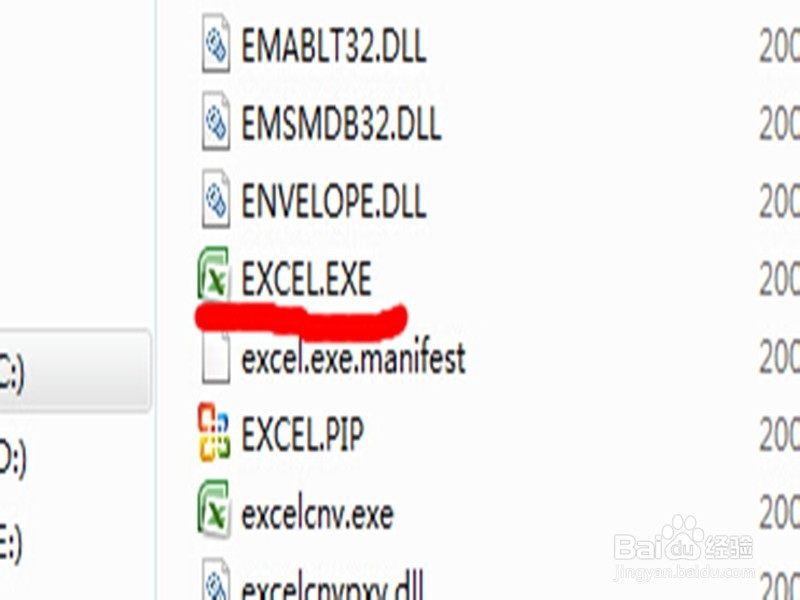
9、找到excel.exe文件,如图。

打开office word excel 弹出windows installer

10、找到之后,右键单击,以“管理员身份运行”,如图。

然后再按照上面的1到6步骤做,就好了。
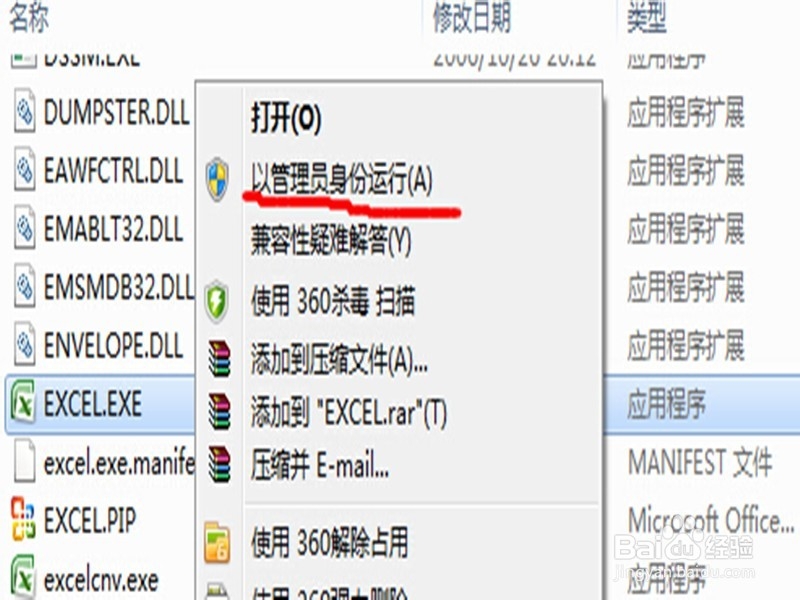
打开office word excel 弹出windows installer

  • ping命令怎么使用
  • PotPlayer怎么关闭关联到文件夹右菜单
  • Visio怎么进行无背景打印
  • 视频格式类型怎么从high调到main profile
  • linux环境下简单的java程序编译及运行
  • 热门搜索
    怎么创造游戏 排骨火锅的做法 冰糖银耳汤的做法 空气炸锅怎么用 卷饼的做法 垣怎么读 茶叶蛋做法 大黄花鱼的家常做法 鼻炎怎么治能除根 紫薯西米露的做法