1、打开scratch,进入其主界面中;

2、点击scratch的舞台,选中它;

3、用鼠标左键选中从背景库中选择背景;

4、进入scratch的背景库中,里面有很多不同类别的背景图;
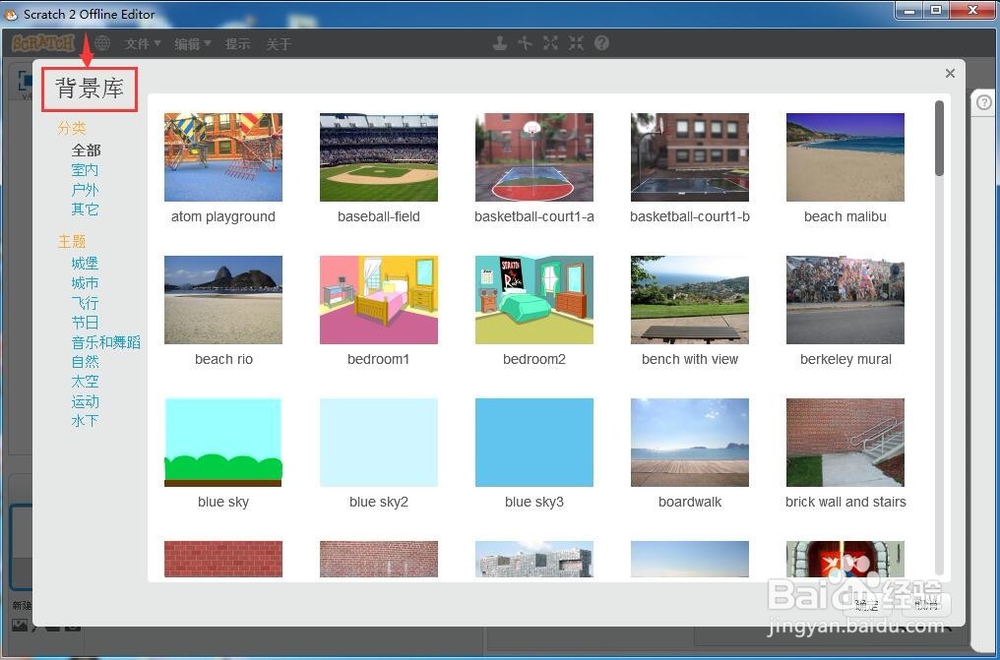
5、在主题中选择自然,找到并选择一种蓝天背景图;
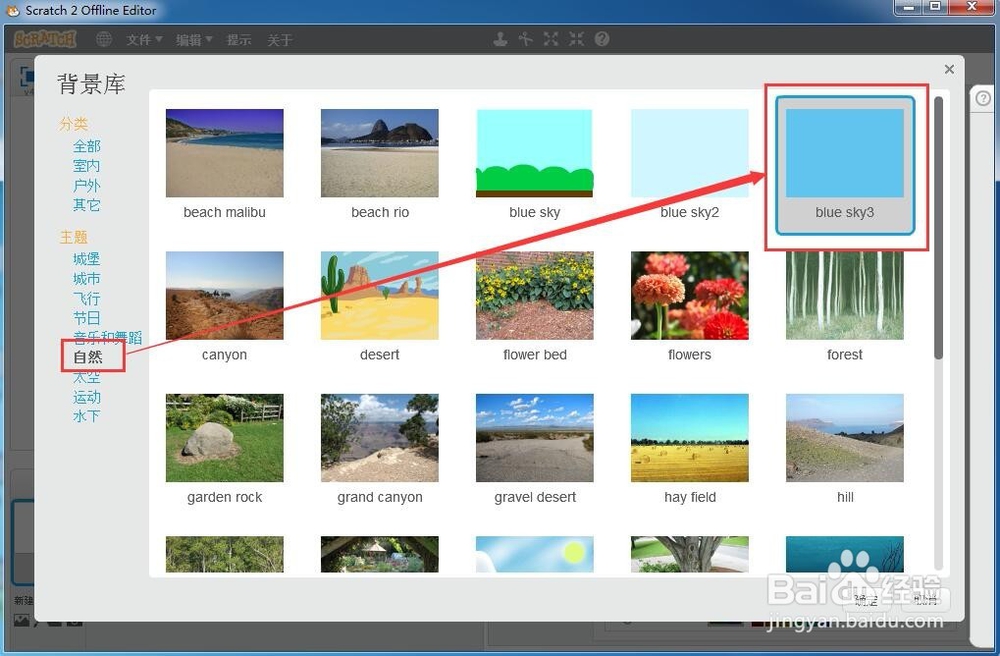
6、选中它后按确定;

7、按照这个操作步骤,我们就成功地在scratch中创建了一个蓝天背景。

时间:2026-04-22 21:54:21
1、打开scratch,进入其主界面中;
2、点击scratch的舞台,选中它;
3、用鼠标左键选中从背景库中选择背景;
4、进入scratch的背景库中,里面有很多不同类别的背景图;
5、在主题中选择自然,找到并选择一种蓝天背景图;
6、选中它后按确定;
7、按照这个操作步骤,我们就成功地在scratch中创建了一个蓝天背景。
