excel表格中如何取消超级表

 时间:2024-10-13 07:27:27

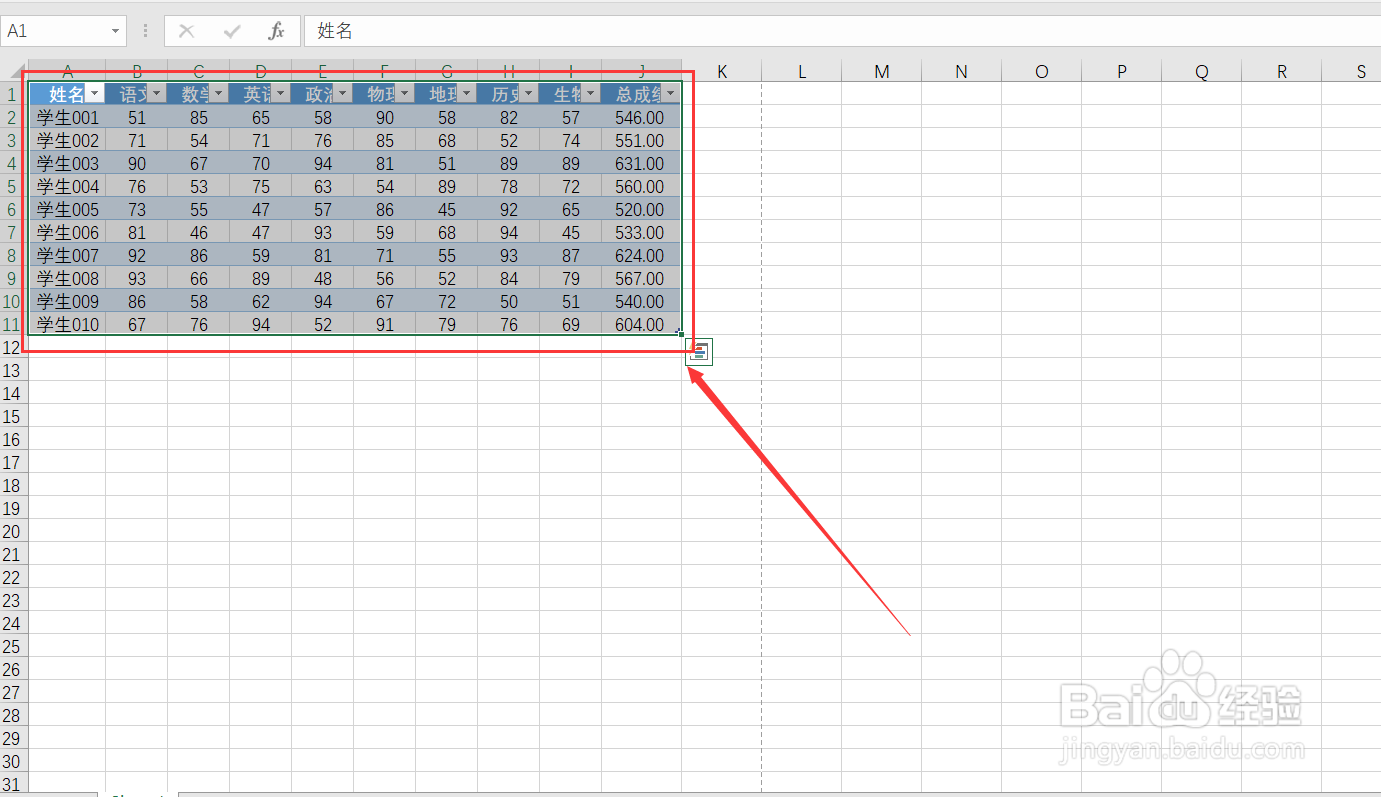
1、打开我们的excel文件。

excel表格中如何取消超级表

2、选中我们的超级表。

excel表格中如何取消超级表

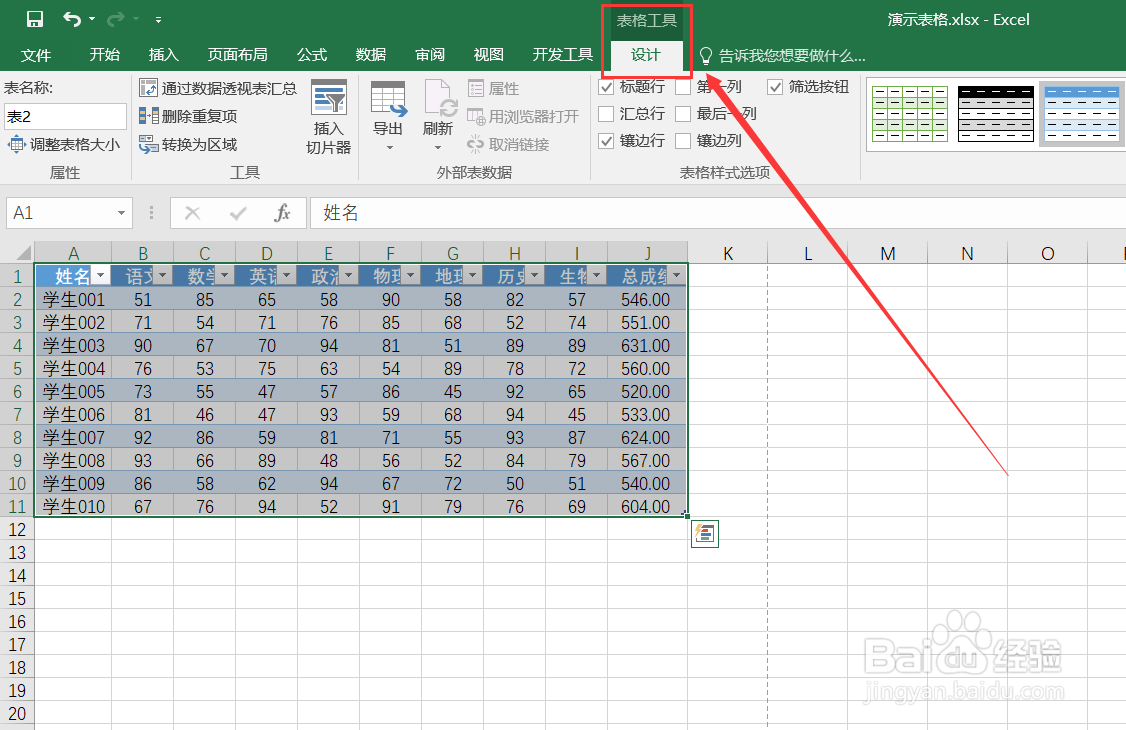
3、找到”表格工具设计“。

excel表格中如何取消超级表

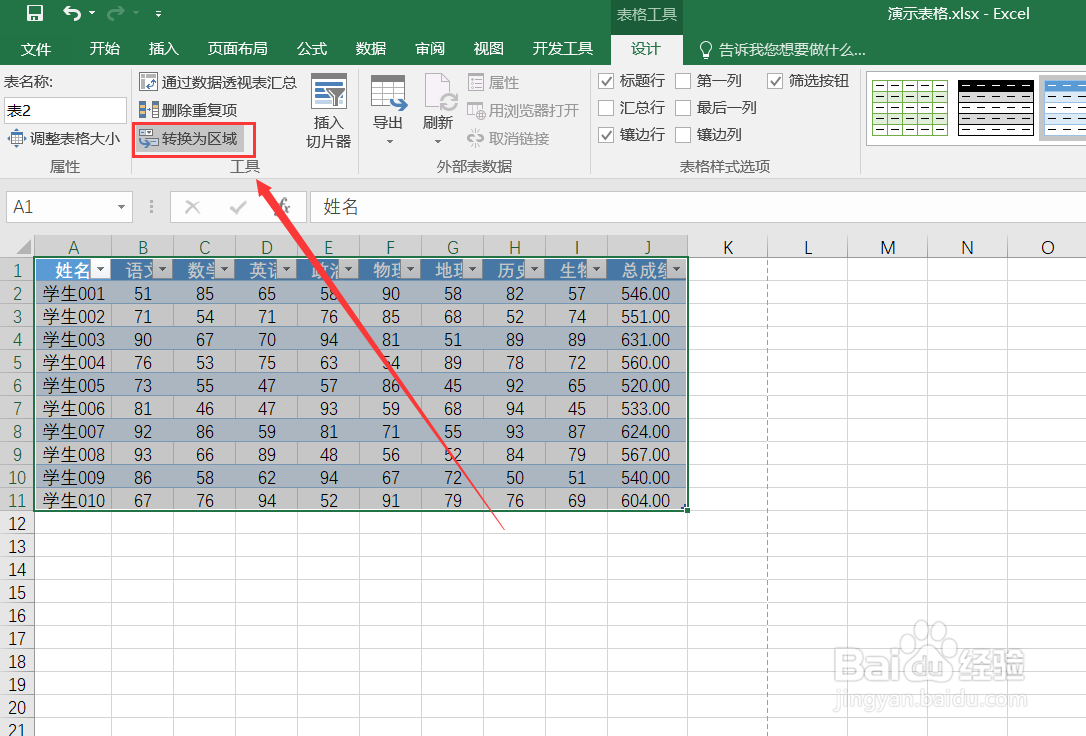
4、点击”转换为区域“。

excel表格中如何取消超级表

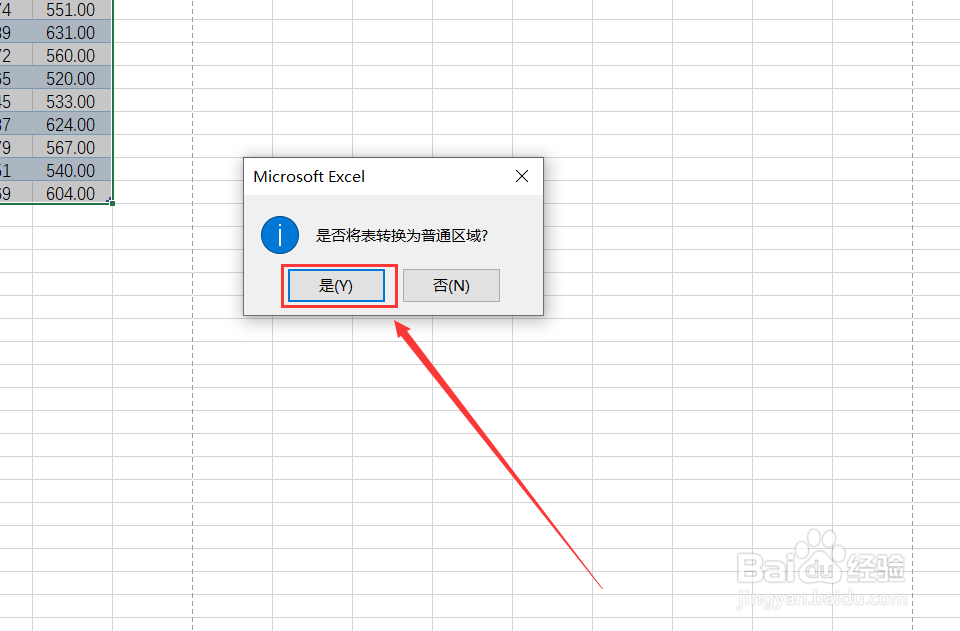
5、点击”确定“或者按下”Y“键确定。

excel表格中如何取消超级表

6、超级表格已经成功取消了。

excel表格中如何取消超级表
  • 超级表格转换成普通表格的方法
  • excel中怎样取消超级表
  • excel表格如何刷新
  • excel切片器怎么使用
  • 如何取消超级表
  • 热门搜索
    瑜伽球的作用 苯甲酸钠的作用 什么专业前景好 后视镜加热有什么用 垫鼻子用什么材料好 流连忘返的意思 免冠照片是什么意思 fof基金是什么意思 一马平川的意思 车前子的功效与作用及食用方法