在ulead cool 3d中给文字添加红色倾斜特效

 时间:2026-02-14 15:46:07

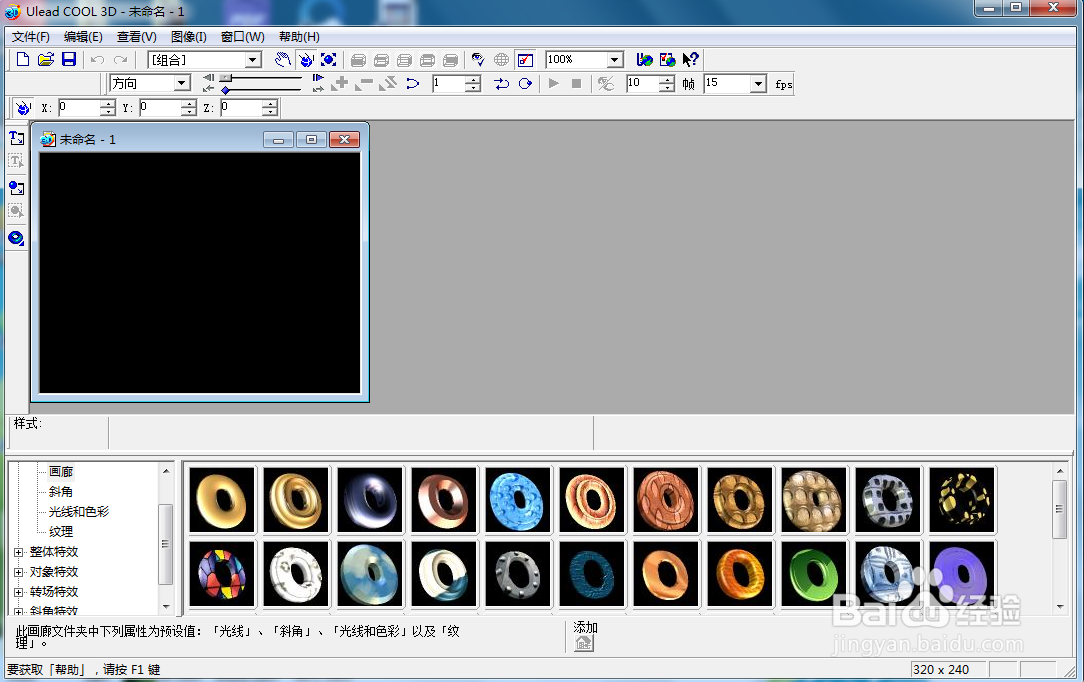
1、打开ulead cool 3d,进入其主界面;

在ulead cool 3d中给文字添加红色倾斜特效

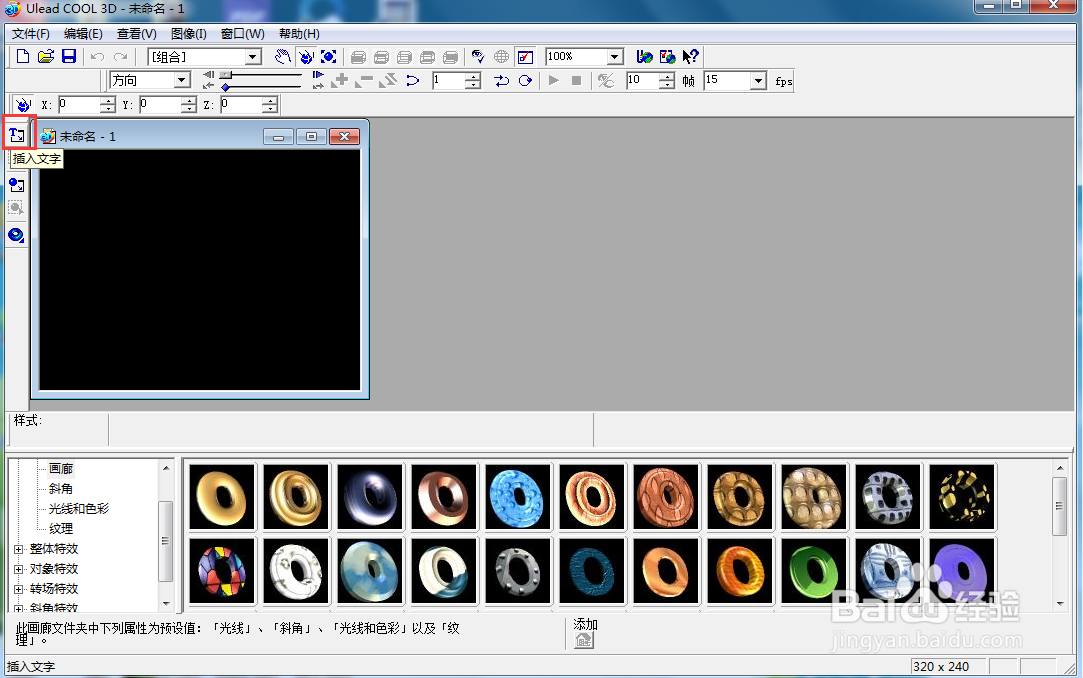
2、点击插入文字;

在ulead cool 3d中给文字添加红色倾斜特效

3、输入文字,按确定;

在ulead cool 3d中给文字添加红色倾斜特效

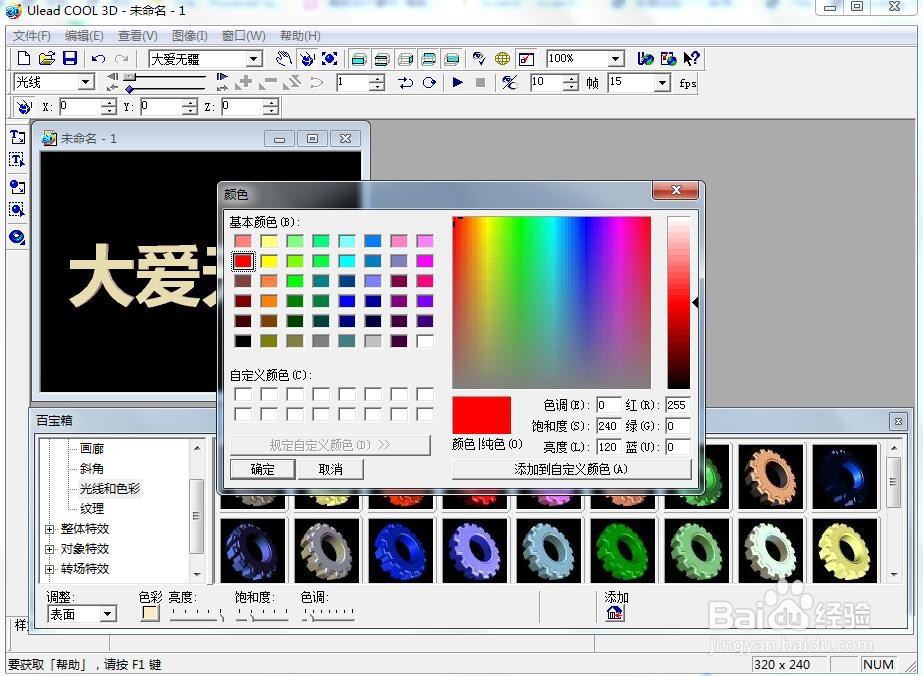
4、点击色彩,选择红色,按确定;

在ulead cool 3d中给文字添加红色倾斜特效

5、点击部件倾斜,选择添加一种倾斜样式;

在ulead cool 3d中给文字添加红色倾斜特效

6、我们就给文字添加上了红色倾斜特效。

在ulead cool 3d中给文字添加红色倾斜特效

  • ulead cool 3d中给球体添加旋转和倾斜特效
  • ulead cool 3d中给文字添加边框和爆炸特效
  • 在ulead cool 3d中给文字添加红色底板效果
  • 在ulead cool 3d中给文字添加红色中空效果
  • 在ulead cool 3d中给橄榄球添加变色倾斜特效
  • 热门搜索
    聚氨酯是什么 warning是什么意思 水溶性维生素 女生说6524是什么意思 tgp是什么 百人斩是什么意思 七月初十是什么星座 app store是什么意思 养殖好项目 作文什么的滋味