1、首先需下载Foxit PDF Editor 软件,打开360安全卫士,点击最下方的软件管理

2、在软件管家的搜索栏中输入 Foxit PDF Editor 后点击【搜索】,搜索到该软件后,点击下载,并安装。

3、安装完成后,打开Foxit PDF Editor软件,如图所示:


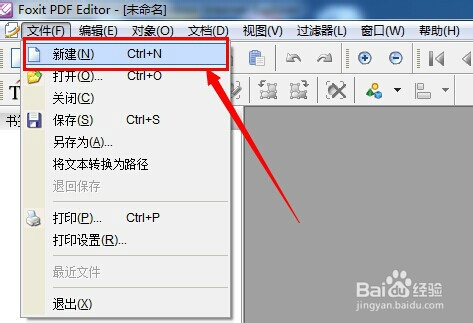
4、点击菜单栏的【文件】—【新建】,新建PDF文档


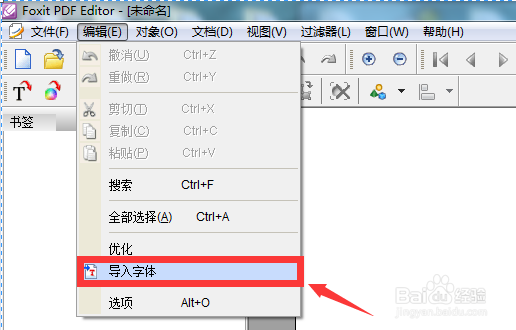
5、点击菜单栏的【编辑】—【导入字体】,选择相应的字体点击【确定】即可

时间:2026-04-24 02:56:46
1、首先需下载Foxit PDF Editor 软件,打开360安全卫士,点击最下方的软件管理
2、在软件管家的搜索栏中输入 Foxit PDF Editor 后点击【搜索】,搜索到该软件后,点击下载,并安装。
3、安装完成后,打开Foxit PDF Editor软件,如图所示:
4、点击菜单栏的【文件】—【新建】,新建PDF文档
5、点击菜单栏的【编辑】—【导入字体】,选择相应的字体点击【确定】即可
