PowerShape 2017怎么关闭标记孔中心

 时间:2024-11-01 05:48:10

1、首先,点击菜单中的工具菜单,弹出了下拉菜单选中为选项

PowerShape 2017怎么关闭标记孔中心

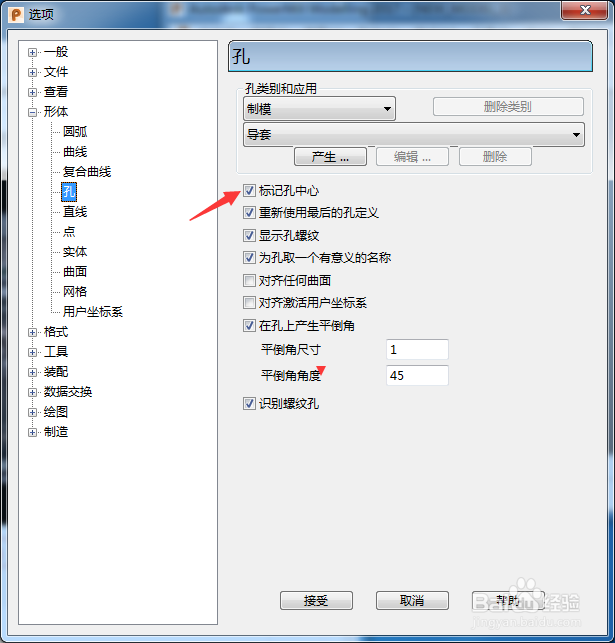
2、点击左侧中孔选项

PowerShape 2017怎么关闭标记孔中心

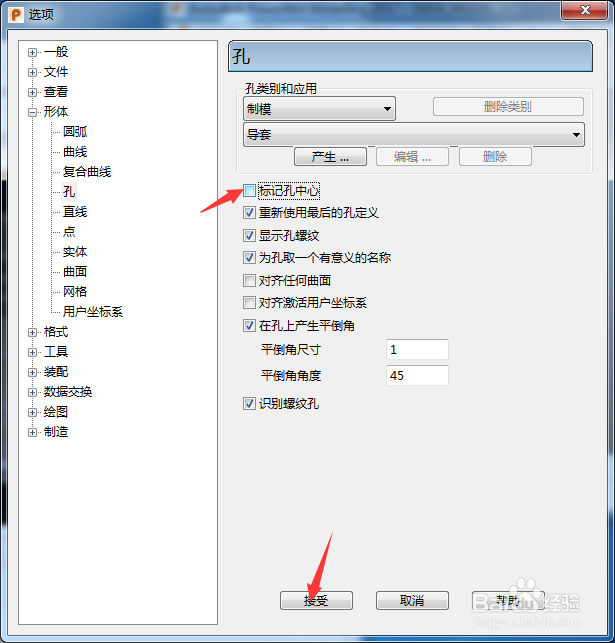
3、去掉勾选上标记孔中心选项

PowerShape 2017怎么关闭标记孔中心

4、去掉勾选上标记孔中心选项之后,点击接受按钮

PowerShape 2017怎么关闭标记孔中心
  • PowerShape 2017怎么关闭自动主平面
  • PowerShape 2017怎么关闭阴影时显示标记
  • PowerShape 2017怎么关闭保持模型直立
  • PowerShape 2017怎么关闭旋转跟踪球
  • PowerShape 2017怎么关闭用户定义比例
  • 热门搜索
    word怎么做目录 耳石症是怎么引起的 尿液特别黄是怎么回事 我的世界雪人怎么做 磁力链接怎么用 有狐臭怎么办 小肚子疼是怎么回事 胸小怎么办 羊腿怎么做好吃 我的世界怎么下载