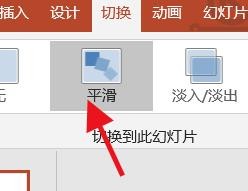
1、在PowerPoint软件中,找到平滑这个切换效果。
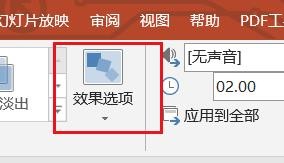
2、然后,我们就能够在这里找到效果选项按钮。
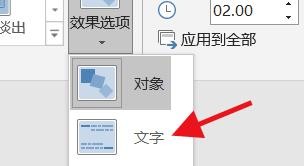
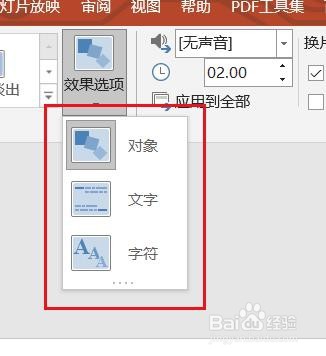
3、这时候我们就能在这里看到他的默认为对象。

4、因此,我们就能够在这里找到他的文字选项。
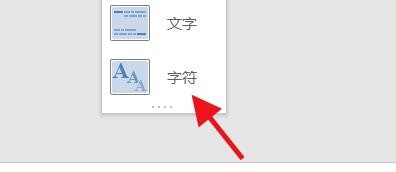
5、下面我们还能设置为字符这种效果。
6、通过效果的设置,我们可以达到更好的平滑切换效果。
时间:2026-04-23 18:54:40
1、在PowerPoint软件中,找到平滑这个切换效果。
2、然后,我们就能够在这里找到效果选项按钮。
3、这时候我们就能在这里看到他的默认为对象。
4、因此,我们就能够在这里找到他的文字选项。
5、下面我们还能设置为字符这种效果。
6、通过效果的设置,我们可以达到更好的平滑切换效果。
