1、首先点击桌面左下角的开始图标。
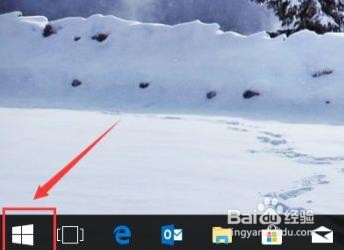
2、然后在搜索栏输入“Powershell”。

3、右击弹出的Powershell选项,选择“以管理员身份运行”。
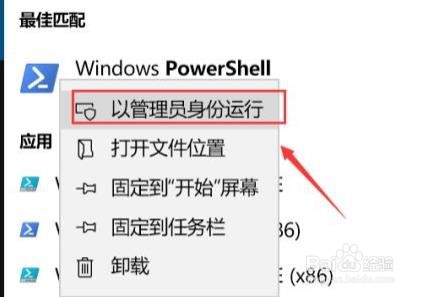
4、输入代码:
Get-AppXPackage -AllUsers | Foreach {Add-AppxPackage -DisableDevelopmentMode -Register “$($_.InstallLocation)\AppXManifest.xml”}
然后回车即可生效。

时间:2026-04-28 15:01:09
1、首先点击桌面左下角的开始图标。
2、然后在搜索栏输入“Powershell”。
3、右击弹出的Powershell选项,选择“以管理员身份运行”。
4、输入代码:
Get-AppXPackage -AllUsers | Foreach {Add-AppxPackage -DisableDevelopmentMode -Register “$($_.InstallLocation)\AppXManifest.xml”}
然后回车即可生效。
