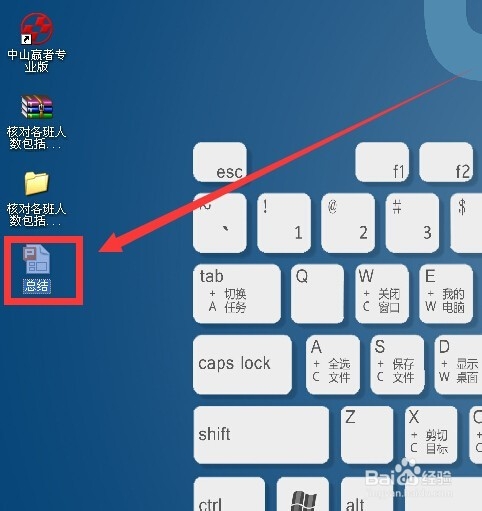
1、双击一个ppt文件
2、发现ppt文件的打开程序是wps
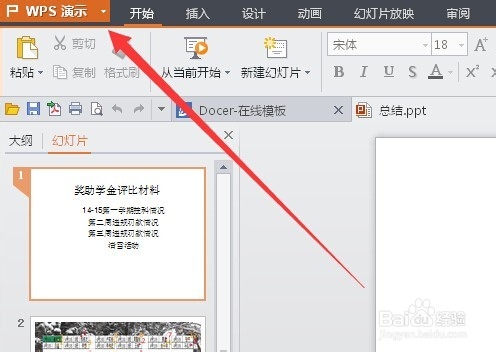
3、关闭wps 右键单击ppt文件图标 点击属性

4、点击打开方式后面的更改
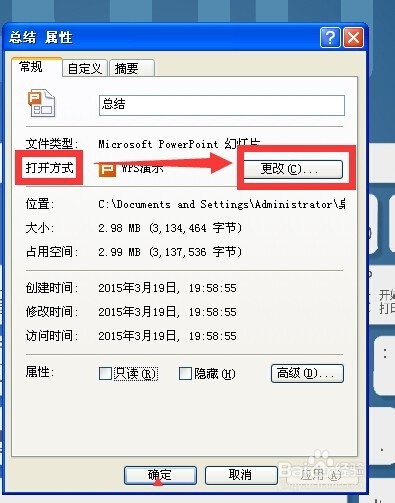
5、如果列表内有powerpoint就点选 如果没有点击下面的浏览

6、找到microsoft office 下的 powerpoint 然后点击打开

7、点击确定

8、再次点击确定

9、再次双击ppt文件图标 发现默认的打开程序已经变为了power point

时间:2026-04-23 21:54:33
1、双击一个ppt文件
2、发现ppt文件的打开程序是wps
3、关闭wps 右键单击ppt文件图标 点击属性
4、点击打开方式后面的更改
5、如果列表内有powerpoint就点选 如果没有点击下面的浏览
6、找到microsoft office 下的 powerpoint 然后点击打开
7、点击确定
8、再次点击确定
9、再次双击ppt文件图标 发现默认的打开程序已经变为了power point
