1、右击电脑桌面的【计算机】图标

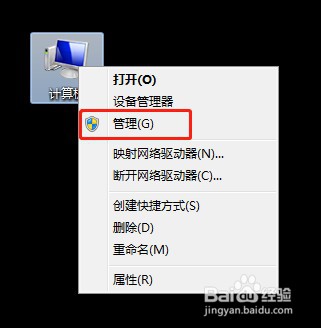
2、在弹出来的菜单里面,点击【管理】
3、在计算机管理界面,点击【服务和应用程序】

4、再点击【服务和应用程序】栏目下面的【服务】

5、在服务列表里面找到【Bluetooth Support Service】,并双击

6、启动类型选【禁用】,然后点击【确定】

7、这样服务Bluetooth Support Service就被禁用了

时间:2026-05-02 17:31:43
1、右击电脑桌面的【计算机】图标
2、在弹出来的菜单里面,点击【管理】
3、在计算机管理界面,点击【服务和应用程序】
4、再点击【服务和应用程序】栏目下面的【服务】
5、在服务列表里面找到【Bluetooth Support Service】,并双击
6、启动类型选【禁用】,然后点击【确定】
7、这样服务Bluetooth Support Service就被禁用了
