postgresql怎么更改端口号

 时间:2026-04-22 15:06:01

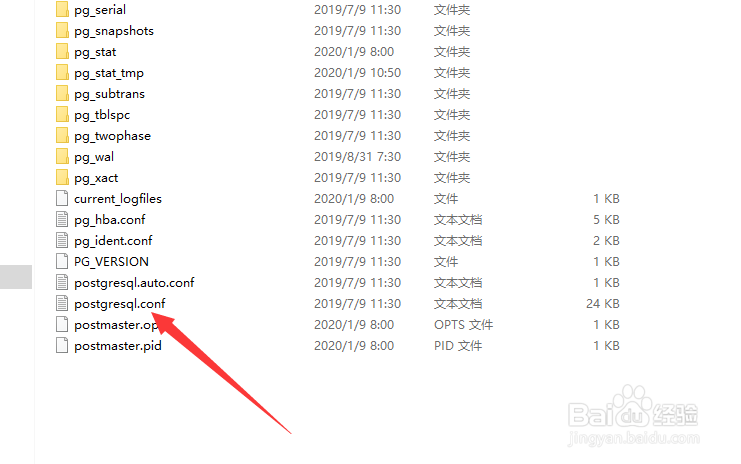
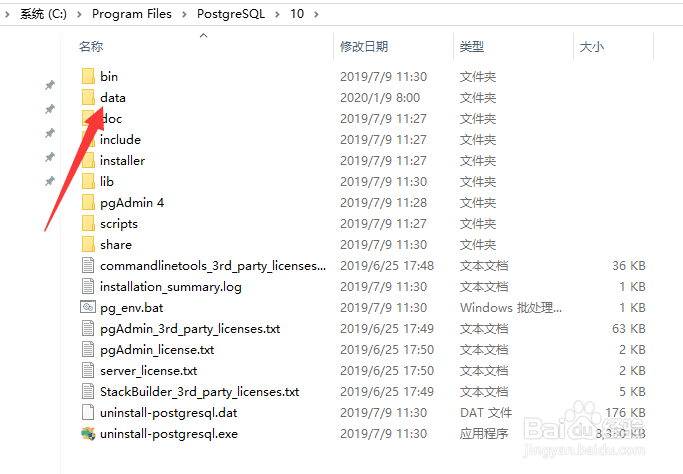
1、进入postgresql,点击data,如下图所示
postgresql怎么更改端口号

2、找到postgresql.conf文件,如下图所示

postgresql怎么更改端口号

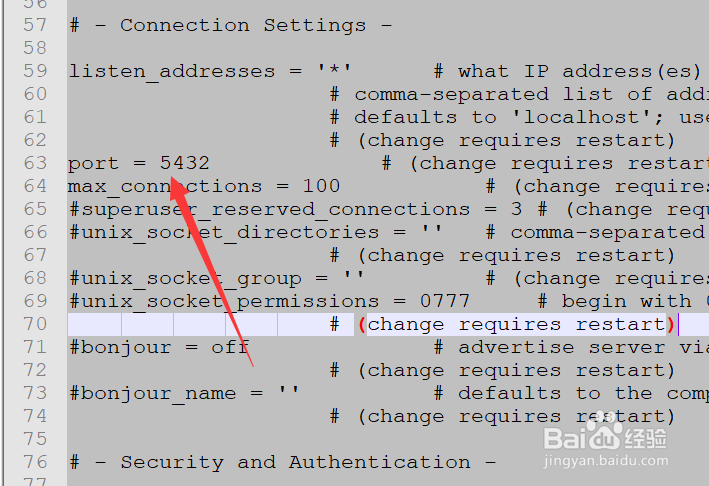
3、找到port行,修改port的值,如下图所示

postgresql怎么更改端口号

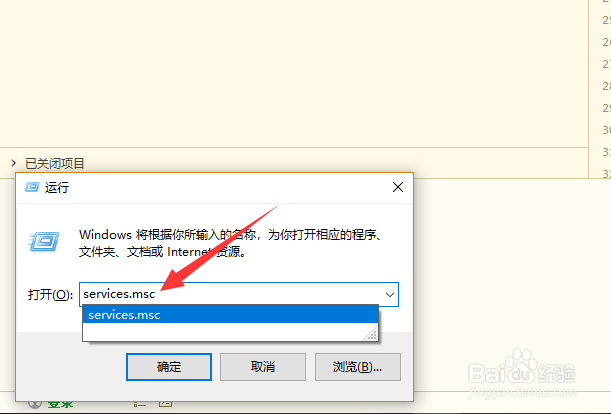
4、打开运行,输入services.msc命令,如下图所示

postgresql怎么更改端口号

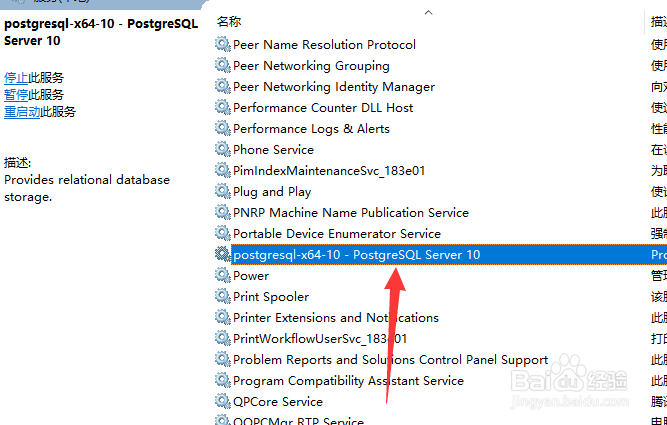
5、定位到postgresql服务,如下图所示

postgresql怎么更改端口号

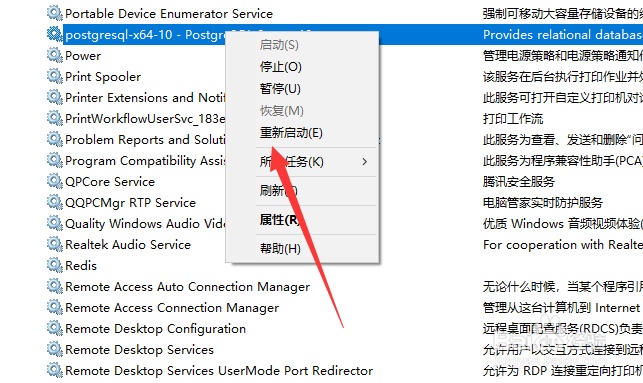
6、最后重新启动服务即可,如下图所示

postgresql怎么更改端口号

1、1,进入postgresql,点击data

2,找到postgresql.conf文件

3,找到port行,修改port的值

4,打开运行,输入services.msc命令

5,定位到postgresql服务

6,最后重新启动服务即可

  • 魏文王问扁鹊出处是什么
  • 香山智能如何设置体重目标
  • 云南最美的20个露营地
  • 欧美女星拼诱惑 18条惊艳透视裙
  • 轮渡旅游攻略
  • 热门搜索
    just do it是什么意思 什么是射精 脚后跟痛是什么原因 tb是什么意思 bora是什么车 单反是什么意思 巧克力是什么做的 运动有什么好处 5452830代表什么意思 手机自动关机是什么原因