在ulead cool 3d中给文字添加粉红旋转特效

 时间:2026-02-12 11:16:43

1、打开ulead cool 3d,进入它的主界面;

在ulead cool 3d中给文字添加粉红旋转特效

2、点击插入文字工具;

在ulead cool 3d中给文字添加粉红旋转特效

3、输入好文字,按确定;

在ulead cool 3d中给文字添加粉红旋转特效

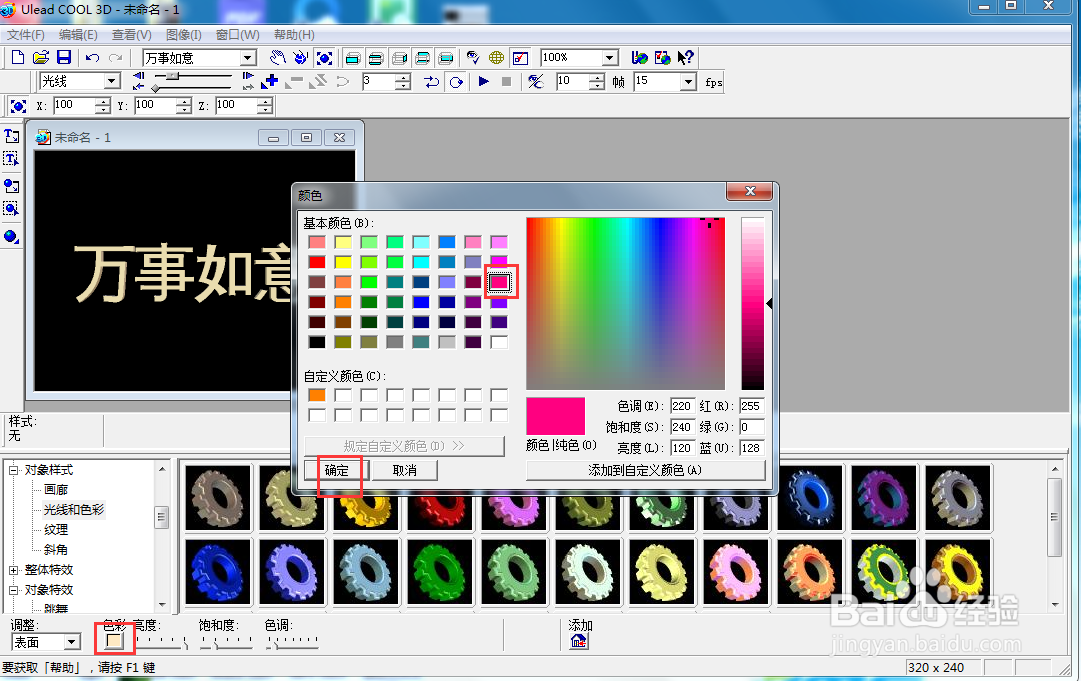
4、点击色彩,选择粉红色;

在ulead cool 3d中给文字添加粉红旋转特效

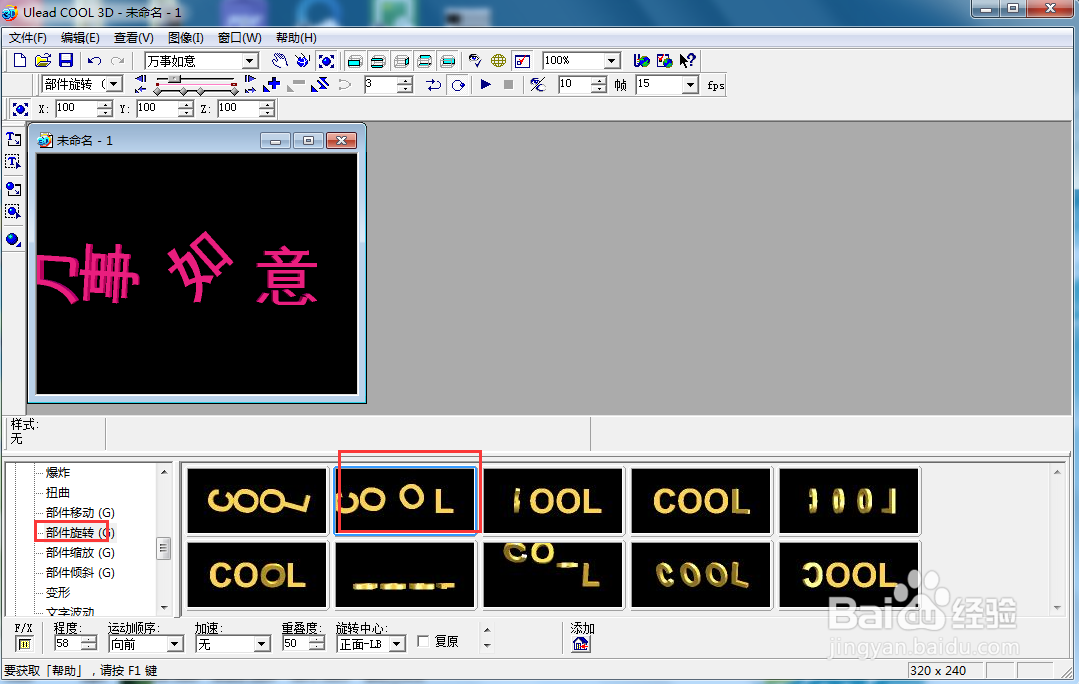
5、点击对象特效,选择部件旋转下的一种动画样式;

在ulead cool 3d中给文字添加粉红旋转特效

6、点击播放按钮,预览创建的效果;

在ulead cool 3d中给文字添加粉红旋转特效

7、我们就在ulead cool 3d中给文字添加了粉红旋转特效。

在ulead cool 3d中给文字添加粉红旋转特效

  • ulead cool 3d中给文字添加紫色扭曲效果
  • ulead cool 3d中给文字添加橙色部件旋转特效
  • 在ulead cool 3d中给文字添加火焰效果
  • ulead cool 3d给文字添加红色部件旋转特效
  • ulead cool 3d中给文字添加扭曲特效
  • 热门搜索
    中华文化的特点 怎么查找ip地址 氟康唑片怎么吃 法兰琳卡化妆品怎么样 跨行转账多久可以到 恒生电子怎么样 欧洲旅游线路 大武汉旅游年卡 孕妇可以吃板栗 蒲地蓝消炎口服液怎么样