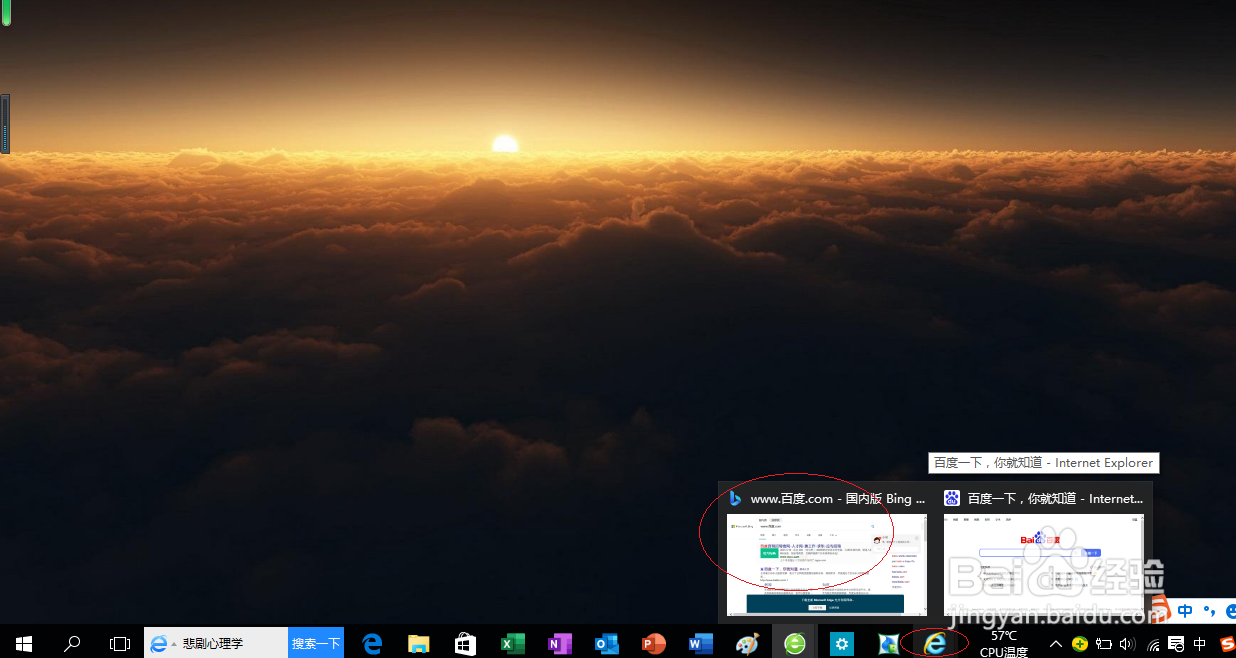
1、启动Windows 10,点击任务栏"Internet explorer"按钮
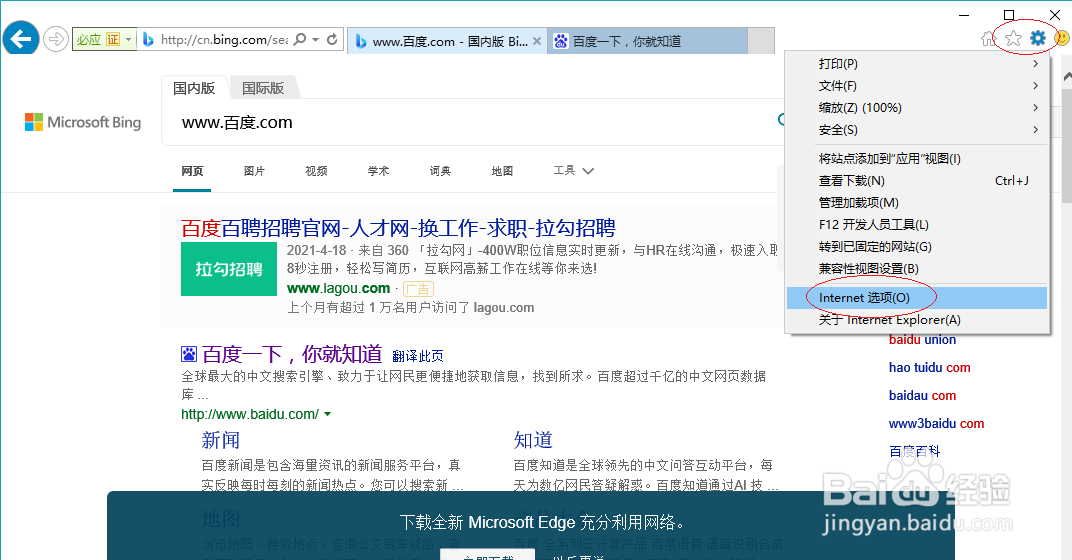
2、点击工具栏"工具"按钮

3、弹出下拉列表选项,选择"Internet 选项"项
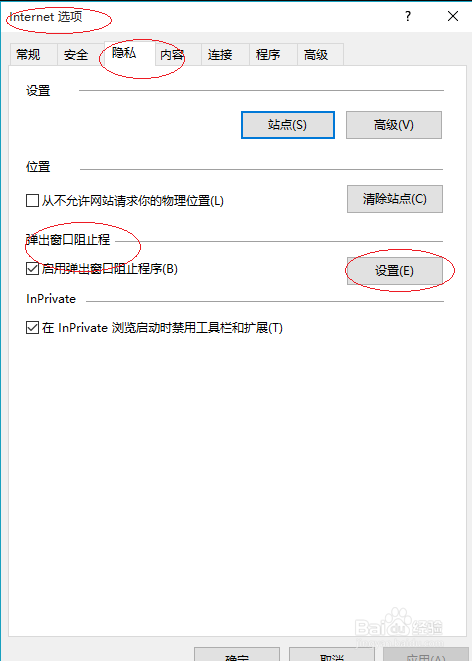
4、点击"隐私|弹出窗口阻止程序|设置"按钮
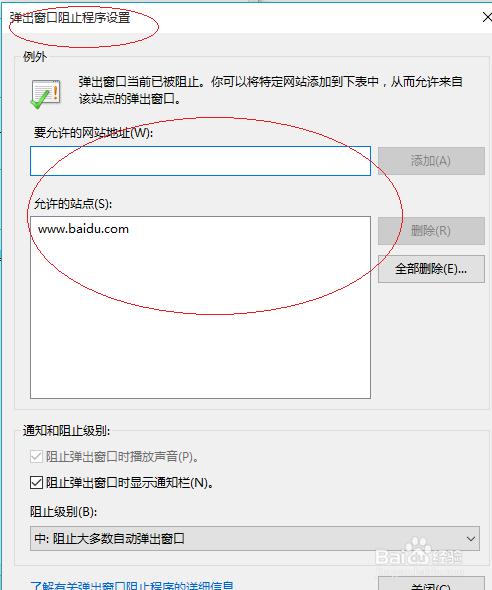
5、输入要允许的网站地址,点击"添加"按钮
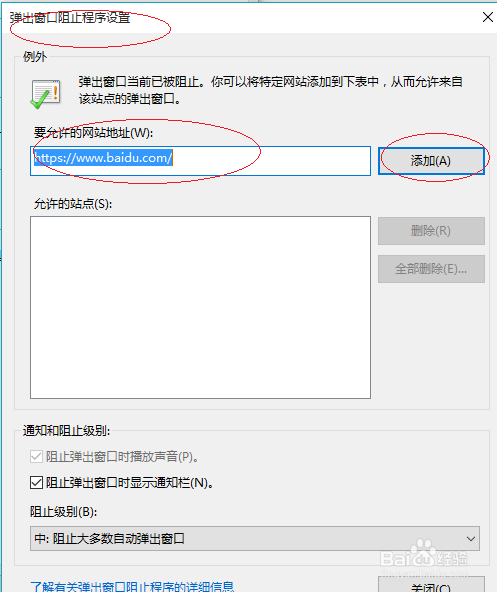
6、完成添加例外的可弹出窗口设置,本例到此谢谢朋友们的关注
时间:2026-04-24 01:46:39
1、启动Windows 10,点击任务栏"Internet explorer"按钮
2、点击工具栏"工具"按钮
3、弹出下拉列表选项,选择"Internet 选项"项
4、点击"隐私|弹出窗口阻止程序|设置"按钮
5、输入要允许的网站地址,点击"添加"按钮
6、完成添加例外的可弹出窗口设置,本例到此谢谢朋友们的关注
