夸克怎么开启发送do not track请求

 时间:2026-04-26 13:47:02

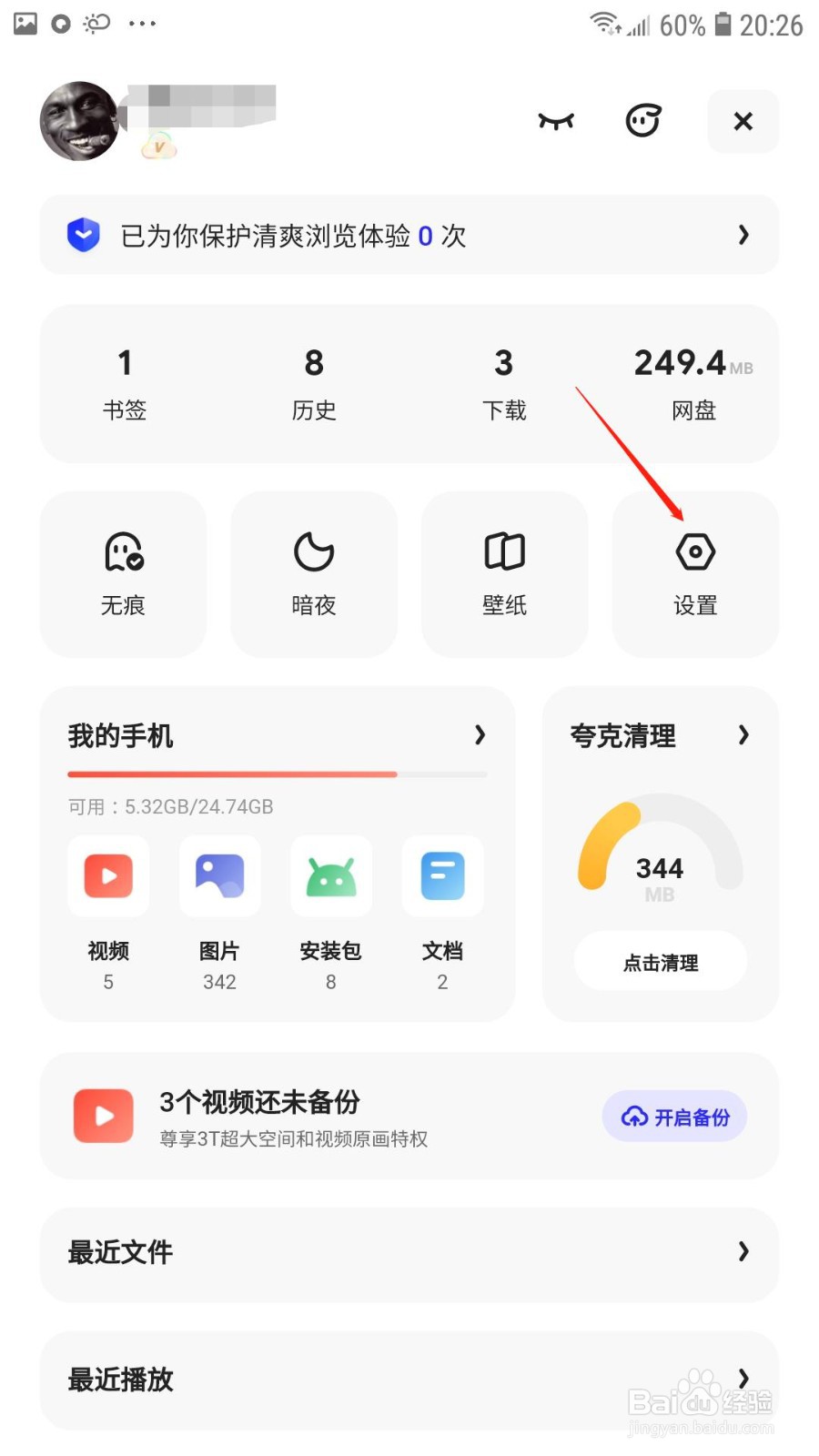
1、点击设置

打开夸克APP,在我的页面点击设置选项;

夸克怎么开启发送do not track请求

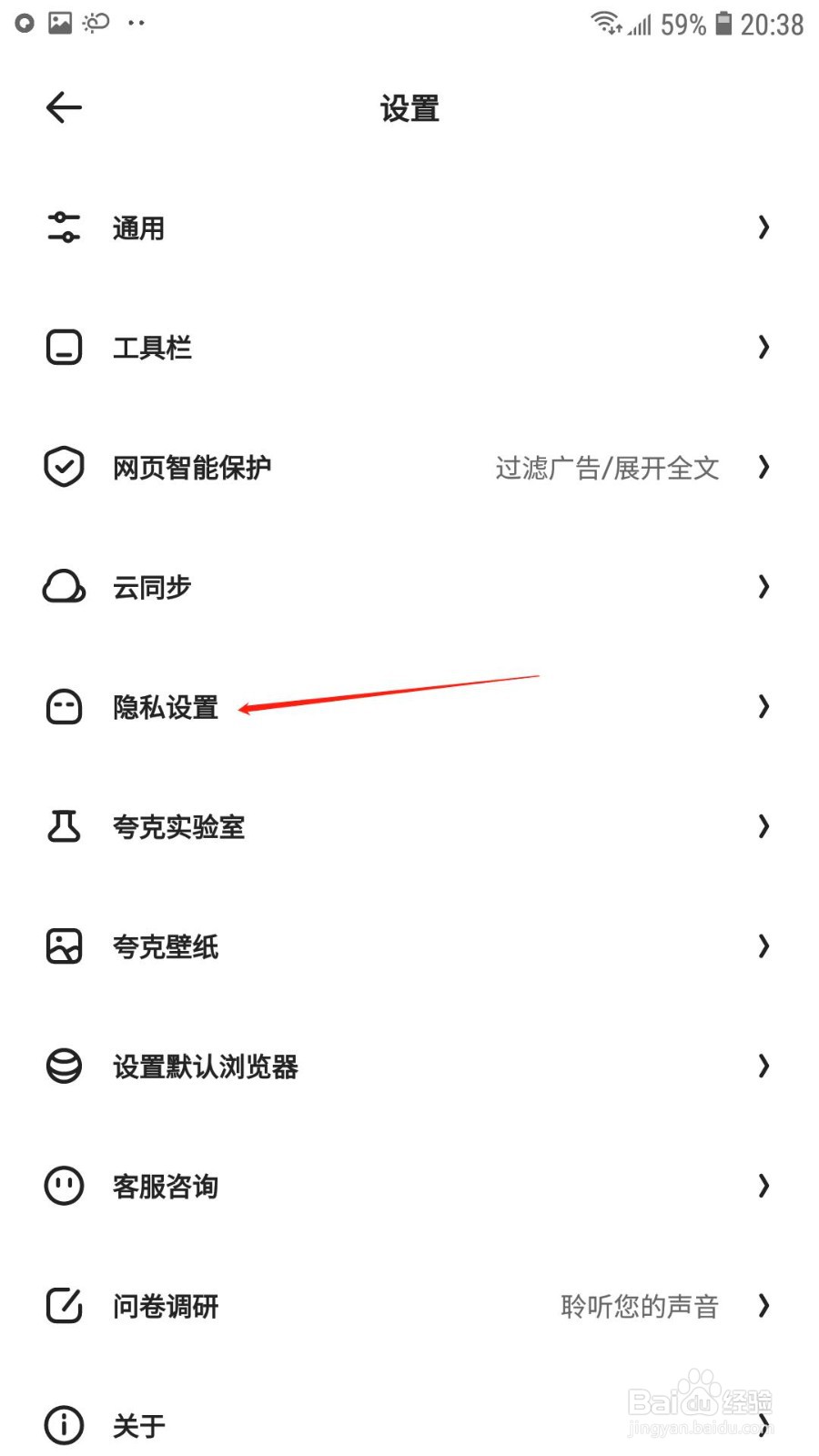
2、点击隐私设置

进入设置页面后,点击隐私设置选项;

夸克怎么开启发送do not track请求

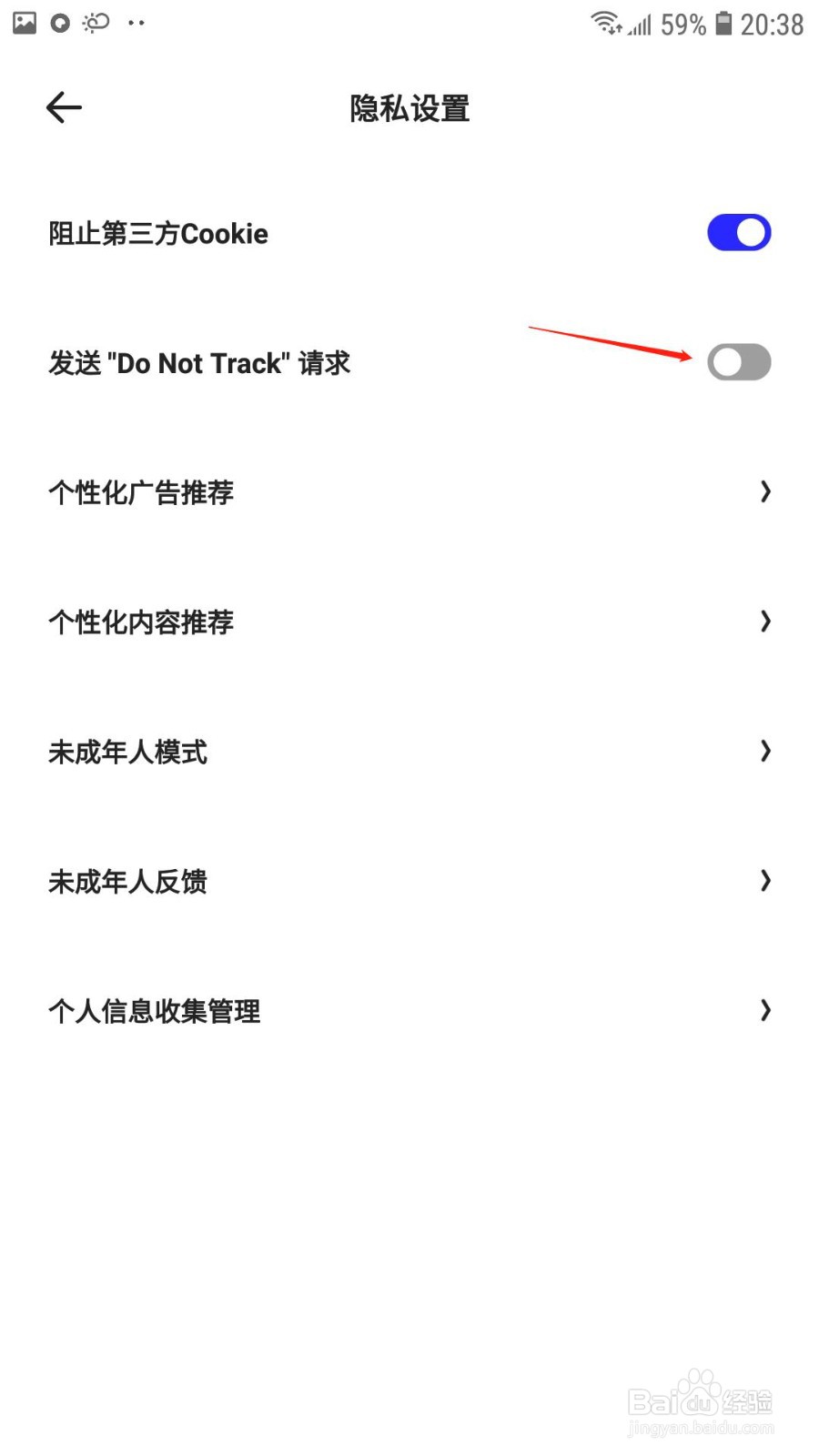
3、开启“发送do not track”

在隐私设置页面,开启“发送do not track”后的开关即可。
夸克怎么开启发送do not track请求

  • e4a易安卓 编译错误的解决方法(1)
  • android手机如何抓起和查看log
  • 怎样用化学消毒液对付病毒?
  • 夸克怎么下载壁纸
  • 一加9pro如何切换网络?
  • 热门搜索
    怎么判断霉菌还是滴虫 螃蟹的家常做法 卞怎么读 黄焖鸡块的做法 犇怎么读 炸鸡翅的做法 thin怎么读 固元膏的做法 北瓜的做法大全 南瓜做法